
A pause screen
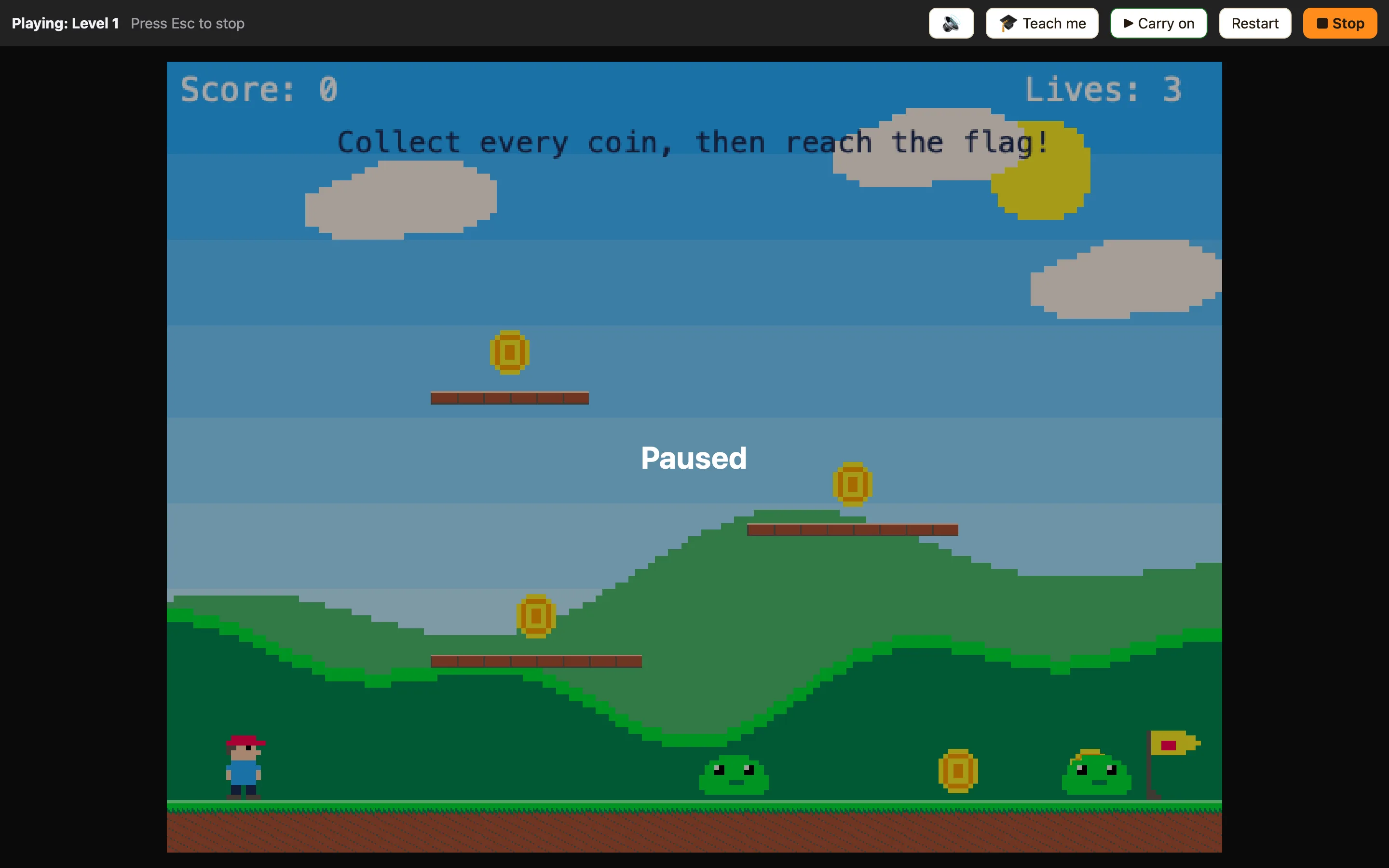
By the end, pressing P will freeze the game and show the word Paused, and pressing P again will carry on.
What you need
Pause, or carry on if paused is Simple. The game is paused is Advanced, so switch to Advanced for the full recipe.
| A game | Any level with something moving. Coin Quest from 🎮 Samples is a good one to try on. |
|---|---|
| Paused text | + Add object → New → Text. Words: Paused — press P. Big size, white. Untick Visible when the level starts. Name it Paused. |
| A hint | A small Text near the top: P pauses. Players cannot guess the key. |
Build it
- Open the Events tab. Click + New event → ⌨ Keyboard & mouse → Upon pressing key. Click the button, then press P.
- In the ⚙ Special cell choose Pause, or carry on if paused.
- + New event → ⚙ Special → The game is paused. In the Paused cell choose Show.
- Right-click the row number and choose Duplicate. On the copy, click the condition chip and choose Make it the opposite (NOT). Change its action to Hide.
- Press ▶ Play level. Press P. Everything stops and the words appear. Press P again.
WhenUpon pressing P
DoPause the game, or carry on if it is paused
WhenThe game is paused
DoShow Paused
WhenNOT: The game is paused
DoHide Paused
Why two rules for the text? Rules that check The game is paused still run while paused. That is what lets the P key work again, and what lets the text show and hide.
Make it yours
- Stay in Simple: one rule, Upon pressing P → Show Paused and Pause the game. A second, Upon pressing Space → Carry on (un-pause) and Hide.
- Quiet when paused: add Set the volume of Music to 20 in the Show rule, and back to 100 in the Hide rule.
- Dim the screen: draw a big dark sprite in the Sprite editor, hide it at the start, show it with the text. In Advanced, Make it see-through 50%.
