
About the tutorial
Twenty minutes, thirty steps, and you have made Chocobreak: a bat-and-ball game with score, lives and a winning message. Here is how the tutorial panel works before you begin.
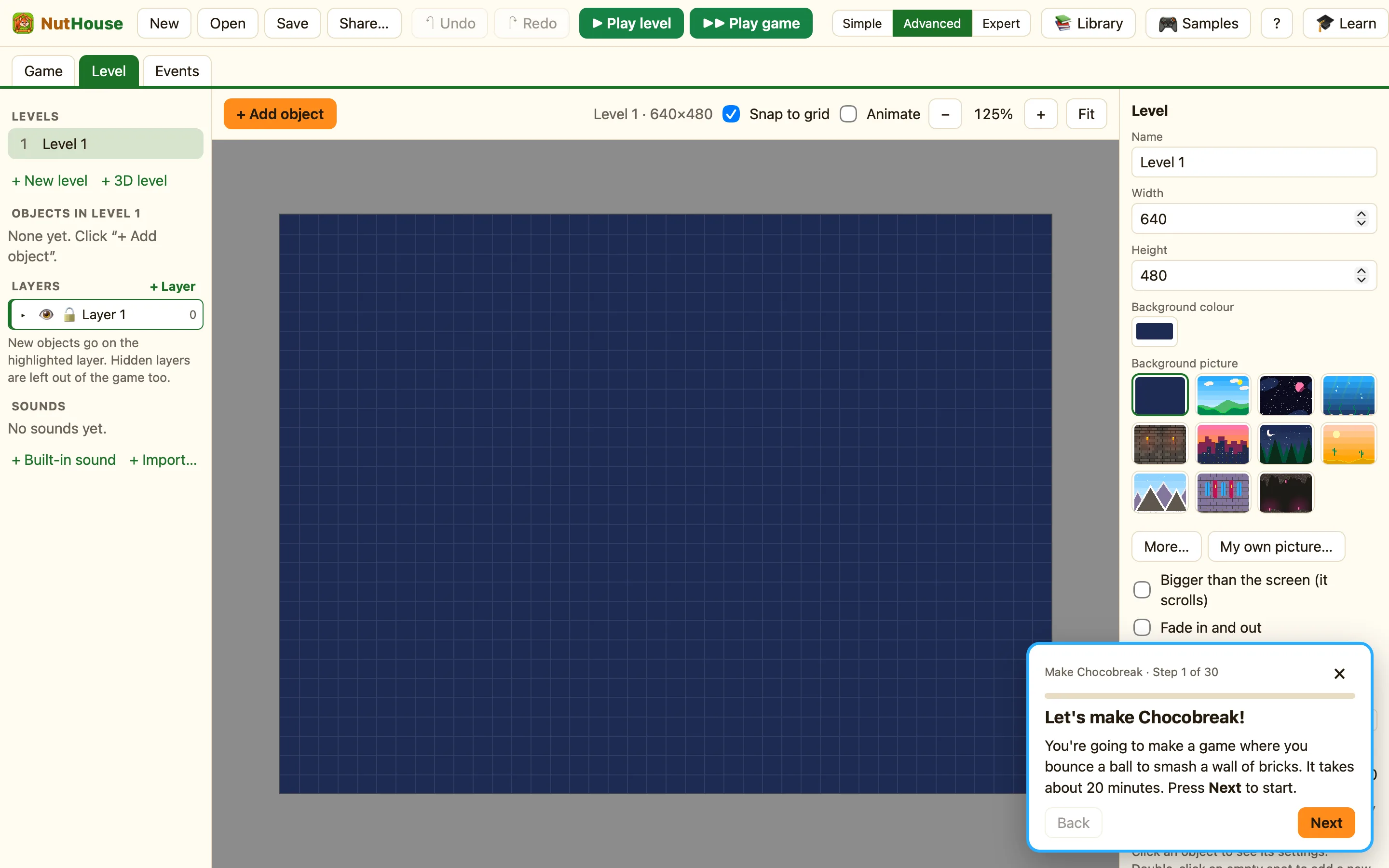
How to start it
- On the Welcome screen press 🎓 Learn: make Chocobreak step by step.
- Or, inside NutHouse, press 🎓 Learn in the toolbar. It is in the Help menu too, as Chocobreak Tutorial.
- If you had a game open, NutHouse asks “Start the tutorial? Unsaved changes to this game will be lost.” Save first if you want to keep that game.
- The tutorial starts you in Simple mode with an empty level.
What is in the panel
| Make Chocobreak · Step N of 30 | The header and the progress bar. You can always see how far you have got. |
|---|---|
| Next | Goes to the next step. On the last step it says Finish. |
| Back | Goes back one step to read it again. |
| Need a hint? | Some steps have a second clue. Click it and a 💡 line appears. |
| Do it for me | NutHouse does the step while you watch. Then press ⌘Z and try it yourself. |
| × | Stops the tutorial. NutHouse asks “Stop the tutorial? Your game stays as it is.” Whatever you built stays in the editor. |
NutHouse checks your work
Most steps are checked. When you have done what the step asks, the panel says Nice one! and you can go on. If you undo a step you had finished, NutHouse says “Looks like that got undone. Let's do this step again.” and waits.
A few steps are only reading. For those, press Next when you are ready.
The seven parts
- Part 1: The paddle: steps 1 to 6.
- Part 2: The ball: steps 7 to 9.
- Part 3: The bricks: steps 10 to 12.
- Part 4: Your first rule: steps 13 to 17.
- Part 5: Bouncing and the edges: steps 18 to 20.
- Part 6: Score and lives: steps 21 to 25.
- Part 7: Winning and saving: steps 26 to 30.
Every step's exact words are on one page too: Every step of the tutorial.
