
Part 2: The ball
Steps 7 to 9. Add the ball, put it above the paddle, and make it fast.
What this part teaches
The ball is the second kind of movement you meet. The paddle waits for keys; the ball moves by itself. You also learn that where you put an object in the editor is where it starts when the level begins.
Step 7: Add the ball
- Press + Add object.
- Click Balls & Paddles, then Ball.
A toast appears saying the Ball moves by itself. That is the library telling you it came with a movement.
Step 8: Put the ball above the paddle
Drag the Ball so it sits just above the paddle. The ball starts flying from wherever you leave it, so this is where every game of Chocobreak begins.
Step 9: Speed up the ball
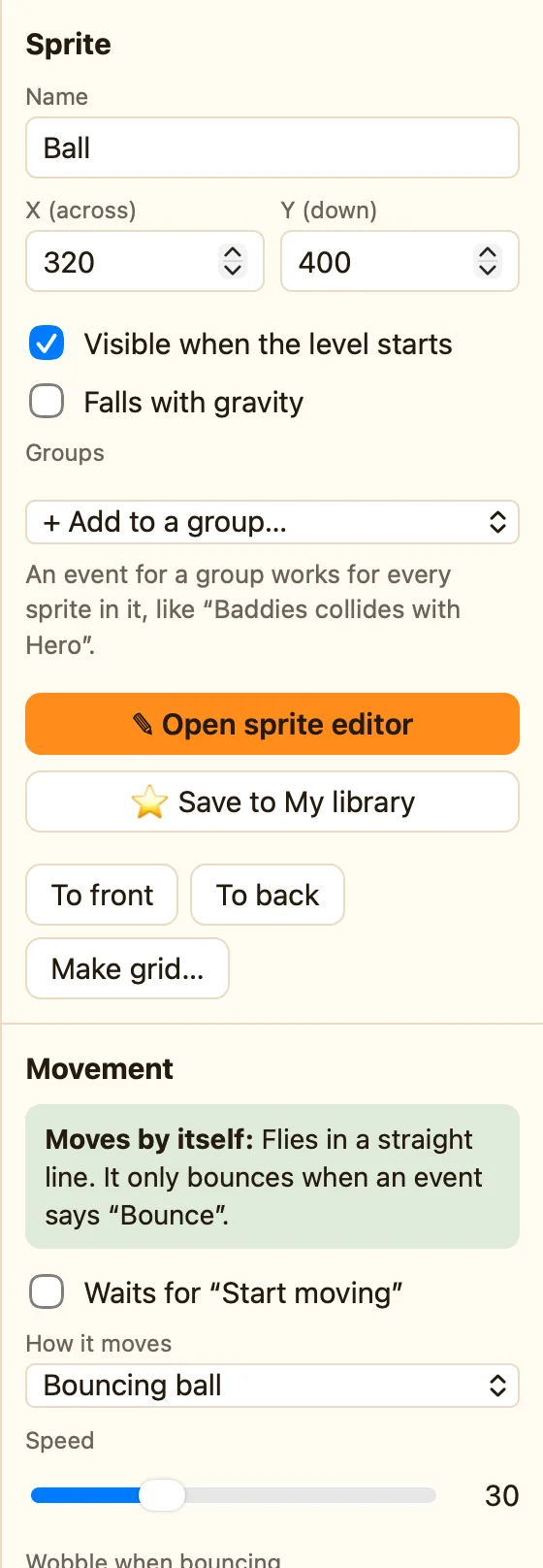
- Click the Ball.
- On the right, under Movement, it says Bouncing ball.
- Drag Speed to 40 or more.
What Bouncing ball means
A bouncing ball flies in a straight line and keeps going. Despite its name, it does not bounce off anything on its own. Bouncing is an action you add in a rule, which is exactly what Part 4 does. NutHouse's own help sentence for the action says so:
Bounce| Speed | How fast it flies. 40 is a good game speed. 100 is very hard. |
|---|---|
| Starts moving | Which way it sets off. The tutorial leaves this alone. |
Next: Part 3: The bricks.
