
Bouncing ball
A sprite that flies in a straight line, for balls, lasers and asteroids. It only bounces when a rule tells it to.
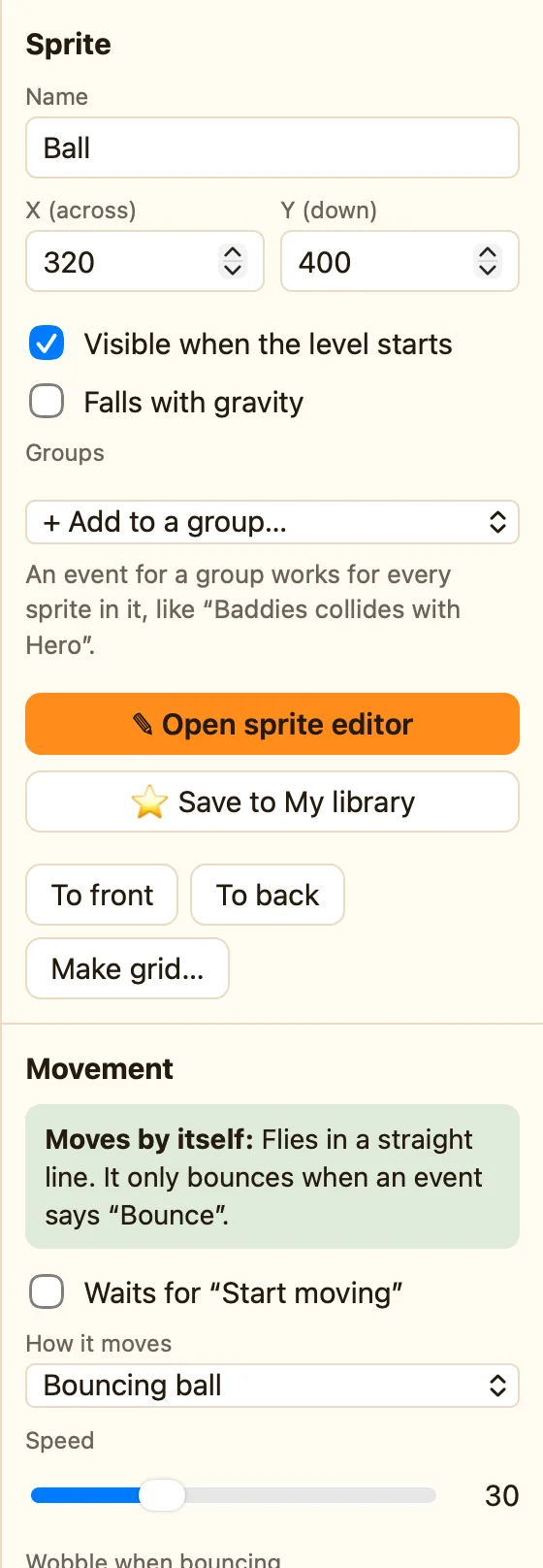
What it does
Flies in a straight line. Use a Bounce action to bounce it. That last part surprises everyone. The ball does not know about walls or bricks. It flies on until a rule says Bounce, and then it bounces away from whatever it hit.
This is on purpose. It means you decide what bounces and what does not. A ball bounces off a brick and smashes it. A laser does not bounce off an alien. It destroys it.
What the settings mean
| Speed | How fast it flies, 0 to 100. The library Ball starts at 30. |
|---|---|
| Wobble when bouncing | Makes bounces a little random, so the ball does not get stuck going the same way for ever. |
| Gets itself out of corners | If it wedges in a corner, it nudges itself free. Advanced and Expert only. |
| Angles | 8 (chunky), 16 or 32 (smooth). Fewer angles feel more old-school. Advanced and Expert only. |
| Starts moving | Which way it sets off: Any direction, Up diagonals, Left or right or Down diagonals. |
| Moving when the level starts | Untick it and the ball waits until a rule says Start moving. |
Library sprites that come with it
Ball, Laser (flies straight up), Pipes (slide to the left) and Asteroid. They all show the ➡ Flies straight chip.
Rules that go with it
- Bounce makes it bounce away from what it hit. Pair it with Collides with another object or Collides with a background.
- Leaves the play area catches a ball going off the bottom. Take a life away.
- Set speed speeds it up as the game goes on.
- Set direction turns it a certain way, for a serve.
WhenBall collides with Brick
DoDestroy BrickBounce BallAdd 10 to the score
