
Chocobreak
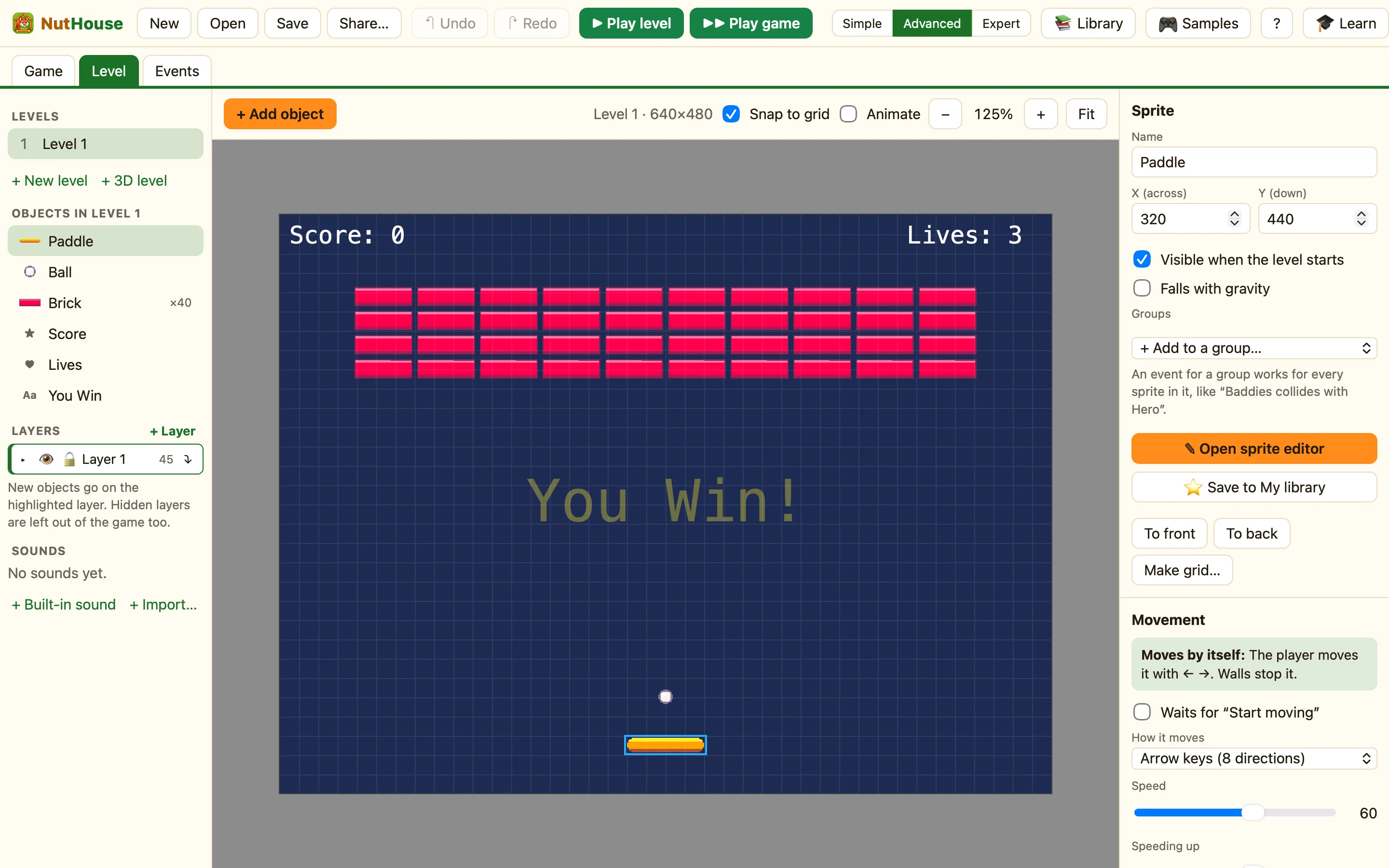
Bounce the ball and smash every brick. Chocobreak shows bouncing, collisions and lives, and it is the game the tutorial builds.
What it shows
Shows: Bouncing, collisions, lives. It has one level and seven rules. If you want to build it yourself, step by step, press 🎓 Learn and follow the tutorial. See About the tutorial.
How to play
Press ← and → to slide the paddle. Keep the ball in the air. Every brick is worth 10 points. If the ball falls off the bottom you lose a life. Smash all 40 bricks and You Win! appears.
The things in it
| Paddle | Arrow keys (8 directions), Left/Right only, Speed 60. |
|---|---|
| Ball | Bouncing ball, Speed 30, starts moving Up diagonals, with a little Wobble when bouncing so it never gets stuck in a loop. |
| Brick | Stays still. Ten columns and four rows, placed with Make grid…. |
| Score, Lives | Shown at the top corners. |
| You Win | A big yellow Text with Visible when the level starts off. |
The rules, one by one
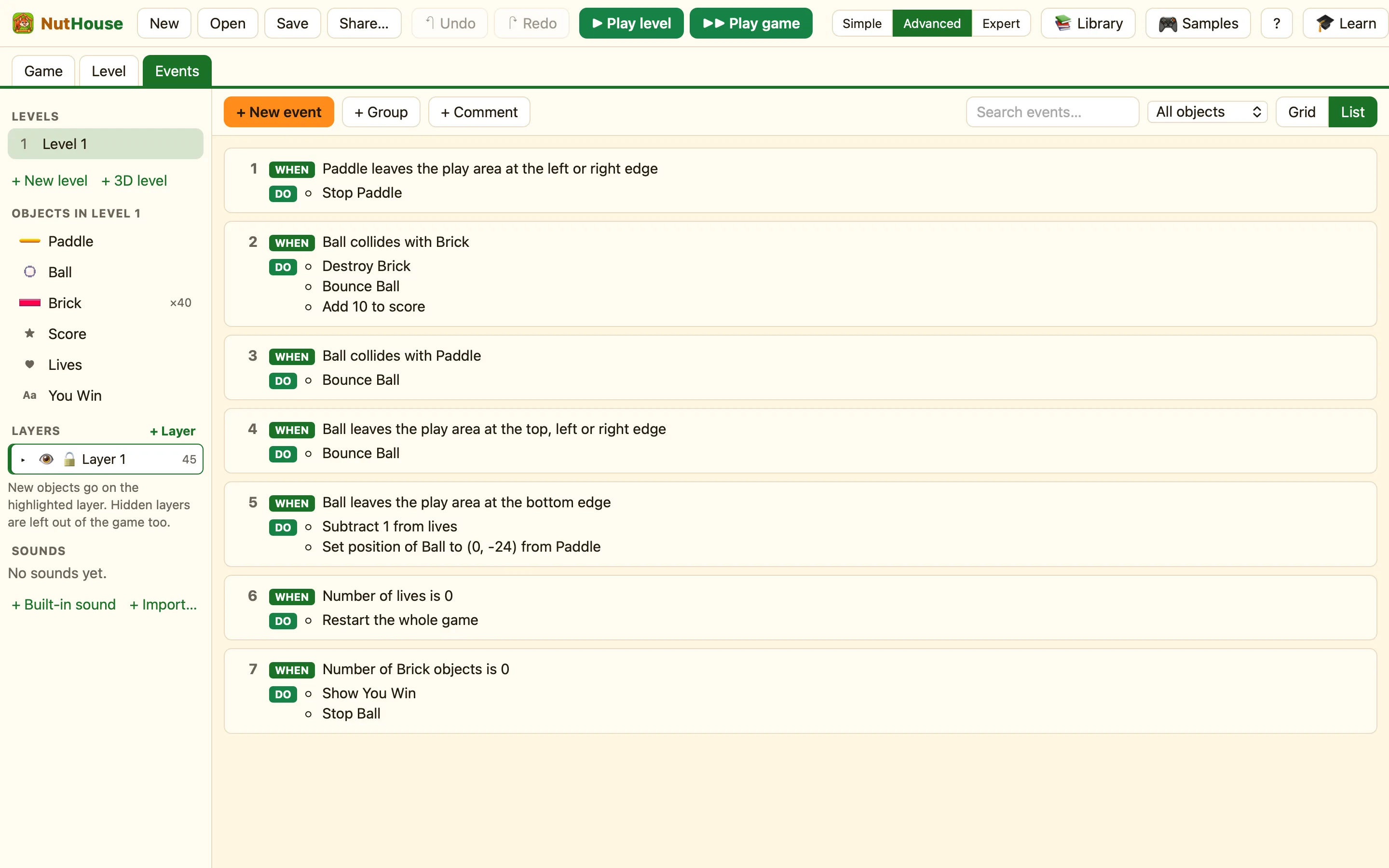
The paddle cannot slide off the sides. Stop steps it back onto the screen.
Only the brick that was hit is destroyed, because the condition picks only that one.
A bouncing ball flies straight until a rule says Bounce. Without this rule it would go through the paddle.
The top and the two sides are walls. The bottom is left out on purpose.
Falling off the bottom costs a life. The ball goes back to a spot 24 pixels above the paddle, wherever the paddle is.
This one is not red. It is checked all the time, and acts the moment the lives run out.
When every brick is gone, the hidden message appears and the ball stops.
Three changes to try
- Bigger points. In the Events tab, find rule 2. Click the ✓ in the ☺ Player 1 column, then the ✎ next to Add to score. Change 10 to 50.
- A faster ball. In the Level tab click the ball. On the right, change Speed from 30 to 45. Play it. Harder?
- A boing. In the sidebar click + Built-in sound and choose Bounce. In rule 3, click the ♪ Sound cell and add Play a sound → Bounce.
