
Platform (walk and jump)
The hero of a jumping game. It walks left and right, jumps, falls back down and climbs ladders.
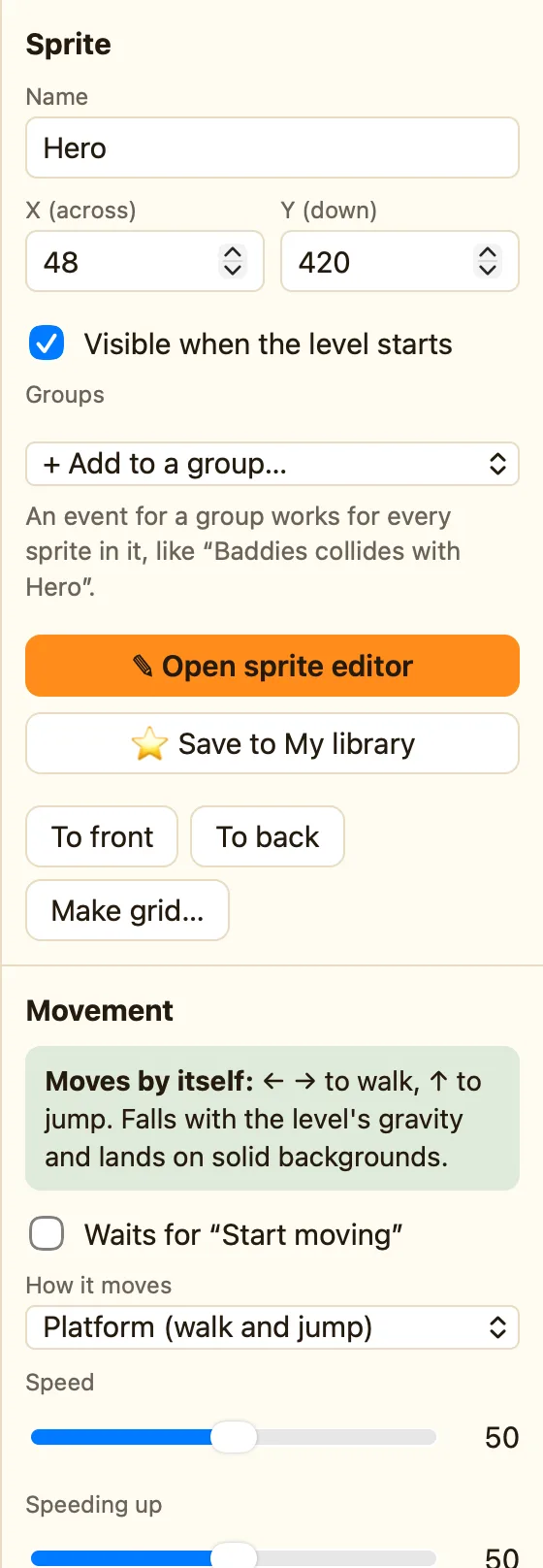
What it does
Walks left and right, falls, and jumps onto backgrounds. Press ← and → to walk and the jump key to jump. It falls with the level's gravity and lands on anything solid: a Block set to Solid, a Platform you can jump up through, or a library tile like Grass.
Stand on a Ladder block and press ↑ or ↓ to climb. Press ← or → to step off, or jump to leap off.
It picks animations by itself: walking, jumping on the way up, falling on the way down, climbing on a ladder and stopped the rest of the time.
What the settings mean
| Speed | Walking speed, 0 to 100. |
|---|---|
| Speeding up | How quickly it gets going. Advanced and Expert only. |
| Slowing down | How quickly it stops. Advanced and Expert only. |
| Gravity | How hard this sprite is pulled down. It works together with the level's Gravity strength. |
| Jump strength | How high it jumps. Turn it up for a big floaty jump. |
| Jump with | Up arrow, Space bar or Shift. |
Library sprites that come with it
Hero, Explorer, Knight, Wizard and Cat all show the 🎮 Walks & jumps chip.
Rules that go with it
- Is standing on the ground is true while it stands on something solid.
- Is falling is true on the way down. Perfect for squashing an enemy from above.
- Lands on the ground happens once, the moment it lands. Play a thud.
- Starts falling and Bumps its head are the other moments in a jump.
- Jump (push against gravity) makes it jump from a rule, like a springboard.
WhenHero collides with SlimeHero is falling
DoDestroy SlimeMake Hero jump with strength 50
