
Gravity
Each level pulls things down, up or not at all. Here is who falls, and the rules about landing and jumping.
Who falls
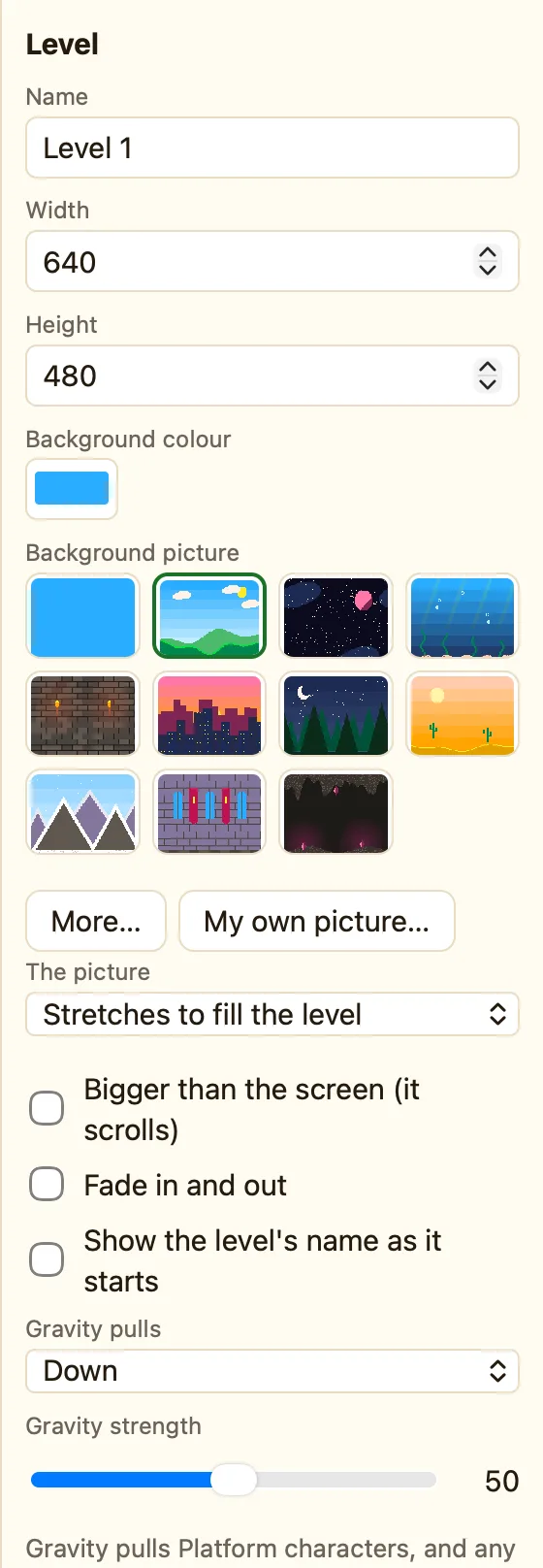
Gravity is a setting of the level, not of the game. Click empty space and look at the bottom of the Level panel.
Not everything falls. Gravity pulls two kinds of sprite:
| Platform sprites | Any sprite whose movement is Platform (walk and jump). It always falls and lands on solid things. |
|---|---|
| Falls with gravity | Any other sprite with this box ticked. Find it in the sprite's settings. Untick it and the sprite floats. |
Blocks, counters, text and the rest never fall. A Bouncing ball does not fall either, unless you tick its Falls with gravity box.
What the settings mean
| Gravity pulls | Down is normal. Up makes things fall to the ceiling. Off (everything floats) is right for space games and top-down mazes. |
|---|---|
| Gravity strength | 0 to 100. 50 is a good start. Try 20 for a floaty moon feel, or 80 for heavy and fast. |
Star Defender and Dungeon Key have gravity off. Wing It has it on, and one rule pushes the bird up.
Rules about gravity
Falling sprites get extra tests and actions. The useful ones are:
Lands on the ground Is falling Is standing on the ground Starts falling Bumps its head
Jump (push against gravity) Start falling with gravity Stop feeling gravity Set gravity strength Make gravity pull… Flip gravity upside down
Point at a chip to read what it does. Coin Quest uses Is falling to squash slimes: if the hero is falling when they touch, the slime goes. If not, the hero gets hurt.
