
Part 4: Your first rule
Steps 13 to 17. Open the Events tab and write a rule: when the ball hits a brick, smash the brick and bounce the ball.
What this part teaches
This is the heart of NutHouse. A rule has two halves. The when half is a condition: something NutHouse watches for. The do half is one or more actions: what happens. One row in the Events tab is one rule.
The card is red because this rule happens once, at the moment the ball first touches a brick. And only the brick that was touched gets destroyed, not all forty.
Step 13: Rules make the game
Objects only do clever things when you give them rules, called events: “when this happens, do that”. Click the Events tab.
Step 14: When the ball hits a brick…
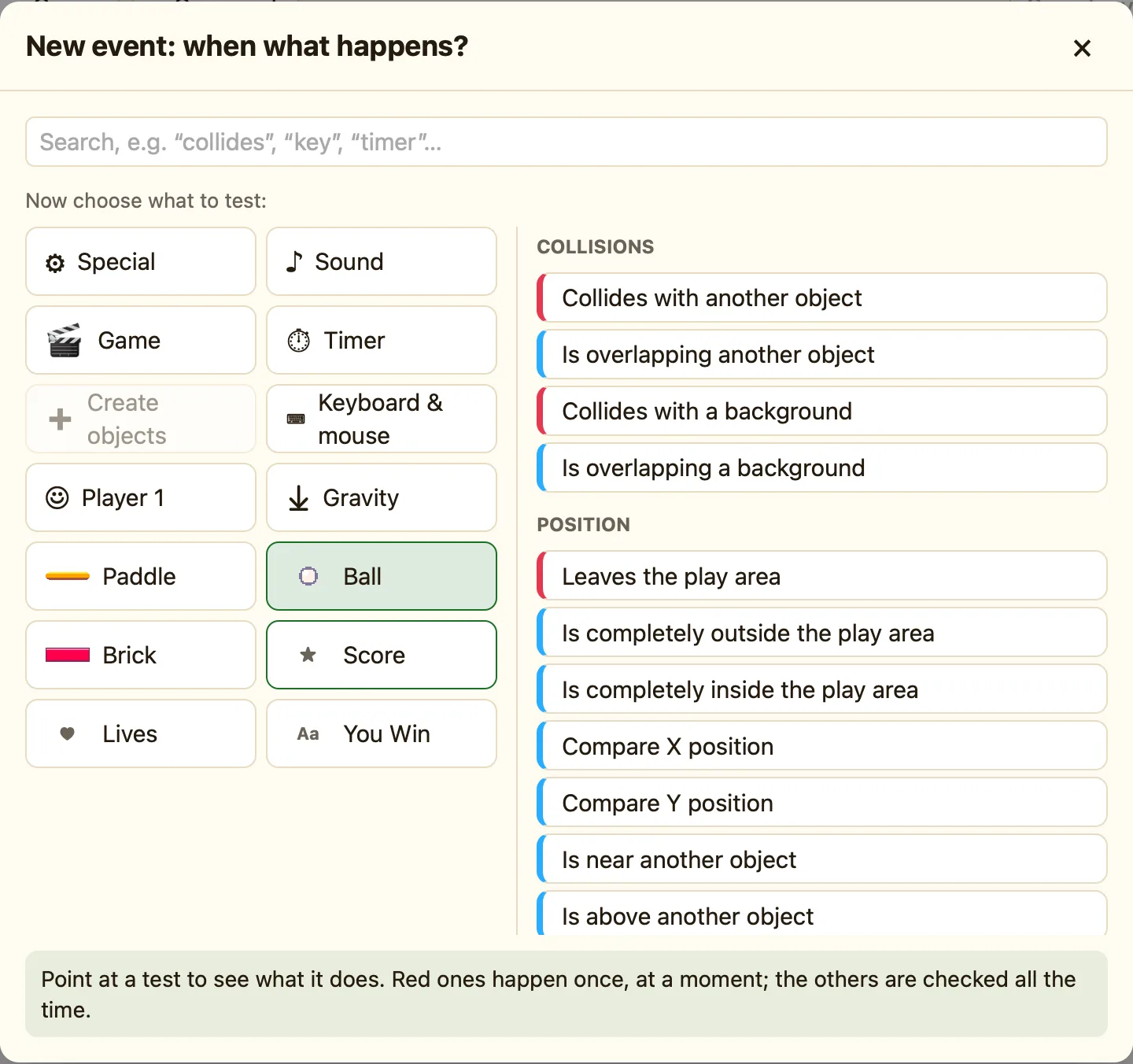
- Press + New event. The picker asks “Which thing do you want to test? Click it.”
- Click the Ball.
- Click Collides with another object.
- Pick the Brick and press Add.
Step 15: …smash the brick
Now the do half. The columns along the top are the things that can do something. Find the Brick picture. In your new row, click the empty cell under it and choose Destroy.
DestroyStep 16: …and bounce the ball
In the same row, click the cell under the Ball and choose Bounce. A rule can have as many actions as you like.
BounceStep 17: Test your first rule
Press ▶ Play level. The ball smashes a brick and bounces away. It still goes through the paddle, and that is the next part. Press Esc.
Reading the row
| Red chip on the left | The condition. Red means “happens once, at a moment”. |
|---|---|
| ✓ under Brick | Brick does something: Destroy. |
| ✓ under Ball | Ball does something: Bounce. |
