
Only the coin you touched
A condition picks the copies it is about, so Destroy removes just those and leaves the rest alone.
Copies and picking
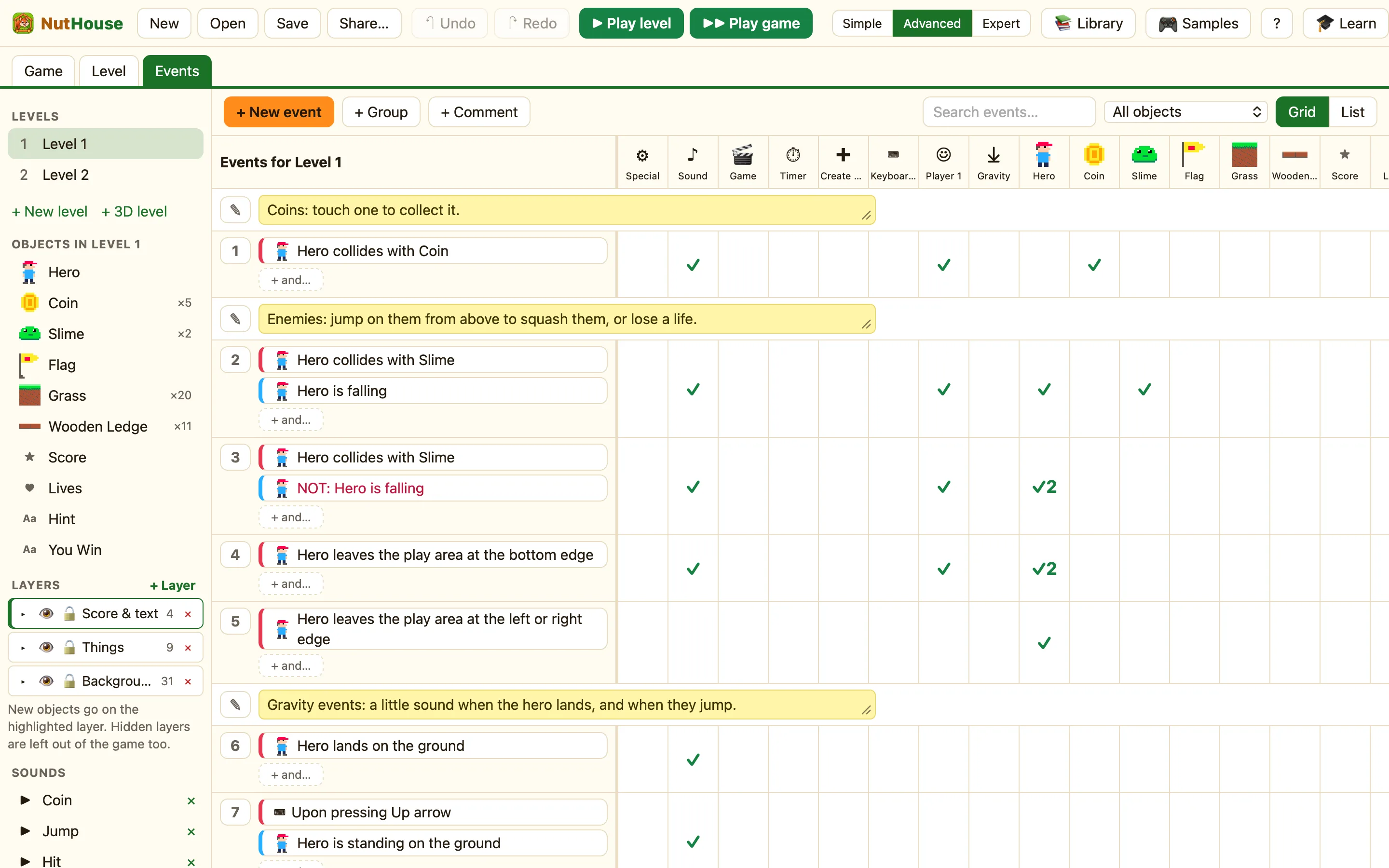
When you make a grid of twenty coins, they are twenty copies of one object called Coin. The Events tab has one Coin column, not twenty. So how does NutHouse know which coin to destroy?
The answer is picking. A condition about an object does not only test it. It also picks the copies that passed the test. The actions in that rule then happen only to the picked copies.
Here Collides with another object picks the one coin the hero touched. Destroy removes only that one. The other nineteen stay.
Which conditions pick
| Collides with another object | Picks the copies that touched. |
|---|---|
| Is overlapping another object | Picks the copies that are overlapping. |
| User clicks on an object | Picks the copy that was clicked. |
| The mouse is over an object | Picks the copies under the pointer. |
| Is near another object | Picks the copies that are close enough. |
| Switch is on and Compare a value | Pick the copies whose switch or value matches. |
| Pick one of them at random | Picks exactly one copy, at random. |
Conditions from the ⚙ Special, ⏱ Timer and ⌨ Keyboard columns are not about an object, so they pick nothing. After them, an action on Coin happens to every coin.
That rule removes all the coins at once.
Picking carries down the row
Every action in the rule sees the same picked copies. So after “Hero collides with Slime”, you can destroy the slime, flash the hero and play a sound, and each action uses the right copy. A second condition in the same rule narrows the picking further.
Picked by the one that touched
Create an object works the same way the other way round: after it, later actions in the same rule work on the new copy. Create a laser, then set its speed, and only the new laser changes.
