
Red rules happen once
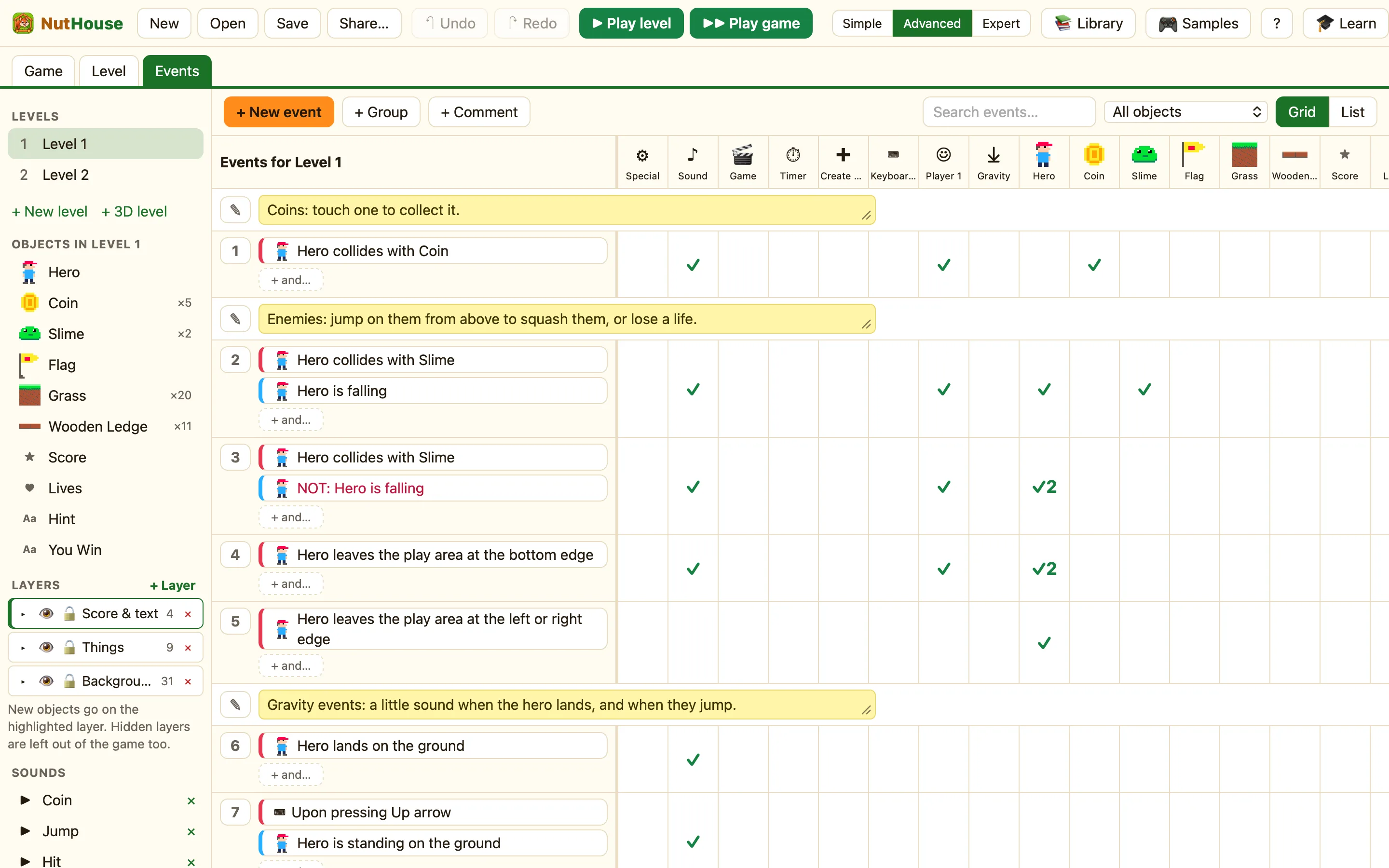
A red condition is a moment, and the others are states that NutHouse checks every tick.
Moments and states
NutHouse reads every rule about sixty times a second. If a rule tests “the score is 100 or more”, that is true on every tick after you reach 100. So its actions would run sixty times a second, for ever.
That is why some conditions are red. A red condition is only true at the instant something happens, on one tick. Then it is false again until the thing happens again. Red is NutHouse’s way of saying “once”.
| Red (a moment) | Collides with another object · Upon pressing a key · Start of level · Every · Lands on the ground · Button is clicked |
|---|---|
| Normal (a state) | Is overlapping another object · Repeat while a key is pressed · Always · Compare the timer · Is falling · Compare the score |
Why it matters
Use a red condition when the actions should happen one time per event. “Add 10 to the score when the hero touches a coin” must be red, or you would score hundreds of points in a second.
Use a normal condition when the actions should keep going as long as it is true. “While the right arrow is pressed, set the hero’s speed to 30” wants a normal condition, because you want it every tick you hold the key.
Mixing them in one rule
A rule can have both. The red one makes the whole rule happen once; the others narrow it. Put the red condition first. NutHouse checks it first, and the rule only fires at that moment and only if the others are true too.
Telling them apart
In the picker, red tests are red. The footer says “Red ones happen once, at a moment; the others are checked all the time.” In the grid, red chips are red. On the reference pages, a small once mark shows the same thing.
