
The settings dialog
Read the 💡 line, fill in the boxes, and watch the sentence at the bottom change as you type.
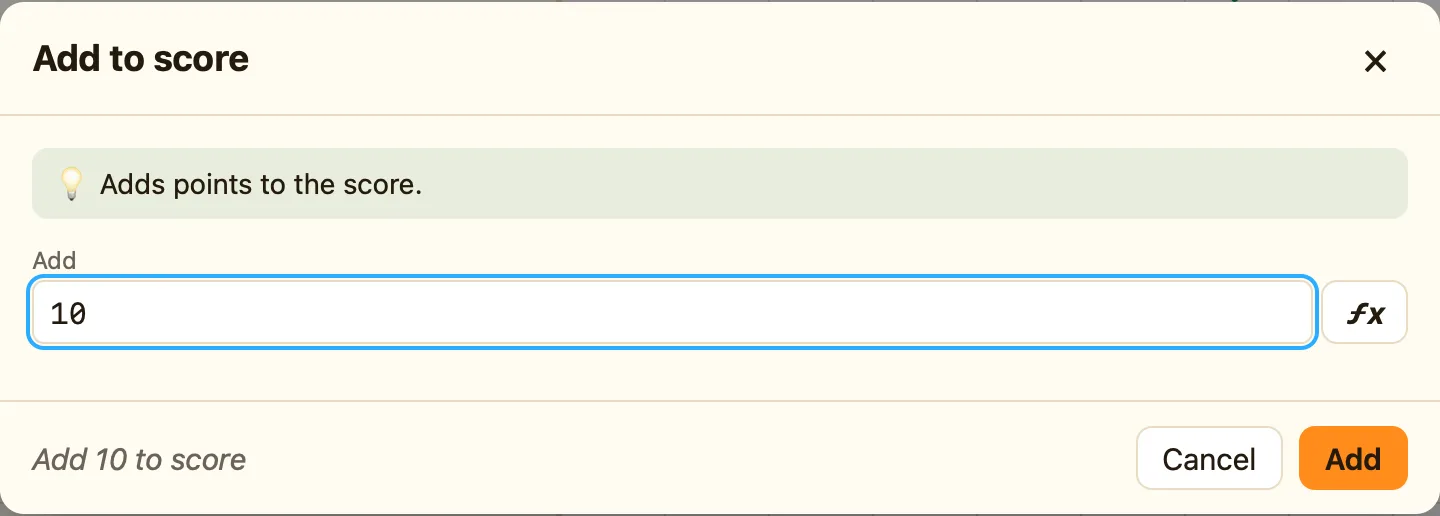
What you see
Many conditions and actions need a bit more from you: which object, which key, how many points. The settings dialog asks. Its title is “{Object}: {name}”, like “Ball: Collides with another object”.
| 💡 line | The help sentence for this condition or action. The same one you saw in the picker. |
|---|---|
| The boxes | One for each setting. The ones on the reference pages under “Asks for” are these. |
| The sentence | At the bottom. It updates live, so you can check you have it right before you press Add. |
| Cancel / Add | Add when it is new, OK when you are changing one. Esc cancels. |
The kinds of box
| Number box | Type a number, or a formula like Score + 10 or Random(5). It checks as you type; mistakes go red. In Advanced and Expert the ƒx button helps you write one. See What a formula is. |
|---|---|
| Object pictures | Click the one you mean. If none fit it says “There are no objects of the right kind yet.” |
| Position | X (across), Y (down) and Measured from: the top-left corner of the level, or another object. |
| Comparison chips | = equal to, ≠ not equal, < less than, ≤ at most, > more than, ≥ at least. |
| Key picker | Click the button, then press the key you want. It says “Press a key now…”; Esc cancels. |
| Direction wheel | 32 points. Buttons for All, 8 main, Left/Right, Up/Down, None. Ticking several means “picks one at random”. |
| Edges | Tick Top, Bottom, Left, Right. You need at least one. |
| Lists | Animations, levels (“The next level”, “The previous level”, “The start of this level”, or one by name), sounds, groups, Switch 0–Switch 7, Value A–Value J. |
Messages you might see
“Choose an object (add one to the level first)” means the level has nothing of that kind yet. “There are no sounds yet” means add a sound in the sidebar. “Make a group first” means press + Group. “Pick at least one direction” and “Pick at least one edge” mean a tick is missing.
Changing settings later
Right-click a condition chip and choose Change settings…. For an action, click its cell and press ✎. The same dialog opens with OK instead of Add.
