
Turn off, duplicate, copy and paste rules
Right-click the number for more, and ⌘C a rule into another level or another game.
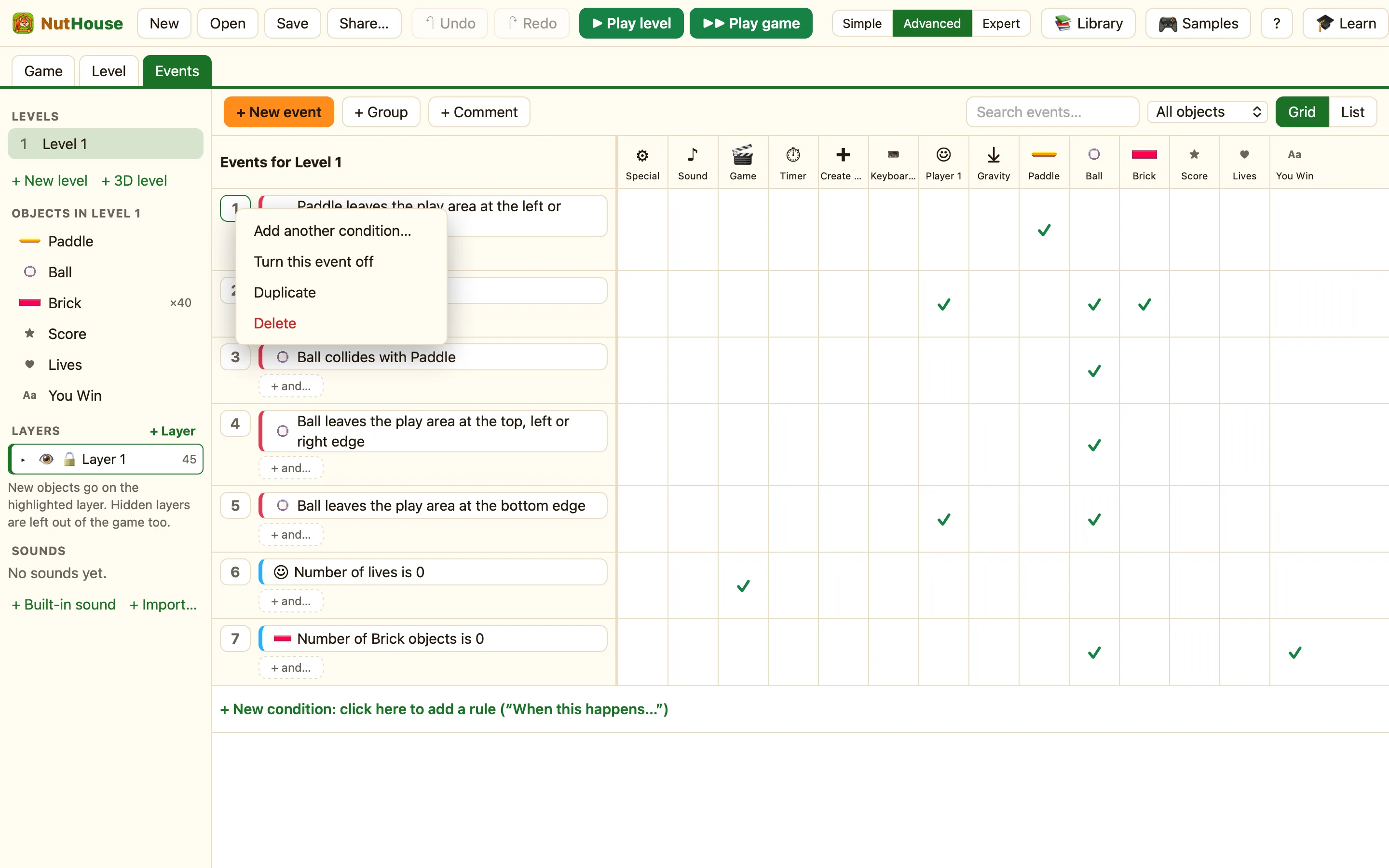
The row menu
Every rule has a number at the left. Its tooltip says “Click to select, drag to move, right-click for more”. Right-click it and you get:
| Add another condition… | The same as + and…. Opens the picker to add a condition to this rule. |
|---|---|
| Turn this event off | The rule stays but does nothing when you play. The row goes faint. The menu then says Turn this event back on. |
| Duplicate | Makes a copy of the rule right under it, with the same conditions and actions. |
| Delete | Removes the rule. ⌘Z brings it back. |
Turning a rule off
This is the best way to test an idea. Not sure a rule is causing a bug? Turn it off and play. Nothing is lost, and you turn it back on with one click.
Duplicate
Two rules that are nearly the same are quicker to make by duplicating. Duplicate the “Hero collides with Slime” rule, then change one condition on the copy.
Keyboard shortcuts
Click a row number to select the rule first. Then:
| ⌘D | Duplicate the row. |
|---|---|
| ⌘C | Copy the row. The toast says “Copied the event. Press ⌘V to paste.” |
| ⌘X | Cut the row. |
| ⌘V | Paste. The rule goes in under the selected row, or at the bottom if nothing is selected. |
| Delete | Remove the row. |
Into another level or game
Copy and paste works across levels and across games. Copy a rule in level 1, open level 2 in the sidebar, open its Events tab and press ⌘V. You can even open another .nuthouse file and paste there.
The pasted rule brings the objects, pictures and sounds it needs with it, if the game does not have them yet. It does not put those objects in the level, though. If the rule is about a Coin and level 2 has no coins, add some in the Level tab and the rule starts working.
