
Crystal Maze 3D
Walk a maze in 3D, collect every crystal, find the key and escape. Crystal Maze 3D shows 3D levels, doors, a locked door, and ghosts that only chase you when they can see you.
What it shows
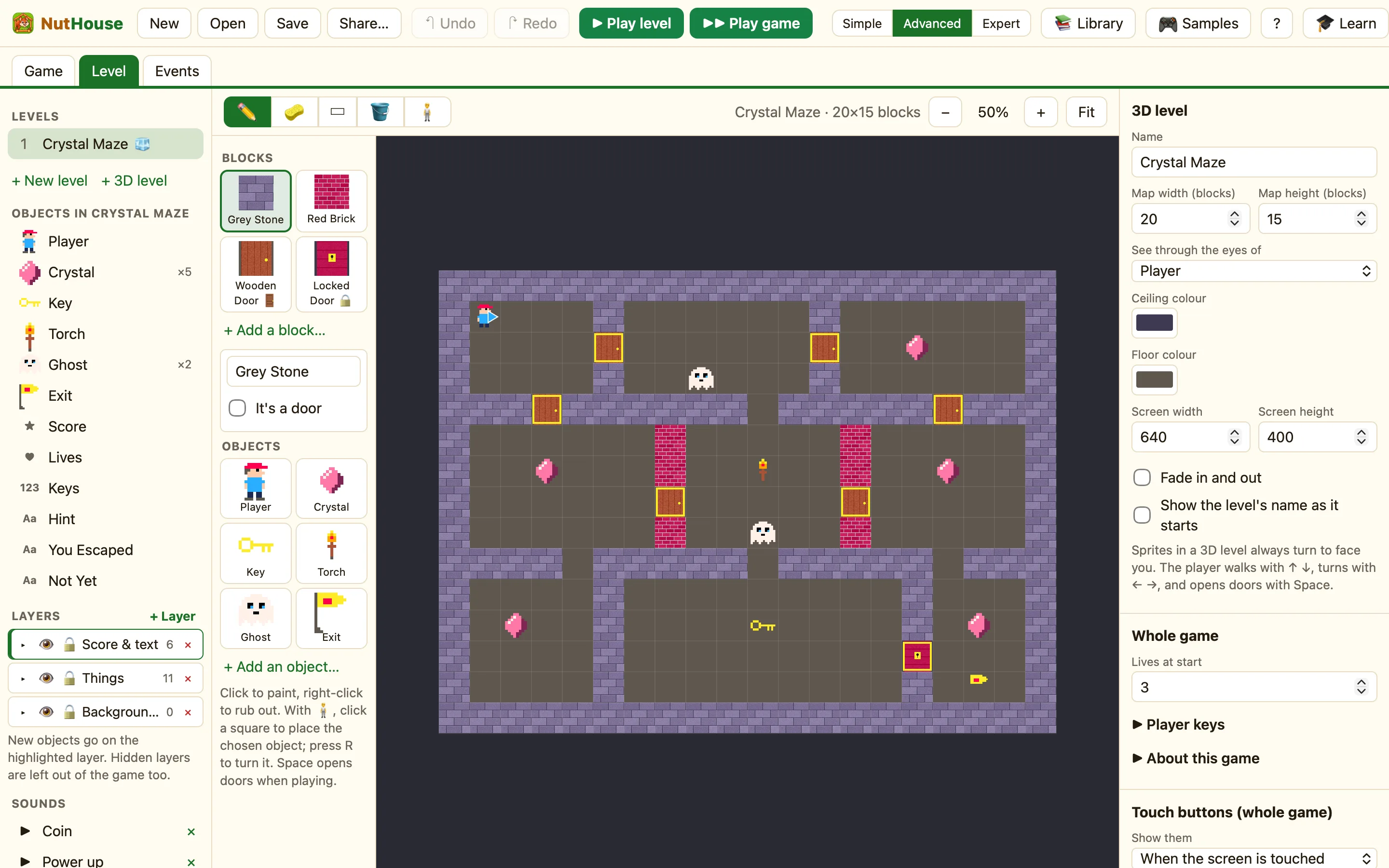
Shows: 3D levels, doors, “can see”. This sample is marked (Advanced) because 3D levels and First-person movement are hidden in Simple mode. You can still open and play it in any mode. See What a 3D level is.
How to play
↑ and ↓ walk. ← and → turn. Hold Shift with the arrows to step sideways. Stand in front of a wooden door and press Space to open it. The red door is locked until you have the key. Collect all five crystals, then walk into the exit flag.
The things in it
| Walls | Four 3D walls: Grey Stone, Red Brick, Wooden Door and Locked Door. Painted on the map, not placed as sprites. |
|---|---|
| Player | The library Hero, renamed. First-person (3D levels), Walking speed 35, Turning speed 45, Hold Shift to step sideways ticked. The level’s See through the eyes of is Player. |
| Crystal | Five, scattered round the maze. |
| Key | One, in the bottom corridor. |
| Ghost | Two. Chases another object: Player, Speed 10, Only when closer than 260. |
| Torch, Exit | A torch for decoration, and a Flag renamed Exit in the bottom-right room behind the locked door. |
| Score, Keys, Lives, Hint, You Escaped, Not Yet | Flat on the screen in front of the 3D view. Keys is a Counter. |
The rules, one by one
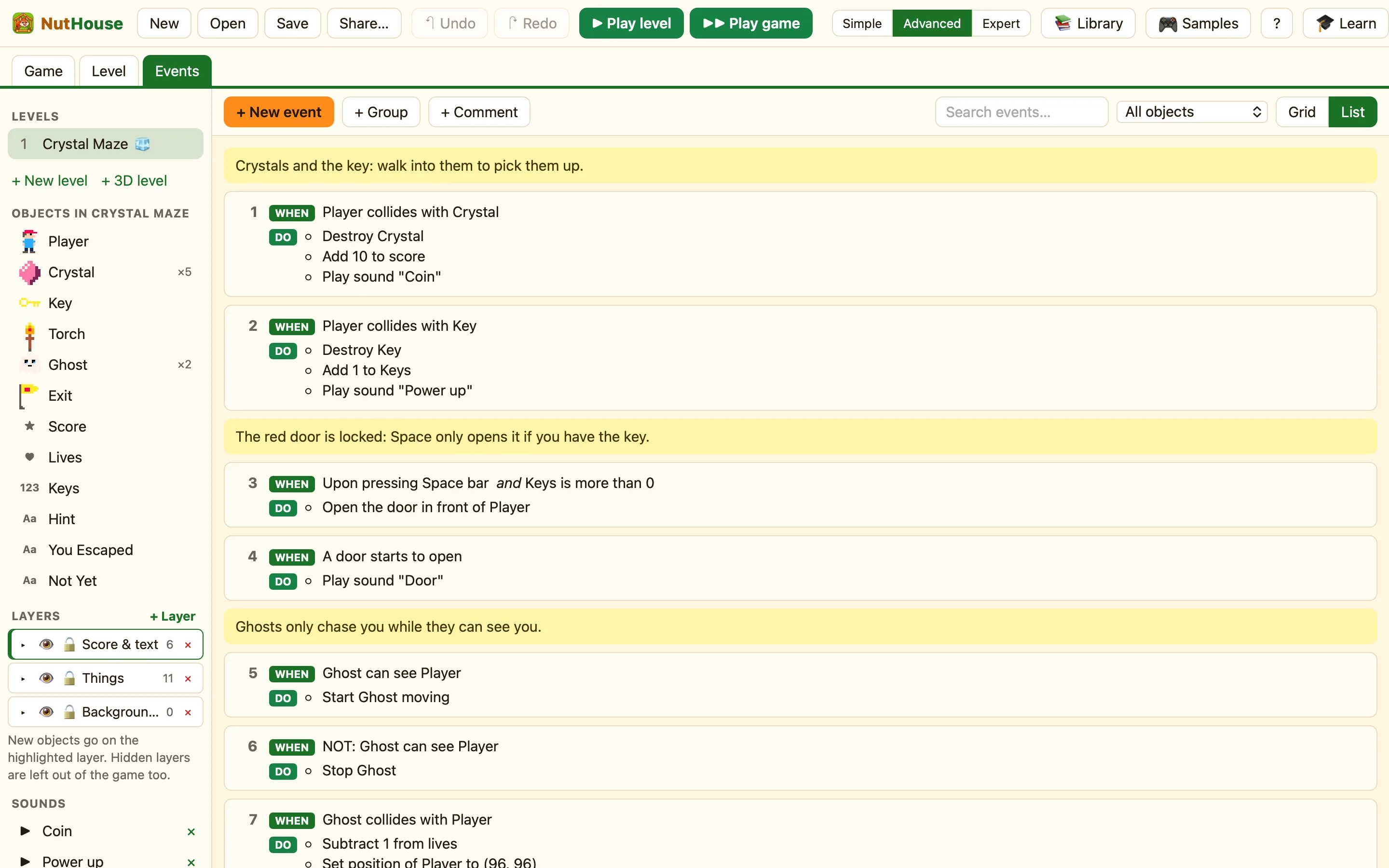
Walking into a thing counts as a collision, the same as in 2D.
Wooden doors open with Space on their own. A Locked Door only opens when a rule says so, and this rule only works with a key.
Any door, locked or not, makes the rumbling sound.
“Can see” is true when no wall is between them. A ghost behind a wall waits. Only the ghosts that can see you are picked, so one can chase while the other stays put.
Two rules for the same touch, one for each case. The second one is why the game can tell you to go back for more.
Three changes to try
- Faster ghosts. In the Level tab click a ghost in the sidebar. Change Speed from 10 to 20. Now hide behind walls.
- Redraw the maze. In the map editor pick Red Brick and paint a new wall across a corridor. Pick the empty cell to rub one out. Keep a way through!
- Spooky music. Add Spooky tune with + Built-in sound, then a rule Start of level → Play music.
