
Wing It
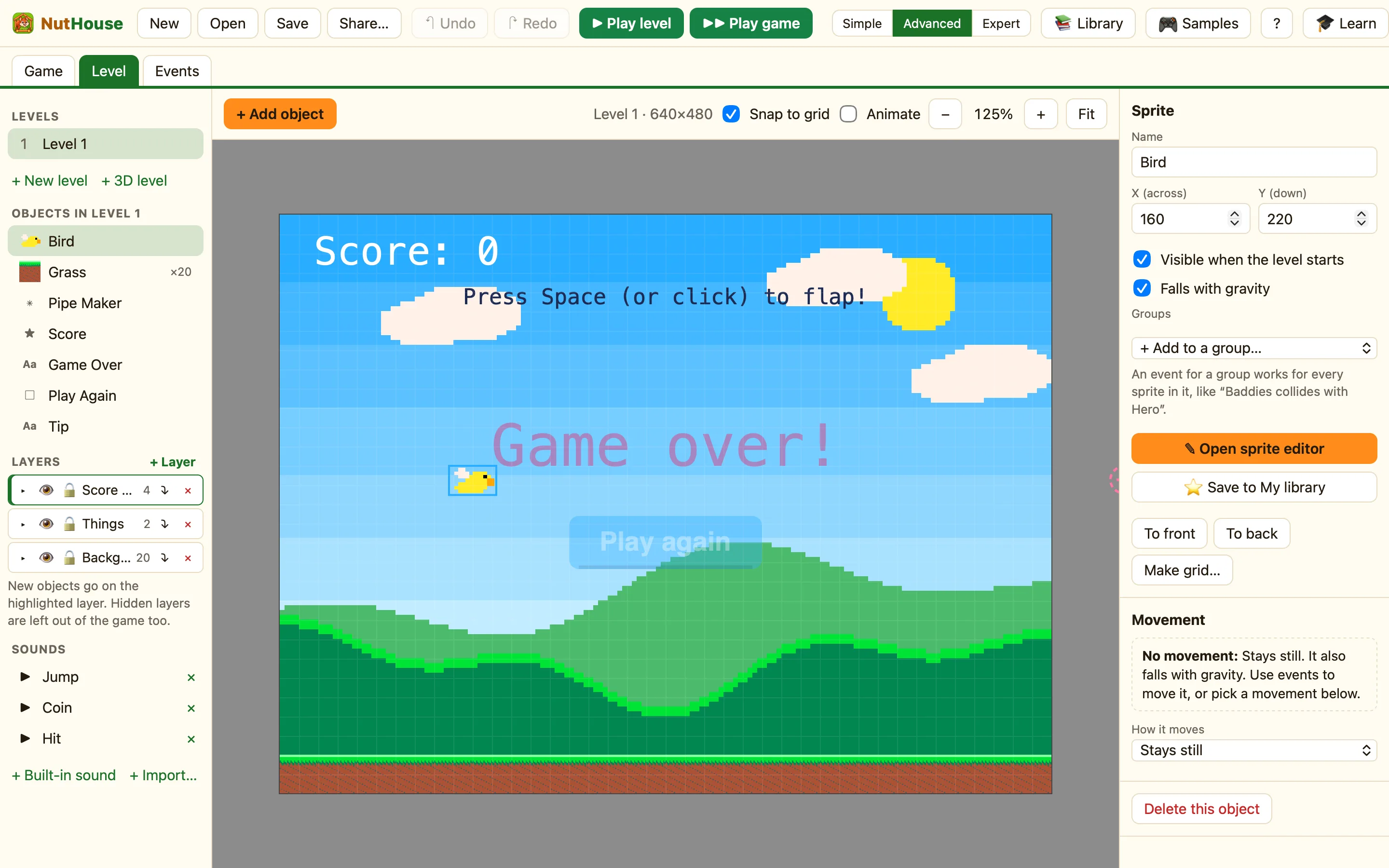
Flap through the gaps between pipes. Wing It shows level gravity, the Jump action, a spawner, switches, and a Play again button.
What it shows
Shows: World gravity, jump, spawners, buttons. Nothing in the game has a movement for the player. The bird falls because the level’s Gravity pulls is Down with Gravity strength 50, and Falls with gravity is ticked on the bird. A rule pushes it up.
How to play
Press Space, or click, to flap. Fly through the gap in each pair of pipes for one point. Hit a pipe, the ground or the top of the screen and it is game over. Click Play again to go again.
The things in it
| Bird | Stays still, Falls with gravity ticked. Switch 0 means “crashed”. |
|---|---|
| Pipes | Bouncing ball, Speed 20, starts moving to the left. A bouncing ball with no Bounce rule is a simple way to say “slide this way”. |
| Pipe Maker | A Spawner. Makes Pipes Every 1.8 seconds, Wander down 110, so the gap is at a different height each time. Invisible while playing. |
| Grass | Solid ground along the bottom. |
| Score, Tip, Game Over, Play Again | The last two start hidden. Play Again is a Button. |
The rules, one by one
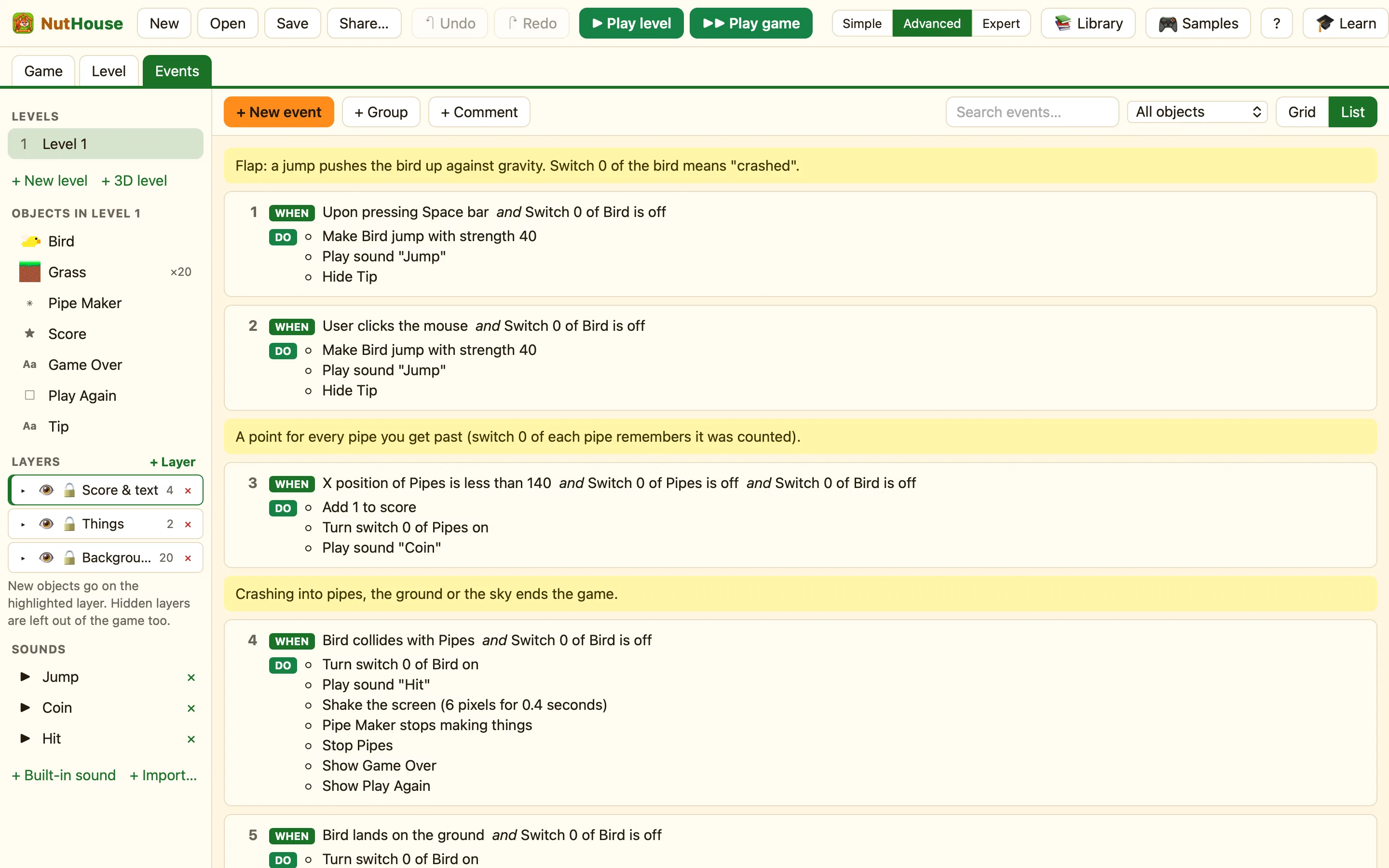
Almost every rule includes Bird: Switch 0 is off. Switch 0 is turned on when the bird crashes, so all of those rules stop working at once. Switches are an Expert thing, but you can read them in any mode. See Values and switches.
Two ways to flap, the same actions. Jump pushes against gravity, then gravity wins again.
The bird is at X 160, so a pipe past 140 has been cleared. The pipe’s own Switch 0 remembers that it has been counted. Without it you would score 60 times a second.
Three ways to crash, one list of actions. The screen shakes for 0.4 seconds, the spawner stops, every pipe freezes, and the button appears.
Restarting the level turns every switch off again, so the bird is alive once more.
Three changes to try
- More pipes. In the Level tab click Pipe Maker in the sidebar. Change Every (seconds) from 1.8 to 1.2.
- Floaty bird. Click empty space in the level. On the right, drag Gravity strength down from 50 to 30. The bird falls more slowly.
- Lives. Click + Add object → New → Lives. Then in the three crash rules, swap Turn on Bird: Switch 0 for Subtract 1 from the lives, and add a Lives = 0 rule that restarts the game.
