
The Samples window
Seven finished games, one click away. Open one to play it, read its rules and change whatever you like.
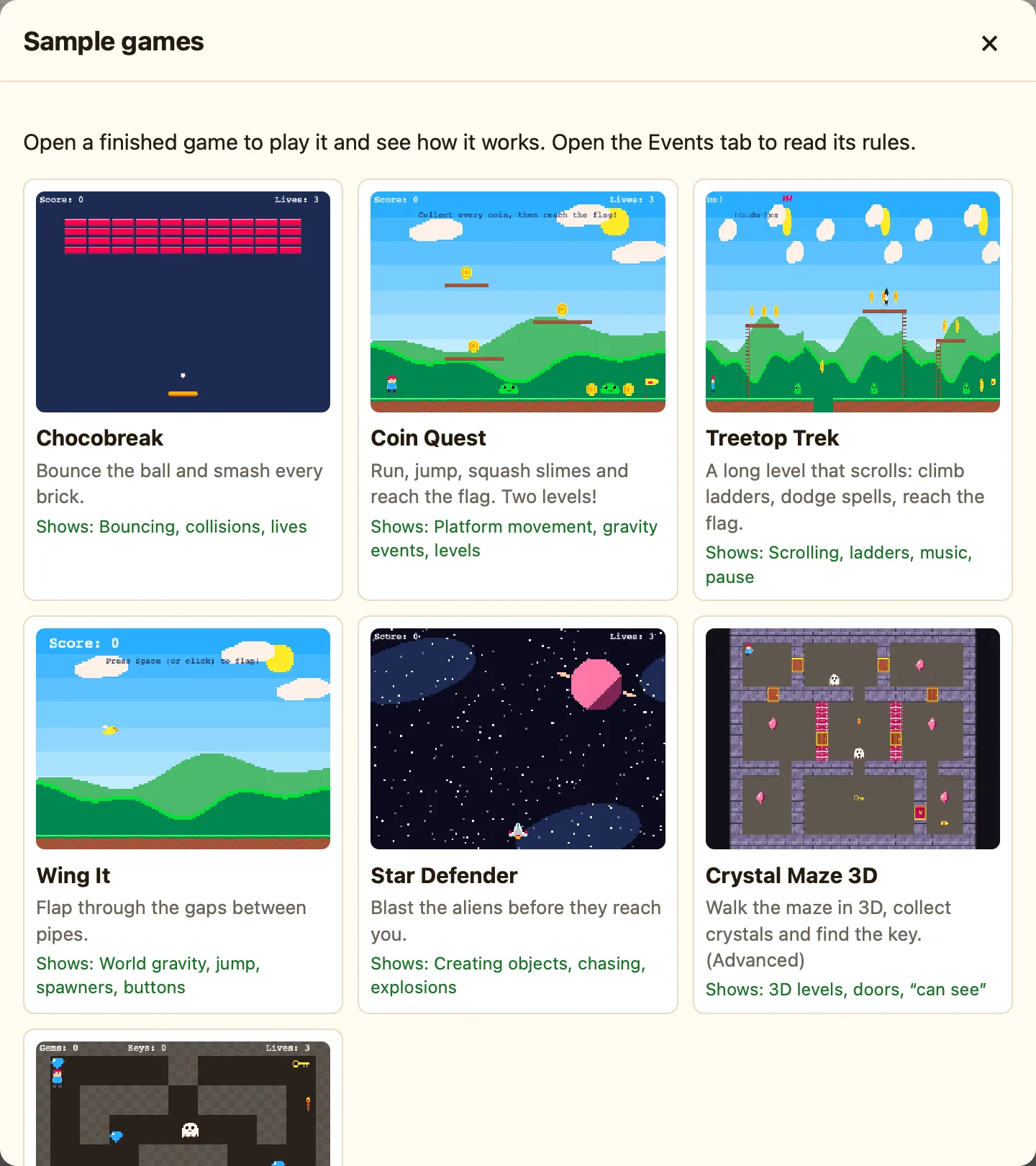
How to open a sample
- Press 🎮 Samples in the toolbar. (It is also Sample Games… in the File menu, and on the Welcome screen.)
- Read the cards. The Shows: line says what each game teaches.
- Click one. It opens in the Level tab.
- Press ▶▶ Play game to play it, and Esc to come back.
Which one to open
| Chocobreak | Bouncing, collisions, lives. The game the tutorial makes. |
|---|---|
| Coin Quest | Platform movement, gravity events, levels. Two levels, slimes and bats. |
| Treetop Trek | Scrolling, ladders, music, pause. One long level that scrolls. |
| Wing It | World gravity, jump, spawners, buttons. Flap through the pipes. |
| Star Defender | Creating objects, chasing, explosions. A shooter. |
| Crystal Maze 3D | 3D levels, doors, “can see”. Marked Advanced. |
| Dungeon Key | Top-down movement, counters, doors. |
What opening one does
A sample opens as a fresh copy with no file name. It is yours now. Nothing you do to it changes the sample, so the next time you open it from this window it is back to how it was. If you want to keep your version, press Save and give it a name.
