
The Library window
One search box for every sprite, tile, background, sound and 3D wall NutHouse comes with, plus the things you have saved yourself.
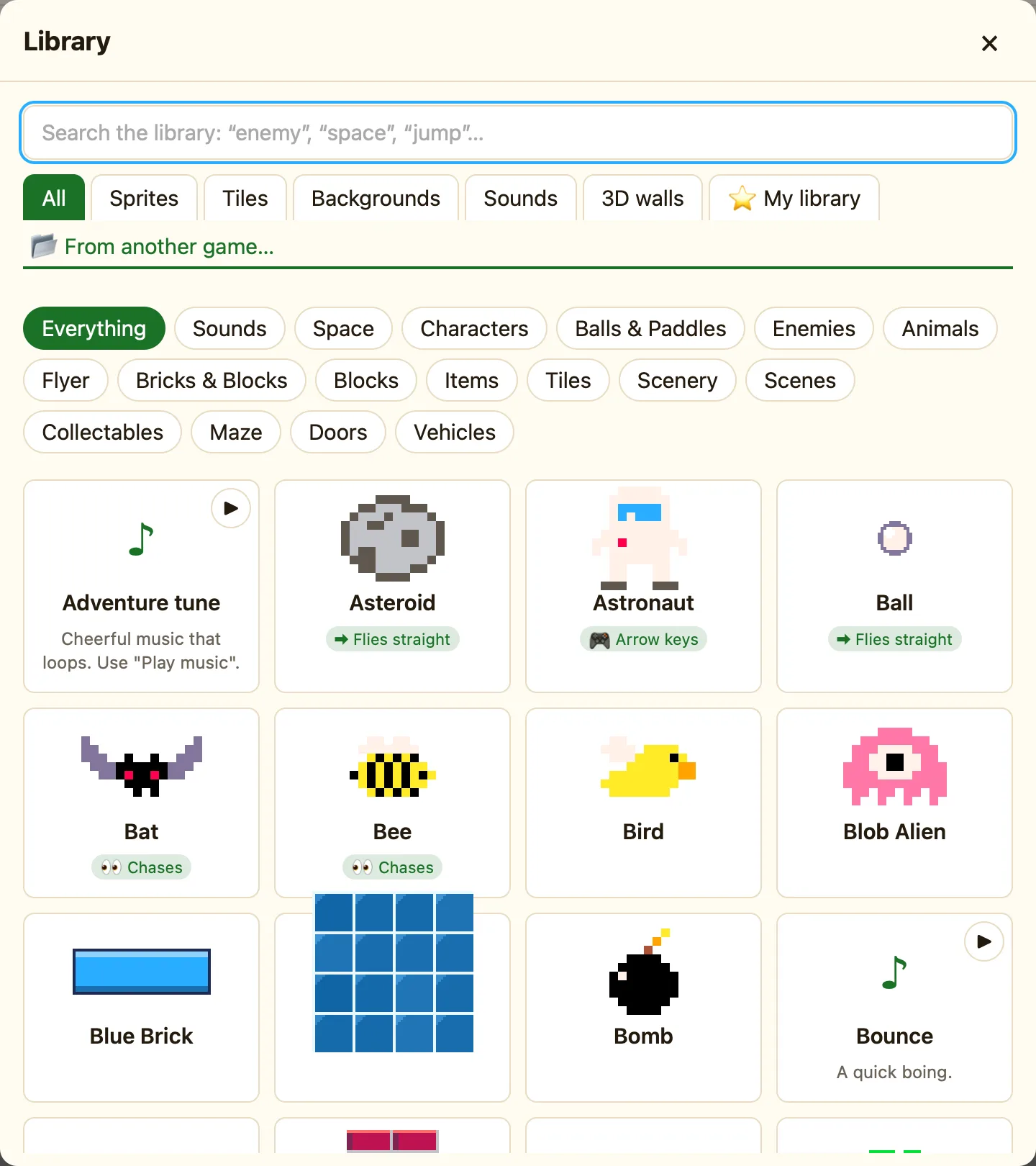
How to find something
- Press 📚 Library in the toolbar.
- Type in the search box: “enemy”, “space”, “jump”. Every word you type has to match the name, tags, category or description.
- Or click a tab (Sprites, Tiles, Backgrounds, Sounds) and then a category chip like Enemies.
- Click a card. NutHouse adds it straight away and says so: “Added Slime”.
What is in it
| Sprites and tiles | 71 of them in categories: Balls & Paddles, Bricks & Blocks, Characters, Enemies, Collectables, Space, Flyer, Maze, Animals, Items, Vehicles, Scenery, Tiles. Each card shows a chip saying how it moves, like 🚶 Patrols or ➡ Flies straight. |
|---|---|
| Backgrounds | Ten pictures: Sunny hills, Starry space, Underwater, Dungeon, Sunset city, Night forest, Desert, Snowy mountains, Castle hall, Cave. Clicking one puts it behind this level. |
| Sounds | 17 sounds, from Bounce to Spooky tune. Press ▶ on a card to listen before you add it. |
| 3D walls | Nine wall and door blocks for 3D levels. Only in Advanced and Expert modes. |
| ⭐ My library | Sprites you saved with ⭐ Save to My library, ready to use in any game. |
| 📂 From another game… | Open one of your .nuthouse files and borrow its objects. |
Where else it opens
The same window opens from + Add object (showing sprites and tiles), from + Built-in sound in the sidebar (showing sounds), from More… under Background picture, and from + Add a block… in a 3D level. Each time it opens on the right tab.
