
Draw a path
Drag a line in the level with the mouse, and a sprite follows the exact line you drew.
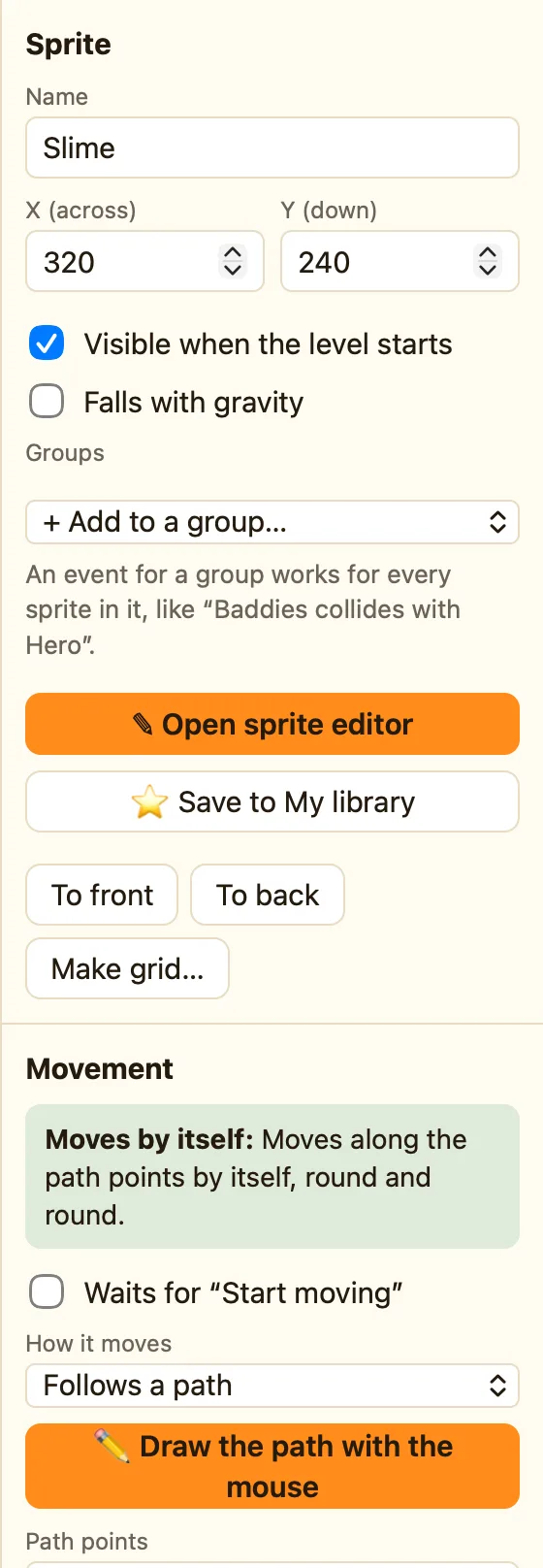
Before you start
Follows a path is an Advanced movement. If you cannot see it, change the mode switch at the top from Simple to Advanced. Your game does not change.
How to
- Click the sprite. Under Movement, set How it moves to Follows a path.
- Click ✏️ Draw the path with the mouse. A toast says Now drag in the level to draw the path, starting anywhere.
- Press and hold in the level. Drag the shape you want. Let go.
- A toast says how many points you drew. The sprite will follow that line.
- Press ▶ Play level to watch it go.
Press Esc while drawing to cancel. Draw again any time to replace the old path.
What the settings mean
| Path points | One point per line as across, down, speed. You can type them or fix one by hand. |
|---|---|
| Loop forever | When the sprite reaches the end it jumps back to the start and goes again. |
| Go back the same way at the end | At the end it turns round and follows the line backwards. Good for a moving platform. |
If neither box is ticked, the sprite stops at the last point.
What paths are good for
A lift that goes up and down. A ghost that patrols a loop around a room. A boss that swoops in a figure of eight. Anything that should move in a set way, not chase or bounce.
Tick Waits for “Start moving” if the sprite should stay still until a rule says Start moving.
