
Follows a path
The sprite moves from point to point along a line you drew, round and round or there and back.
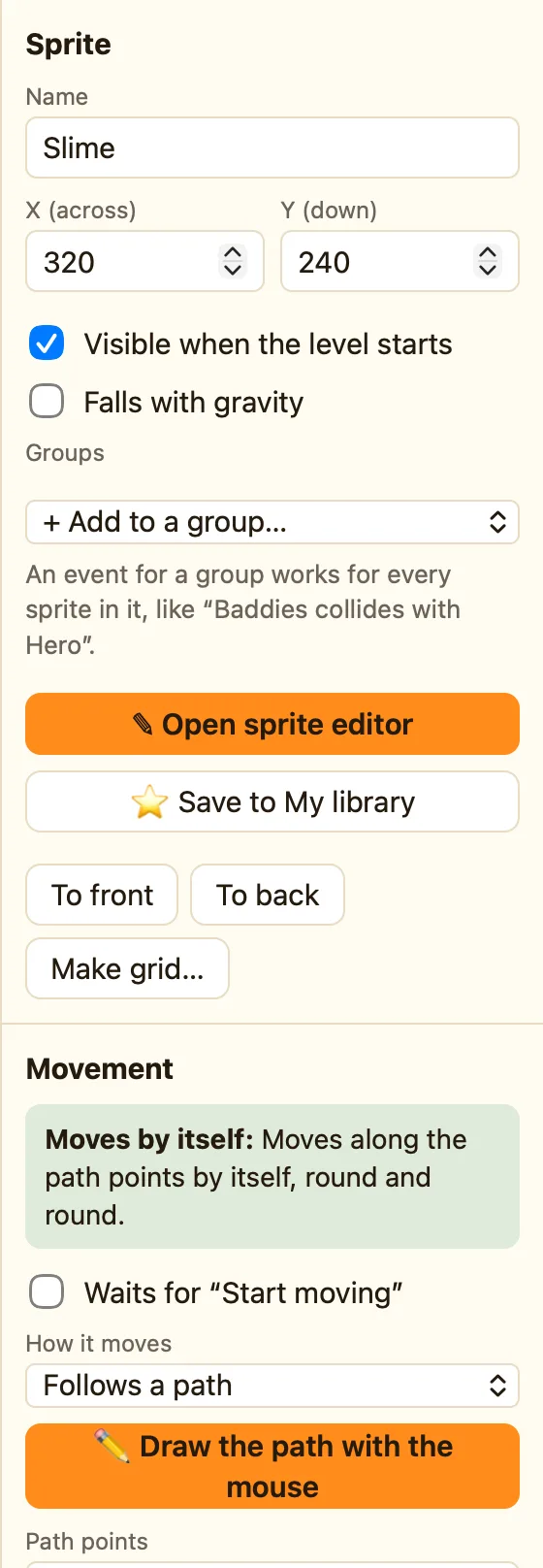
What it does
Moves along points you set. The sprite starts where you placed it, heads for the first point, then the next, and so on. Each point has its own speed, so it can crawl up and race down. Walls do not stop it. It goes exactly where the path says.
It is an Advanced movement, so switch to Advanced or Expert mode to find it. It plays walking while it moves.
How to draw a path
- Click the sprite in the Level tab. The button needs a sprite selected.
- Set How it moves to Follows a path.
- Click ✏️ Draw the path with the mouse. A toast says "Now drag in the level to draw the path, starting anywhere."
- Drag in the level. Let go and the toast says how many points it made.
- Press ▶ Play level to watch it. Press Esc while drawing to cancel.
What the settings mean
| ✏️ Draw the path with the mouse | Record a path by dragging. It says Drag in the level… while it waits. |
|---|---|
| Path points | One point per line: across, down, speed. Measured from where the object starts. So 64 0 15 means 64 pixels to the right, at speed 15. |
| Loop forever | Ticked, it goes back to the start and does it all again. |
| Go back the same way at the end | Ticked, it retraces the path backwards instead of jumping to the start. |
Library sprites that come with it
Slime, with the 〰 Follows a path chip. Its path is two points, 64 pixels apart, which is why it looks like a patrol.
Rules that go with it
- Stop and Start moving pause a moving platform and set it off again.
- Is moving tells you whether it is between points.
- Collides with another object for anything it bumps into on the way.
WhenUpon pressing a key: Space
DoStart Lift moving
