
Follows the mouse
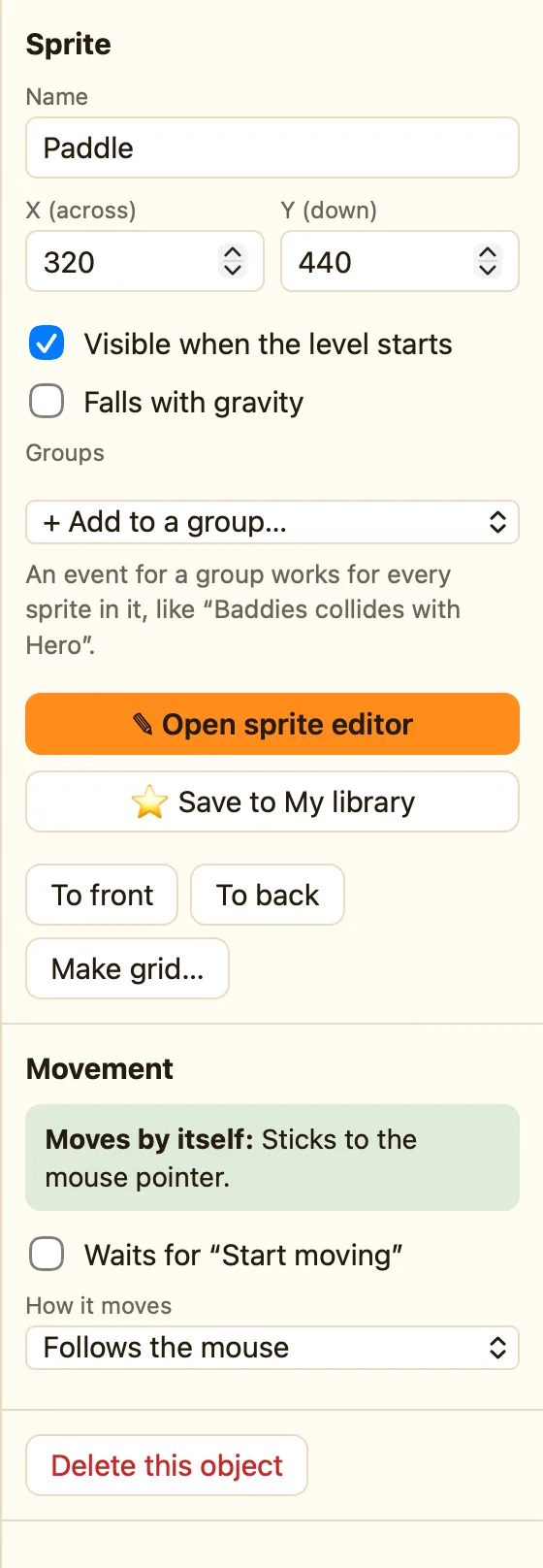
The sprite sticks to the mouse pointer. Good for a paddle, a cursor, or a net that catches things.
What it does
Sticks to the mouse pointer. Wherever the pointer goes, the sprite jumps there straight away. It stays inside the level, so it cannot be dragged off the edge. Walls do not stop it.
It has no settings. It counts as moving at speed 50 while the pointer moves, so Is moving still works. It plays walking while it moves and stopped when the pointer rests.
It is an Advanced movement. Switch to Advanced or Expert mode to find it in How it moves.
Library sprites that come with it
None come set up this way. The Paddle is the obvious one to change.
Rules that go with it
- User clicks happens once when the player clicks anywhere. Fire a shot from the cursor.
- User clicks on an object is for clicking a thing, like a mole in a hole.
- Hide the mouse pointer hides the arrow so only your sprite shows. Show the mouse pointer brings it back.
- Collides with another object for a net that catches falling stars.
WhenStart of level
DoHide the mouse pointer
How to make a mouse paddle
- Switch the mode to Advanced.
- Open Chocobreak and click the Paddle.
- Set How it moves to Follows the mouse.
- Press ▶ Play level and slide the mouse. The paddle follows it up and down too.
