
Health bar
A bar that shows how much health or energy is left. It empties from the side, or from the bottom up.
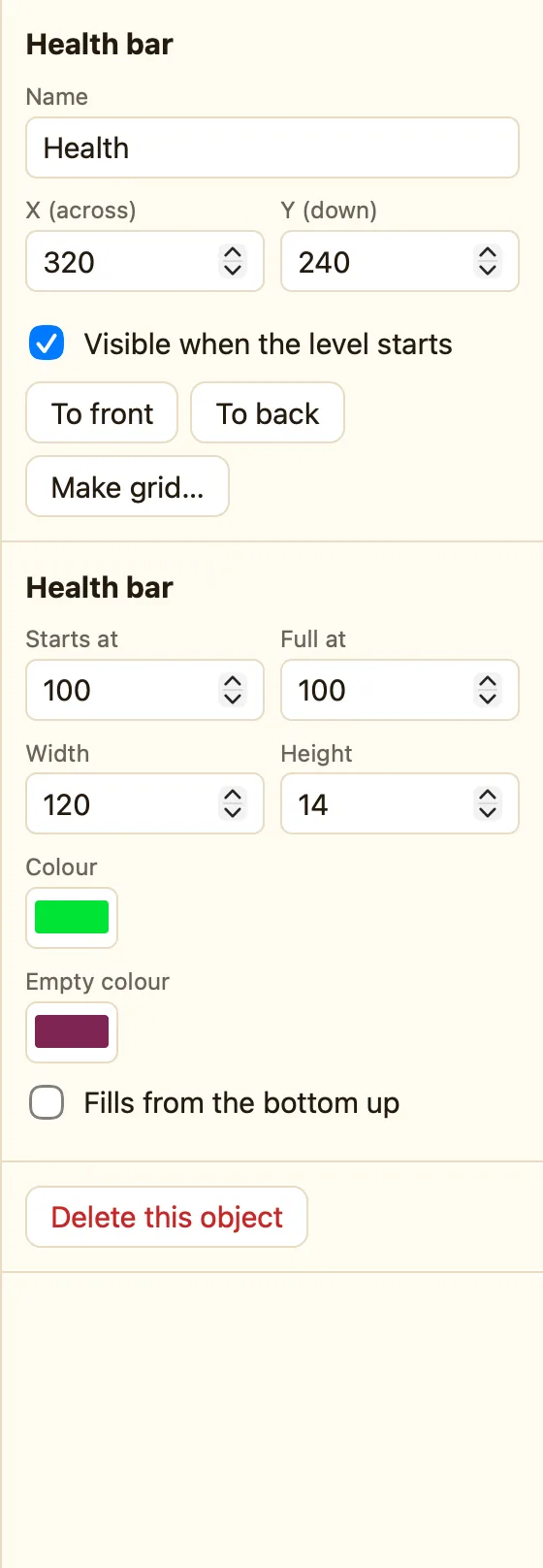
What a health bar is
A number drawn as a bar. 100 fills it. 0 empties it. Use it for the hero's health, a boss's health, fuel, or a power meter that charges up.
Health bar appears in Advanced and Expert mode.
How to add one
- Switch to Advanced at the top if you are in Simple.
- Click + Add object, then New, then Health bar.
- Set Full at to 100 and Starts at to 100.
- Pick a Colour (green) and an Empty colour (dark red).
- Add rules that take some away and a rule for when it is empty.
What the settings mean
| Starts at | How full it is when the level begins. |
|---|---|
| Full at | The number that means completely full. |
| Width and Height | Its size in pixels. Wide and short for health; tall and thin for a power meter. |
| Colour | The filled part. |
| Empty colour | The part that has gone. |
| Fills from the bottom up | Tick it and the bar stands upright and fills upwards. |
Rules for the bar
Take some away from the bar Fill the bar up Set the bar Bar is empty Compare the bar
WhenHero collides with Spikes
DoTake 10 from HealthHero flashes for 1 seconds
WhenHealth is empty
DoSubtract 1 from livesRestart this level
Bar is empty is not red. It stays true while the bar is empty, so the second rule restarts the level before it can fire twice. If you only hide the hero instead, add Only the first time.
