
Timer display
A clock on the screen that counts down to zero or up from zero. Count down for a race against time.
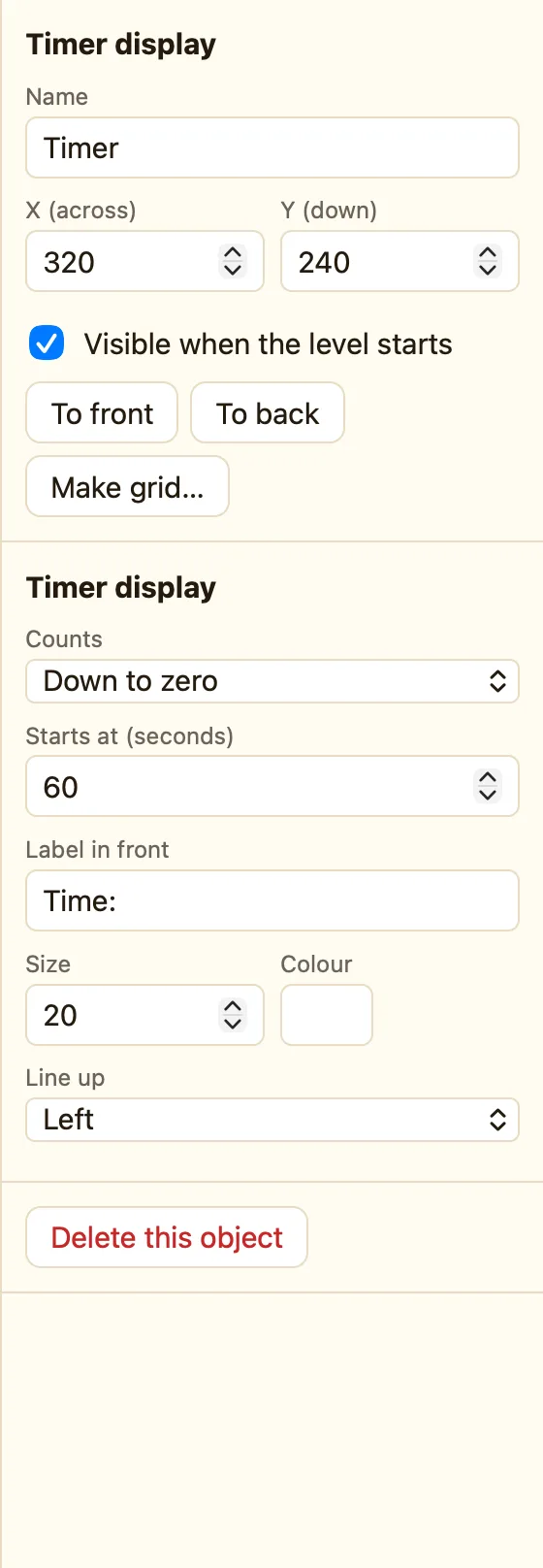
What a timer display is
A clock the player can see. Set it to count down from 60 and the level becomes a race. Set it to count up and it shows how long they took. Each level starts it again.
Timer display appears in every mode.
How to add one
- Click + Add object, then New, then Timer display.
- Set Counts to Down to zero and Starts at to 60.
- Drag it to the top of the screen.
- In the Events tab, add a rule for Time runs out.
What the settings mean
| Counts | Down to zero or Up from zero. |
|---|---|
| Starts at (seconds) | Where the clock begins. For counting down, this is how long the player gets. |
| Label in front | Words before the time, like Time:. |
| Style | Size, colour and how it lines up. |
Rules for the clock
Time runs out Compare the seconds shown Set the time Add time Pause the clock Start the clock again
WhenClock runs out of time
DoSubtract 1 from livesRestart this level
WhenHero collides with Hourglass
DoDestroy HourglassAdd 5 seconds to Clock
Time runs out is red: it happens once, the moment the clock hits zero. Pausing the game with Pause the game pauses the clock too. Full lists in Counters, displays and gadgets.
