
A countdown timer
By the end you will have a clock that counts down from sixty seconds, and a game over when it reaches zero.
What you need
Everything here is in Simple mode.
| Timer display | + Add object → New → Timer display. Set Counts to Down to zero, Starts at (seconds) to 60, Label in front to Time: . |
|---|---|
| A hero | Any player sprite, like Hero from the library. |
| Coins | Coin from the library. Use Make grid… to spread a row of them. |
| Game over text | A Text saying Time's up! with Visible when the level starts unticked. |
| Sound | + Built-in sound → Game over and Coin. |
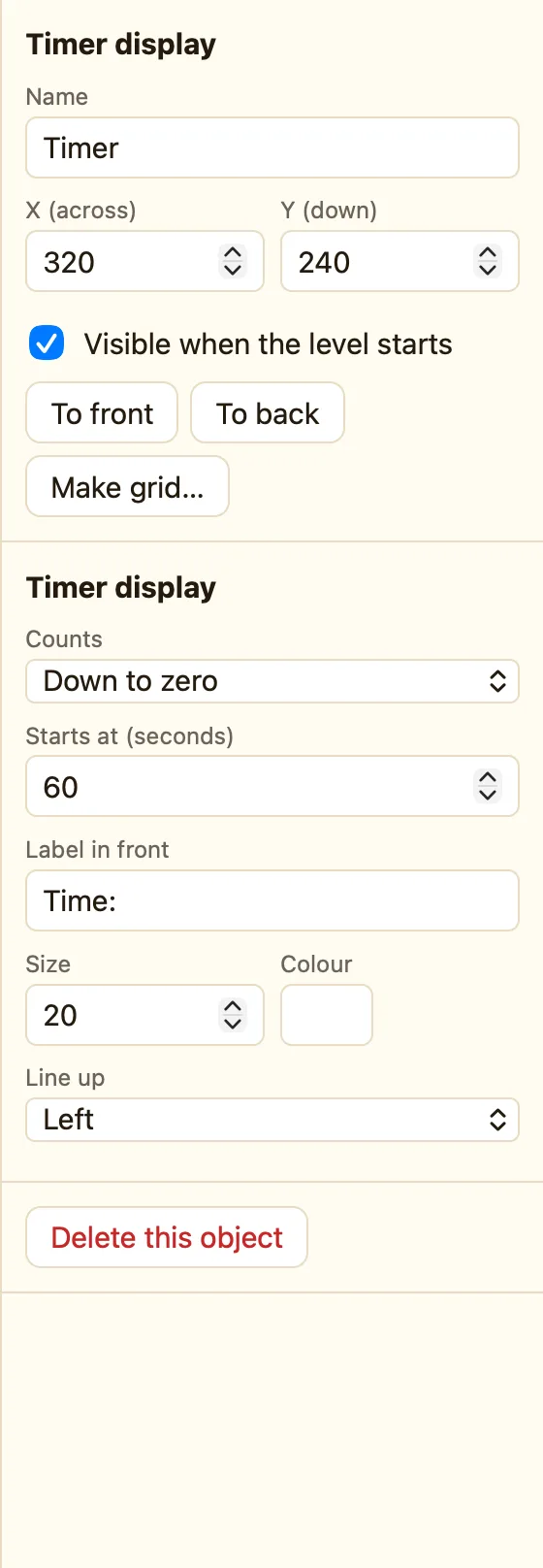
Build it
- Add the Timer display and put it in a corner. Name it Clock.
- Open the Events tab. Click + New event, click Clock, then Time runs out.
- In the Time's up! cell choose Show. In the Hero's cell choose Stop. In ♪ Sound choose Play a sound → Game over.
- Click + New event. Click the Hero, then Collides with another object → Coin.
- In the Coin's cell choose Destroy. In ☺ Player 1 choose Add to score, 10. Play Coin.
- Press ▶ Play level. Watch the clock. Collect as much as you can before zero.
WhenClock: Time runs out
DoShow Time's up!Stop HeroPlay sound Game over
WhenHero collides with Coin
DoDestroy CoinAdd 10 to scorePlay sound Coin
Time runs out is red. It happens once, the moment the clock hits zero. That is why the sound plays only once.
Make it yours
- Bonus time: in the coin rule, add Add time to the Clock, 5 seconds. Now coins buy you more time.
- Hurry-up warning: Compare seconds shown, ≤ at most 10 → Flash (blink) the Clock (Advanced).
- Freeze the clock on a pause screen with Pause the clock and Start the clock again (Advanced).
