
Button
Words, a tick box or a picture. Something the player clicks, like “Start” or “Play again”.
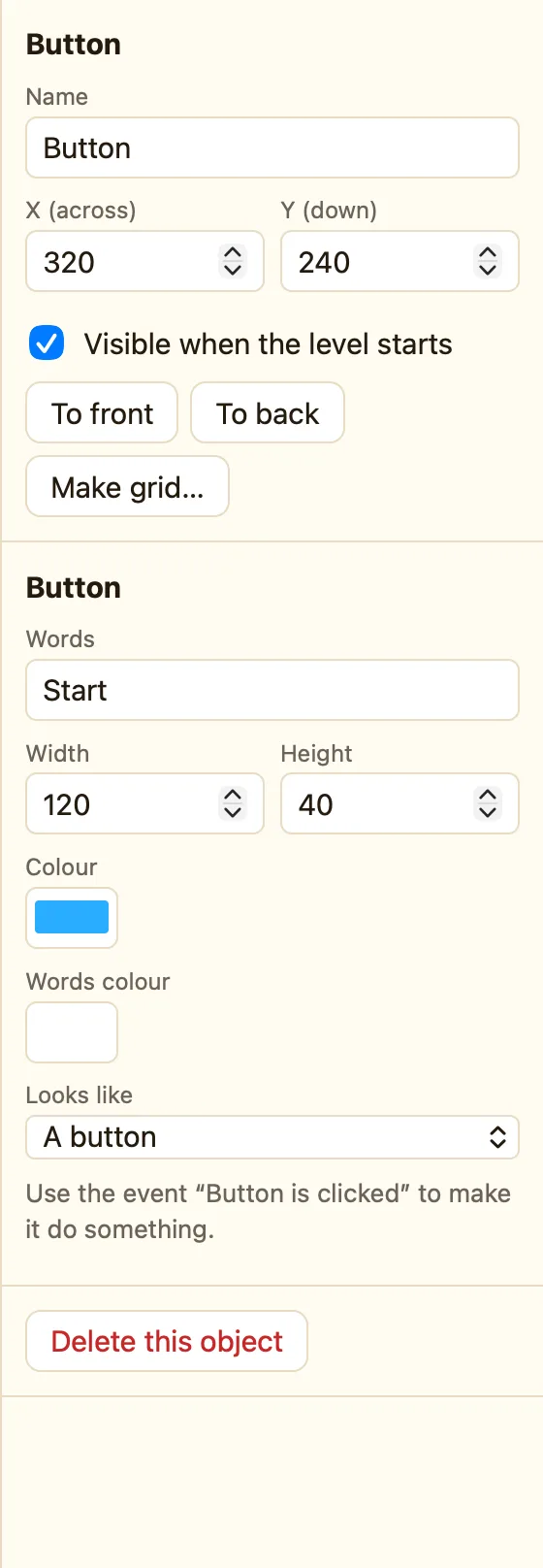
What a button is
A button is a thing to click. On its own it does nothing. You write a rule for Button is clicked and put the action in it. Wing It has a Play Again button that does Restart this level.
Button appears in every mode. The Looks like menu appears in Advanced and Expert.
How to add one
- Click + Add object, then New, then Button.
- Type the Words, like Start.
- Set its size and colours, and drag it into place.
- In the Events tab click + New event, click the button, then Button is clicked.
- Add an action, like Next level.
WhenStart is clicked
DoGo to the next level
What the settings mean
| Words | What is written on it. |
|---|---|
| Width and Height | Its size in pixels. |
| Colour and Words colour | The button's fill and the writing on it. |
| Looks like | Advanced. A button · A tick box ☑ · A picture of Hero (a sprite you choose) · A picture (chosen). |
A tick box flips on and off each time it is clicked. A picture button is handy for a big play arrow or a sound toggle.
Rules for buttons
Button is clicked Tick box is ticked Tick it Untick it Grey it out Make it clickable again
Grey it out is for a level that is not unlocked yet. Make it clickable again undoes it. On an iPad a tap counts as a click. Full lists in Counters, displays and gadgets.
