
Text box
Let the player type a name or an answer, then read what they typed in a rule.
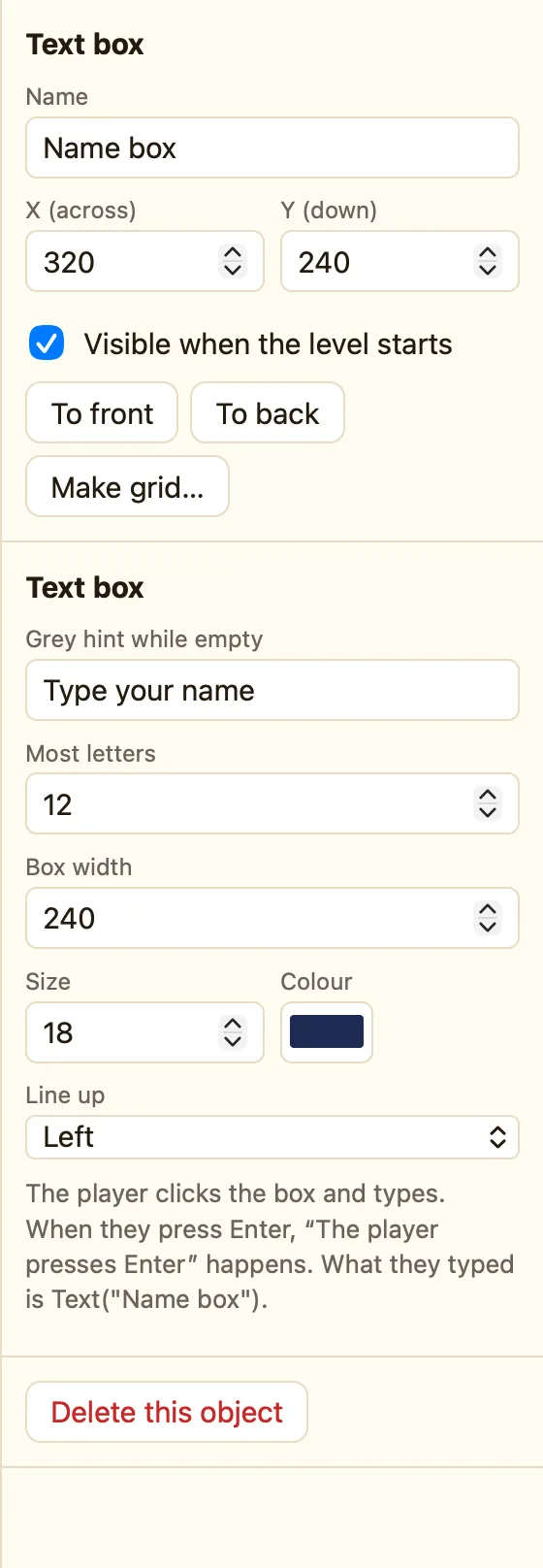
What a text box is
A box the player types into, like their name or a quiz answer. The player clicks it, types, and presses Enter. Your rules can then read the words with Text("Name box").
Text box appears in Advanced and Expert mode.
How to add one
- Switch to Advanced at the top if you are in Simple.
- Click + Add object, then New, then Text box.
- Name it Name box. Type Your name… in Grey hint while empty.
- In the Events tab, make a rule for The player presses Enter on it.
What the settings mean
| Grey hint while empty | Faint words shown until the player types. They vanish as soon as typing starts. |
|---|---|
| Most letters | The longest thing the player can type. |
| Box width | How wide the box is on the screen. |
| Style | Size and colour of the writing. |
Rules for text boxes
The player presses Enter Start typing in it Empty it
The box's words are Text("Name box") in any formula. Two common uses:
WhenStart of level
DoStart typing in Name box
WhenThe player finishes typing in Name box (presses Enter)
DoSet text of Greeting to "Hi " + Text("Name box")Go to the next level
For a password, use Compare two values in the ⚙ Special column: Text("Name box") = "open sesame". For a high-score table, give Add the score to the table the name Text("Name box").
