
Player keys
Change which keys mean up, down, left, right, Fire 1 and Fire 2 for the whole game.
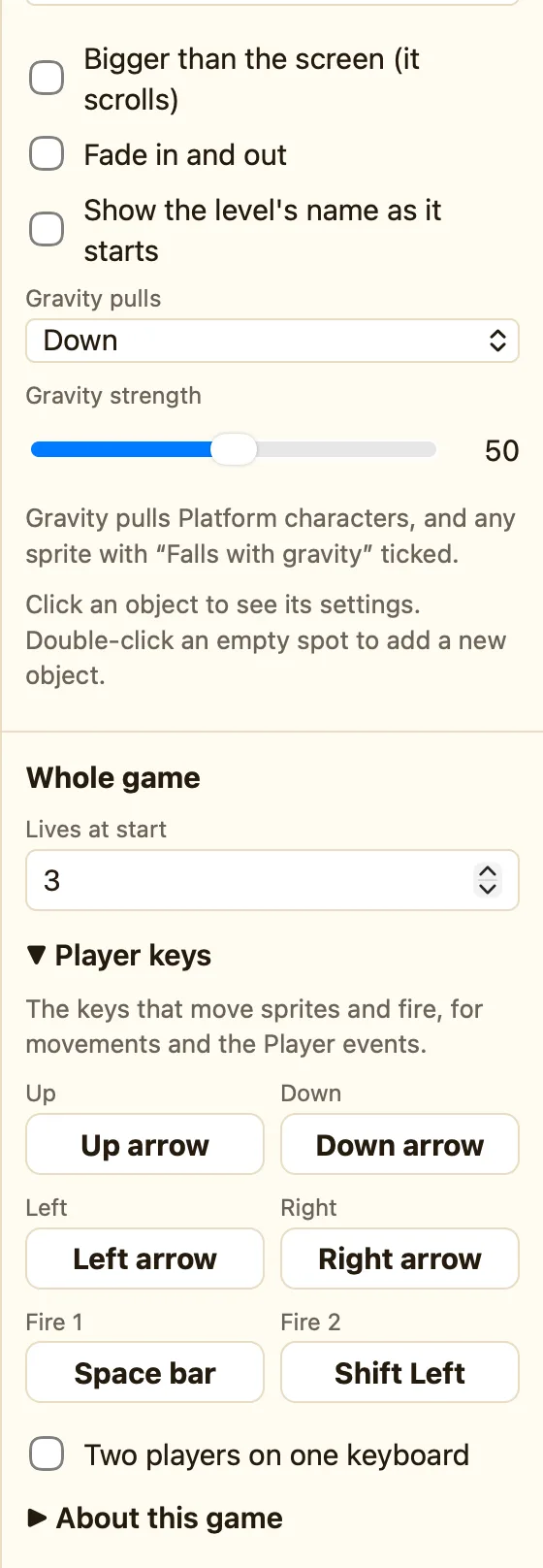
What the six keys do
Movements like Arrow keys, Platform, Racing car and First-person do not care which real keys you press. They listen for six named keys. Change the named keys once and every movement and rule follows.
| Up, Down, Left, Right | Moving. The arrow keys unless you change them. Up is also the jump key for Platform movement when Jump with is Up arrow. |
|---|---|
| Fire 1 | Space unless you change it. Used by Player presses Fire 1. |
| Fire 2 | Shift unless you change it. Used by Player presses Fire 2. |
How to change a key
- Click empty space in a level. In the Properties panel scroll to Whole game.
- Open ▸ Player keys.
- Click the key you want to change. It says “Press a key now…”.
- Press the new key. Press Esc to cancel instead.
Fire 1 and Fire 2 in rules
Use Player presses Fire 1 instead of Upon pressing Space bar. Then if you change Fire 1 to Z later, the rule still works, and the touch button on iPad is named properly.
WhenPlayer presses Fire 1
DoShoot Laser from Ship
Two players
Tick Two players on one keyboard and a second set of six keys appears for Player 2, starting as W A S D, Q and E. See Two players on one keyboard.
