
A high score table
By the end your game will ask for a name when the score is good enough, and show a table of the best ten.
What you need
The Text box is Advanced. Switch to Advanced mode.
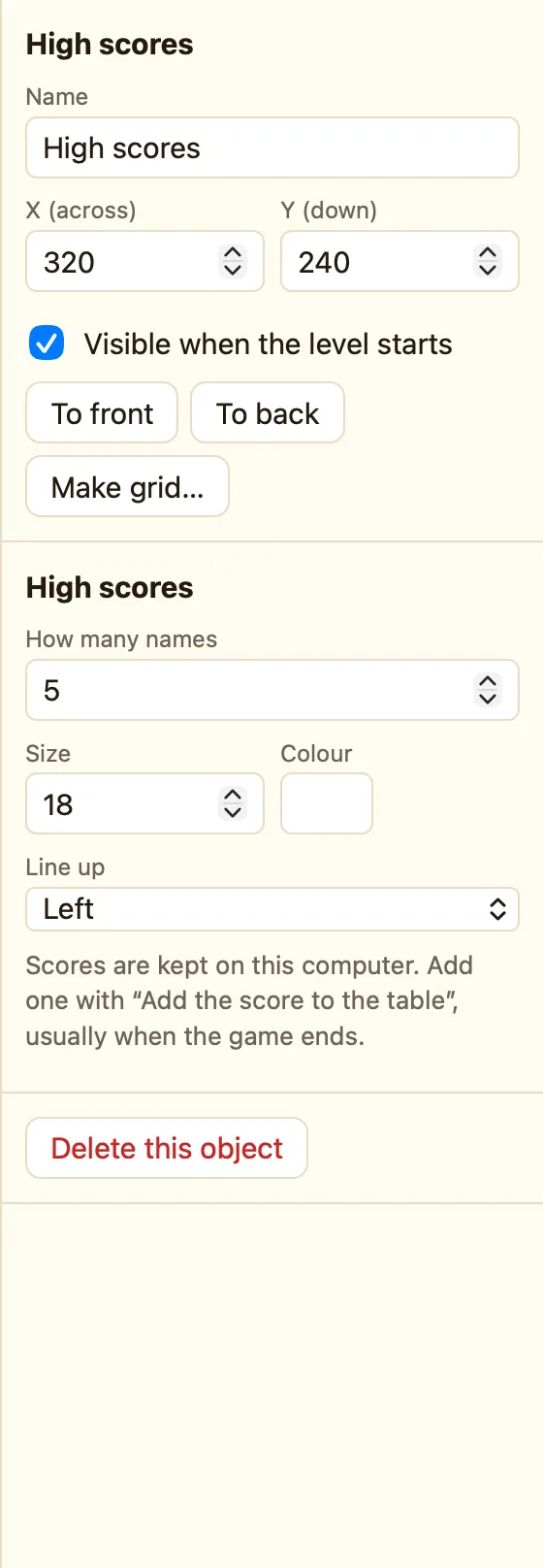
| High scores | + Add object → New → High scores. How many names: 10. Name it Best scores. |
|---|---|
| Text box | + Add object → New → Text box. Grey hint while empty: Type your name. Most letters: 12. Name it Name box. |
| Text | A Text saying Well done! What's your name? |
| Score | A Score object, so the player can see what they got. |
Build it
This goes on its own level at the end of the game. Call it Scores.
- In the Game tab click + Add level and drag it to the bottom. Name it Scores.
- Add the Best scores table on the left and the Name box, Text and Score on the right.
- In the level that ends your game, make the winning rule do Next level.
- On Scores, open the Events tab. + New event → 🎬 Game → Start of level. In Name box choose Start typing in it.
- + New event → Name box → The player presses Enter. + and… → Best scores → The score is good enough for the table.
- In Best scores choose Add the score to the table. In Name type
Text("Name box"). That means "whatever they typed". - Add Hide for the Name box and the Text, so they go away once the name is in.
- + New event → ⌨ Keyboard & mouse → Upon pressing any key. + and… → Name box → Is visible → Make it the opposite (NOT). Do Restart the game.
- Press ▶ Play level on Scores. Type a name, press Enter, and see it in the table.
WhenStart of level
DoStart typing in Name box
WhenThe player presses Enter in Name boxThe score is good enough for Best scores
DoAdd the score to Best scores as Text("Name box")Hide Name boxHide the text
WhenUpon pressing any keyNOT: Name box is visible
DoRestart the game
Make it yours
- No typing: in Simple mode, skip the Text box and use Add the score to the table with the name Player.
- A Wipe the table button for grown-ups, hidden in a corner.
- Show the table on your start screen too. Both copies read the same saved scores.
