
High scores
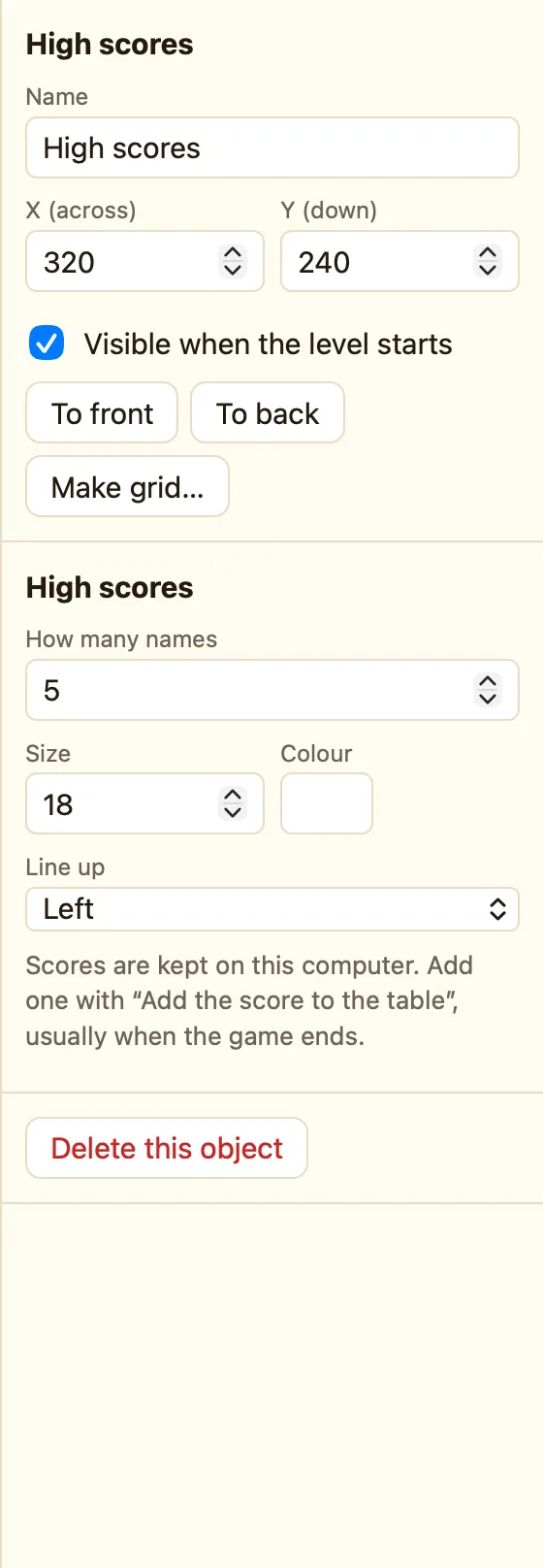
A table of the best scores. When the game ends well, add the player's score with a name. It remembers them on this computer.
What a high-score table is
A table of the best scores. It remembers them on this computer. Put one on your last level, or on a “Game Over” level, and add the player's score when they get there.
High scores appear in every mode.
How to add one
- Make a level for the end of the game, with a Text that says Game Over.
- Click + Add object, then New, then High scores. Name it Best.
- Set How many names to 5.
- In the Events tab add a rule: Start of level and The score is good enough for Best → Add the score to Best.
What the settings mean
| How many names | How many rows the table keeps, from 1 to 20. |
|---|---|
| Style | Size and colour of the writing. |
Rules for the table
The score is good enough for the table Add the score to the table Wipe the table
Add the score to the table asks for a name. Type one in, or give it Text("Name box") to use what the player typed in a Text box. Wipe the table empties it, for a fresh start.
Where the scores live
The table is saved on this Mac, under the game's name. A shared web page keeps its own table in the browser that plays it. Renaming the game starts a new, empty table. See Where high scores are kept.
