
A quiz
By the end you will have a three-question quiz. Right answers score points, wrong ones cost a life, and a final level shows the score.
What you need
Every piece is in Simple mode.
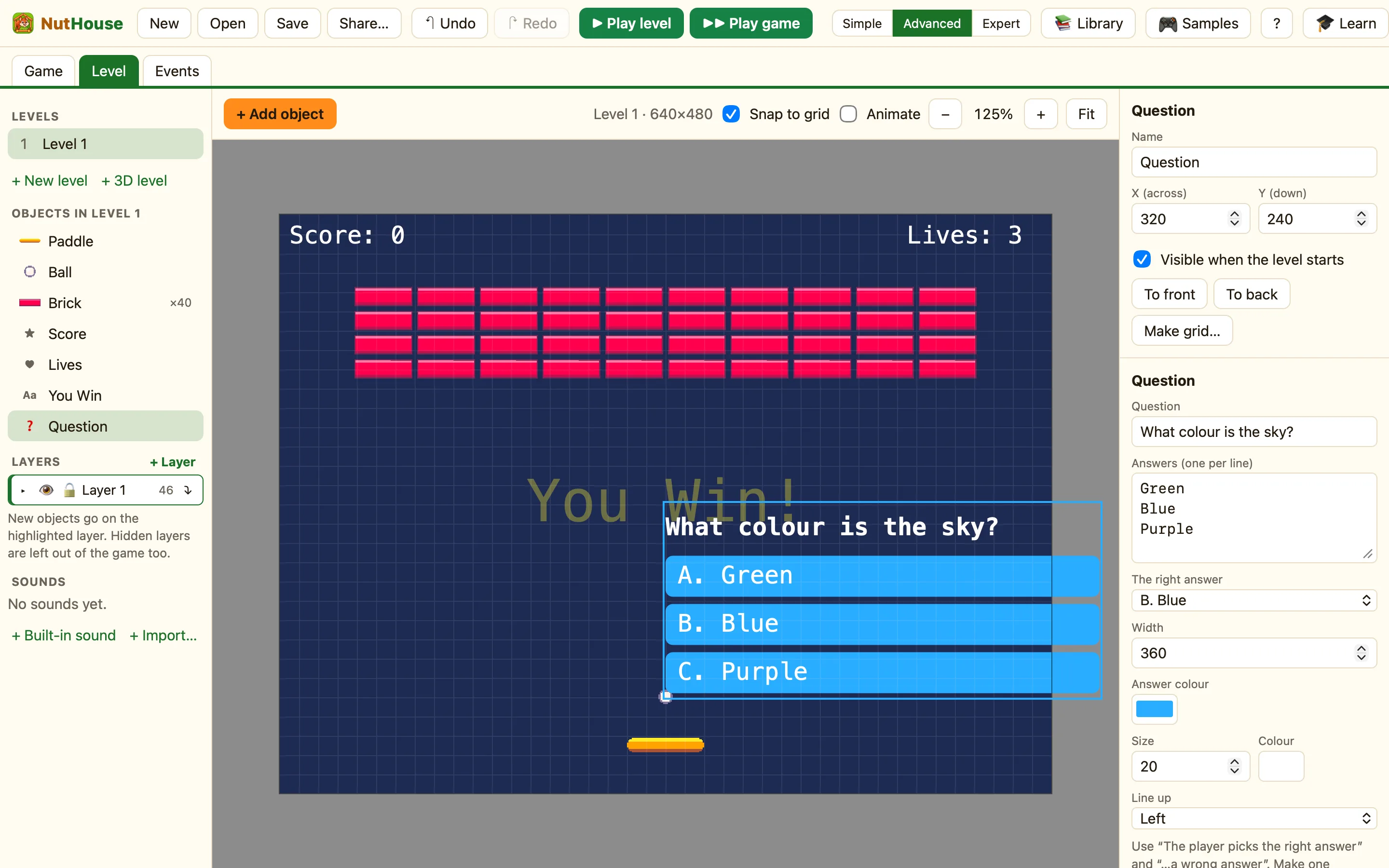
| Question | + Add object → New → Question. Fill in Question, then Answers (one per line, up to 8). Pick The right answer (A., B., …). |
|---|---|
| Score | + Add object → New → Score. Put one on every level. |
| Lives | + Add object → New → Lives. In Whole game, set Lives at start to 3. |
| Text | A Text object on the last level saying Quiz over! |
| Sounds | In the sidebar, + Built-in sound → Coin and Lose. |
Build it
One question per level keeps the rules tiny. Name the levels Q1, Q2 and Q3.
- Click + New level three times. Give each one a Question, a Score and a Lives object.
- Open the Events tab on Q1. Click + New event, click the Question, then pick The player picks the right answer.
- In the 🎬 Game cell choose Next level. In ☺ Player 1 choose Add to score and type 10. In ♪ Sound choose Play a sound → Coin.
- Click + New event again. Pick the Question, then The player picks the wrong answer.
- In ☺ Player 1 choose Subtract lives and type 1. In the Question's cell choose Ask it again. Play Lose too.
- Add one more rule: Compare number of lives, = equal to 0 → Restart the game.
- Click the first row number, Shift-click the third, then press ⌘C. Go to Q2 and press ⌘V. Do the same for Q3.
- Make a fourth level called Done with the Score and the Quiz over! text.
- Press ▶▶ Play game to play from the first question.
WhenThe player picks the right answer
DoNext levelAdd 10 to scorePlay sound Coin
WhenThe player picks the wrong answer
DoSubtract 1 from livesAsk it againPlay sound Lose
WhenNumber of lives is 0
DoRestart the game
Both Question conditions are red. They happen once, at the click, which is what you want.
Make it yours
- Change Answer colour and Width so the answers fill the screen.
- Put a picture next to each question: a sprite from the library that fits the topic.
- Add a Timer display that counts down from 10. When Time runs out, do Next level.
