
Facing directions
Give a sprite pictures for left and right, or all eight ways, and NutHouse shows the right one as it turns.
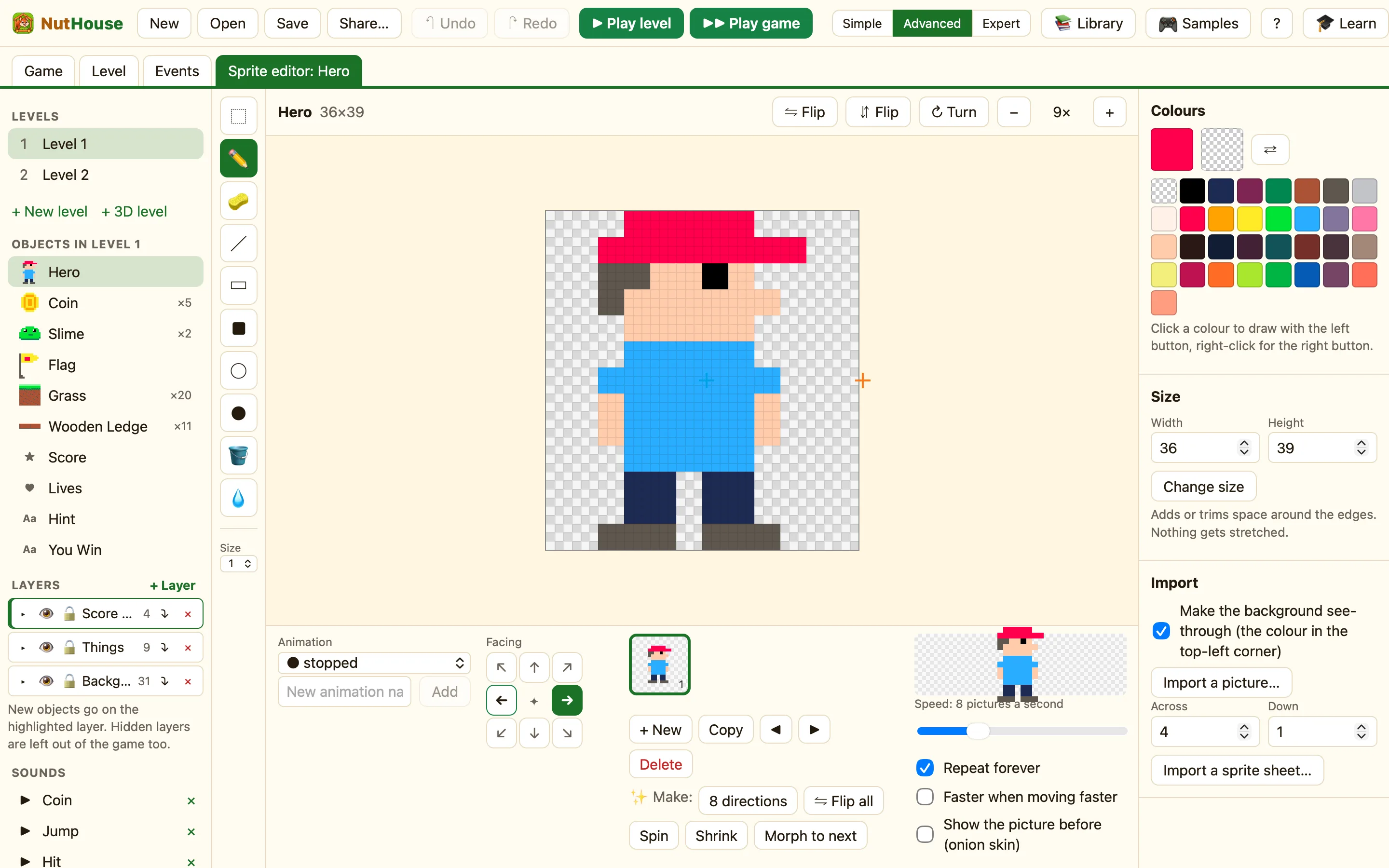
The compass
Next to the Animation list is Facing, a compass of eight arrows. Click an arrow to see the pictures for that direction. Each animation has its own set, so walking can face left and right while stopped only faces right.
The ✦ in the middle reminds you how it works: pictures are used for the nearest direction that has some. A sprite with only right-facing pictures shows them whichever way it goes. Add left-facing ones and it flips round as it turns.
An empty direction
Click a direction with no pictures and NutHouse says: “walking” has no pictures facing left yet. If it stays empty, the object uses its “stopped” pictures. It offers three buttons:
| Draw new pictures | Start from an empty picture. |
|---|---|
| Mirror the right pictures | Copies the pictures from the opposite side, flipped. This is the one you want nearly every time. |
| Copy pictures to start from | Copies the pictures so you can change them. |
How to make a hero face both ways
- Draw the sprite facing right. Right is the normal direction in NutHouse.
- Click the left arrow on the Facing compass.
- Click Mirror the right pictures.
- Do the same for walking and any other animation.
Eight ways and more
A top-down hero or a car needs more than two directions. Draw it facing right, then use ✨ Make: 8 directions to turn it for the other seven. In Expert mode 32 directions fills every tiny angle, which is what a racing car needs. See The makers.
Rules about direction
- Is facing a direction checks which way a sprite faces. Shoot the way the hero looks.
- Set direction turns it. The settings dialog shows the same wheel, with 32 points.
