
The makers
Six buttons that make pictures for you: turn one picture into every direction, spin it, shrink it, or morph it into the next.
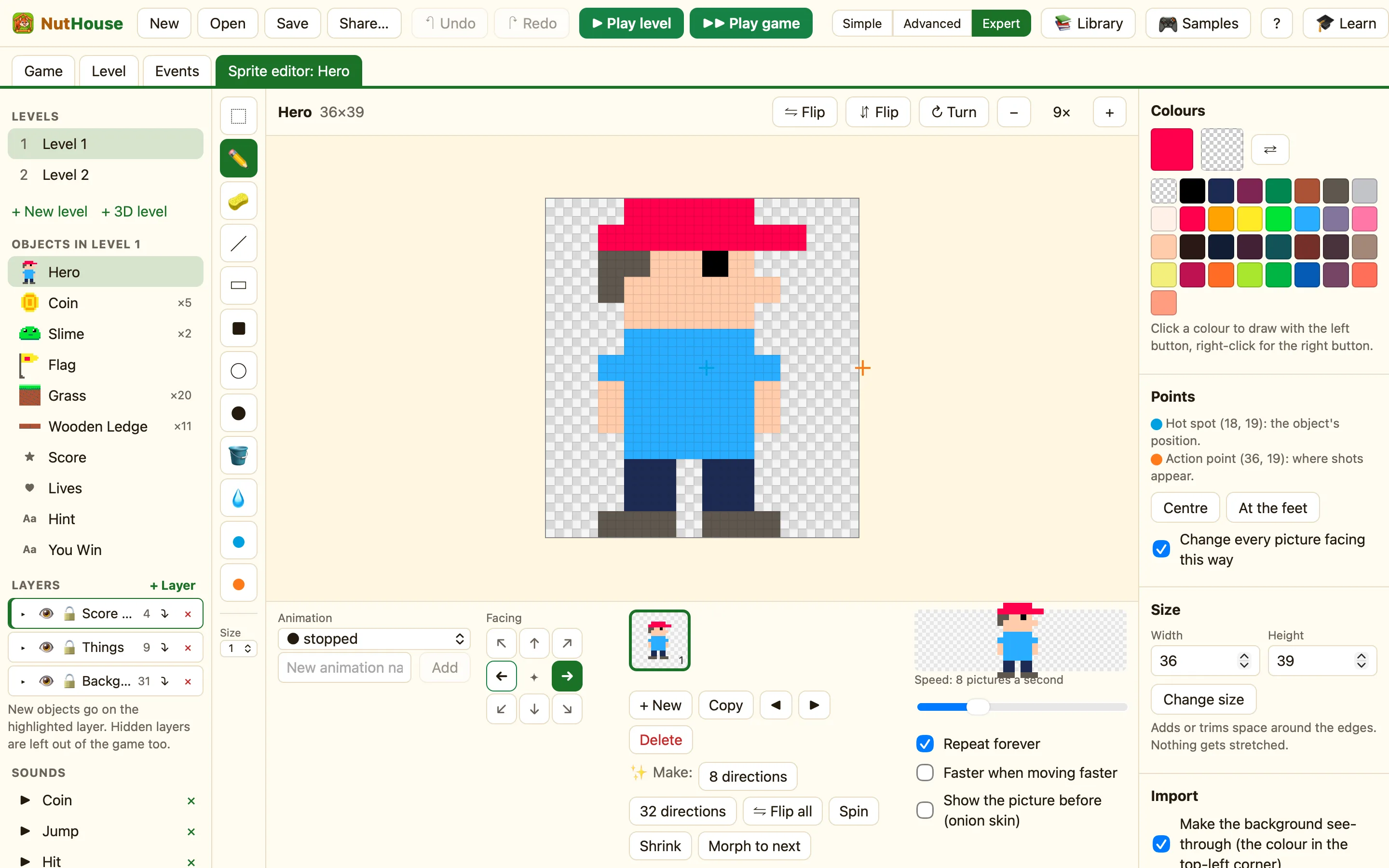
Where they are
The ✨ Make: row sits under the animation strip. It is hidden in Simple mode, so switch the toolbar to Advanced or Expert. Each button works on the animation and direction you are looking at.
What the buttons do
| 8 directions | Fills the empty directions by turning these pictures round. Draw it facing right, click once, and it faces all eight ways. The toast says Made pictures for 7 more directions. |
|---|---|
| 32 directions | The same, but for all 32 angles a sprite can face. Expert mode only. Cars and spaceships want this. |
| ⇋ Flip all | Flips every picture facing this way, left to right. Handy after pasting a batch. |
| Spin | Adds 7 pictures turning round after this one. A coin or a star that spins in place. |
| Shrink | Adds 5 pictures getting smaller after this one. A shrinking puff for disappearing. |
| Morph to next | Adds 4 pictures that change from this one into the next. Smooths a jump between two drawings. It needs a picture after this one. |
How to make a spinning coin
- Open the Coin and pick stopped. Delete the extra pictures until one is left.
- Click Spin. The toast says Added 7 pictures.
- Set Speed to 12 and make sure Repeat forever is ticked.
- Click the Level tab and tick Animate to watch it.
How to make a car face every way
- Draw the car facing right, in stopped.
- Switch to Expert mode and click 32 directions.
- Click an arrow on the Facing compass to check a turned copy.
If the direction already has pictures, NutHouse leaves it alone and says Every direction already has pictures. Delete those first if you want fresh ones.
