
The ? button
A short illustrated guide built into NutHouse, one click away in the toolbar. And the 💡 line at the top of every settings dialog, which explains the rule you are about to make.
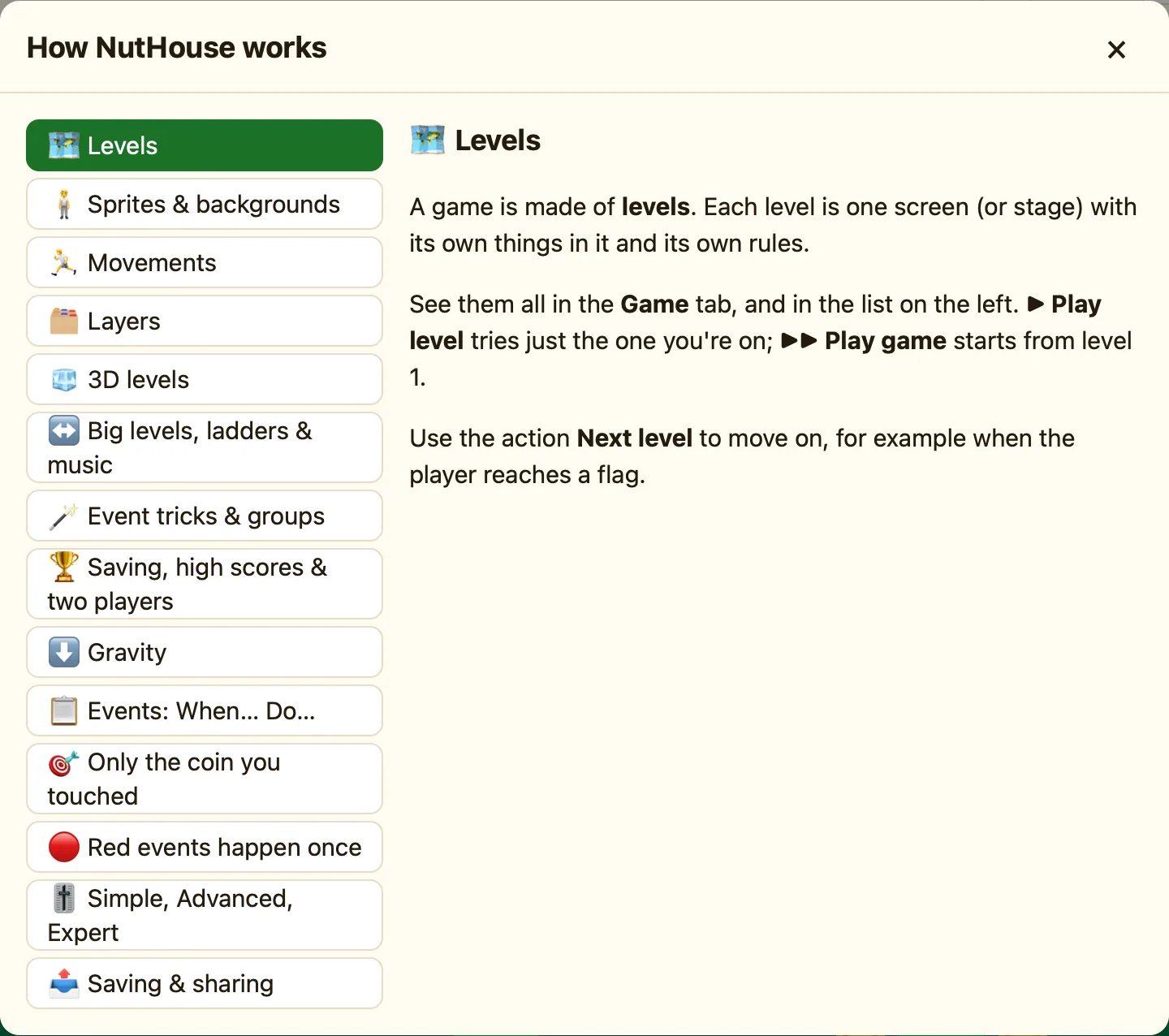
How to open it
- Press ? in the toolbar. Its tooltip says How NutHouse works.
- Or press ⌘/, or choose Help → How NutHouse Works.
- Scroll through. Press × or Esc to close it.
What is in it
| Levels 🗺️ · Sprites & backgrounds 🧍 · Movements 🏃 · Layers 🗂️ | The pieces a game is made from. |
|---|---|
| 3D levels 🧊 · Big levels, ladders & music ↔️ | The bigger kinds of level. |
| Events: When… Do… 📋 · Only the coin you touched 🎯 · Red events happen once 🔴 · Event tricks & groups 🪄 | How rules work, and the two ideas people most often get wrong. |
| Gravity ⬇️ · Saving, high scores & two players 🏆 | Settings for the whole game. |
| Simple, Advanced, Expert 🎚️ · Saving & sharing 📤 | Modes, files and web pages. |
The 💡 lines
Every condition and action in NutHouse has one sentence that says what it does. You see it in three places.
- Hover over a test in the condition picker. The footer shows “{name}: {sentence}”, and says “(red: happens once)” for the red ones.
- Hover over an action in a cell's menu.
- At the top of every settings dialog, after a 💡.
For example, the sentence for Collides with another object is the one shown here:
Collides with another objectThe same sentences are in this help centre, in the How to read these pages pages, so you can read them all in one go.
Other help inside NutHouse
| The green movement banner | Under Movement on the right: “Moves by itself: …” or “No movement: …”. |
|---|---|
| Toasts | Short messages at the bottom, like “Added Slime” or “Copied it. Press ⌘V to paste.” They vanish after three seconds. |
| Tooltips | Hover over any toolbar button for its name and shortcut. |
| 🎓 Teach me | In the play bar. When two things touch and no rule says what happens, NutHouse stops and asks you. |
