
What a level is
A game is a list of levels. Each level has its own things in it and its own rules.
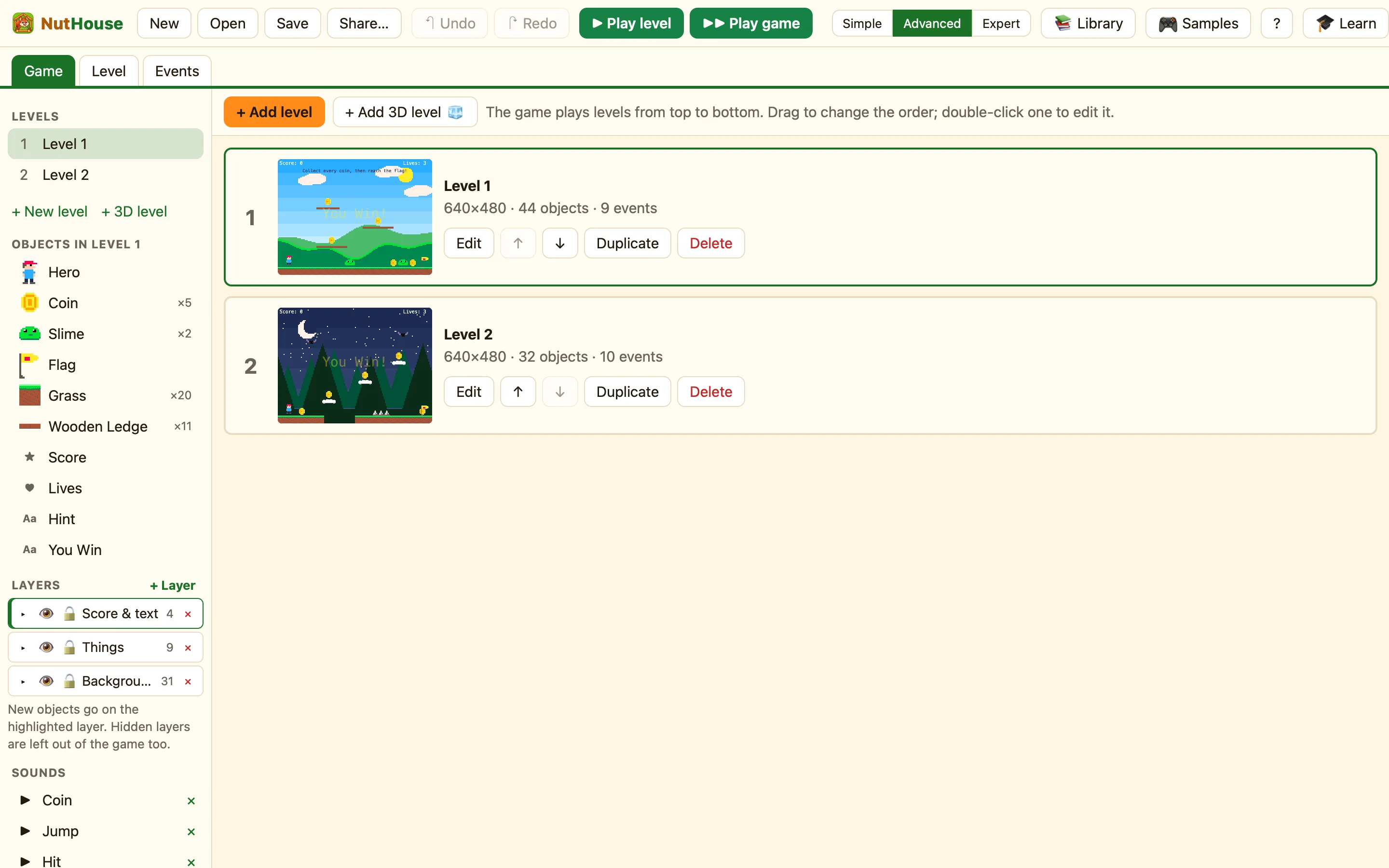
Levels are the pages of your game
Think of a level as one page of a book. It has a size, a background and a list of objects. When the player finishes it, the game turns to the next page.
A new game starts with one level. It is 640 pixels wide and 480 pixels tall. You can make it bigger, smaller, or bigger than the screen.
Every level has its own rules too. Open the Events tab and the heading says Events for Level 1. Rules you write there only work in that level. If you want a rule everywhere, put it in a group and tick Works in every level.
Where to find your levels
There are two places to see them:
- The Game tab (⌘1) shows every level as a card. Drag the cards to change the order.
- The sidebar on the left has a LEVELS list. Click a level there to open it in the Level tab.
3D levels get a 🧊 next to their name. They work differently inside. Read What a 3D level is for those.
What goes with the player between levels
Some things carry on from level to level. Some things start fresh.
| Carries on | The score, the number of lives, and the global values A to Z. |
|---|---|
| Starts fresh | Every object, the level's clock, and the sprites' own values and switches. |
So a coin counter made with a Counter object goes back to its Starts at number in the next level. If you need to keep a number, use the score or a global value.
