
The Game tab
Add, reorder, duplicate and delete levels. Drag a card to move it, or hold Option while you drag to copy it.
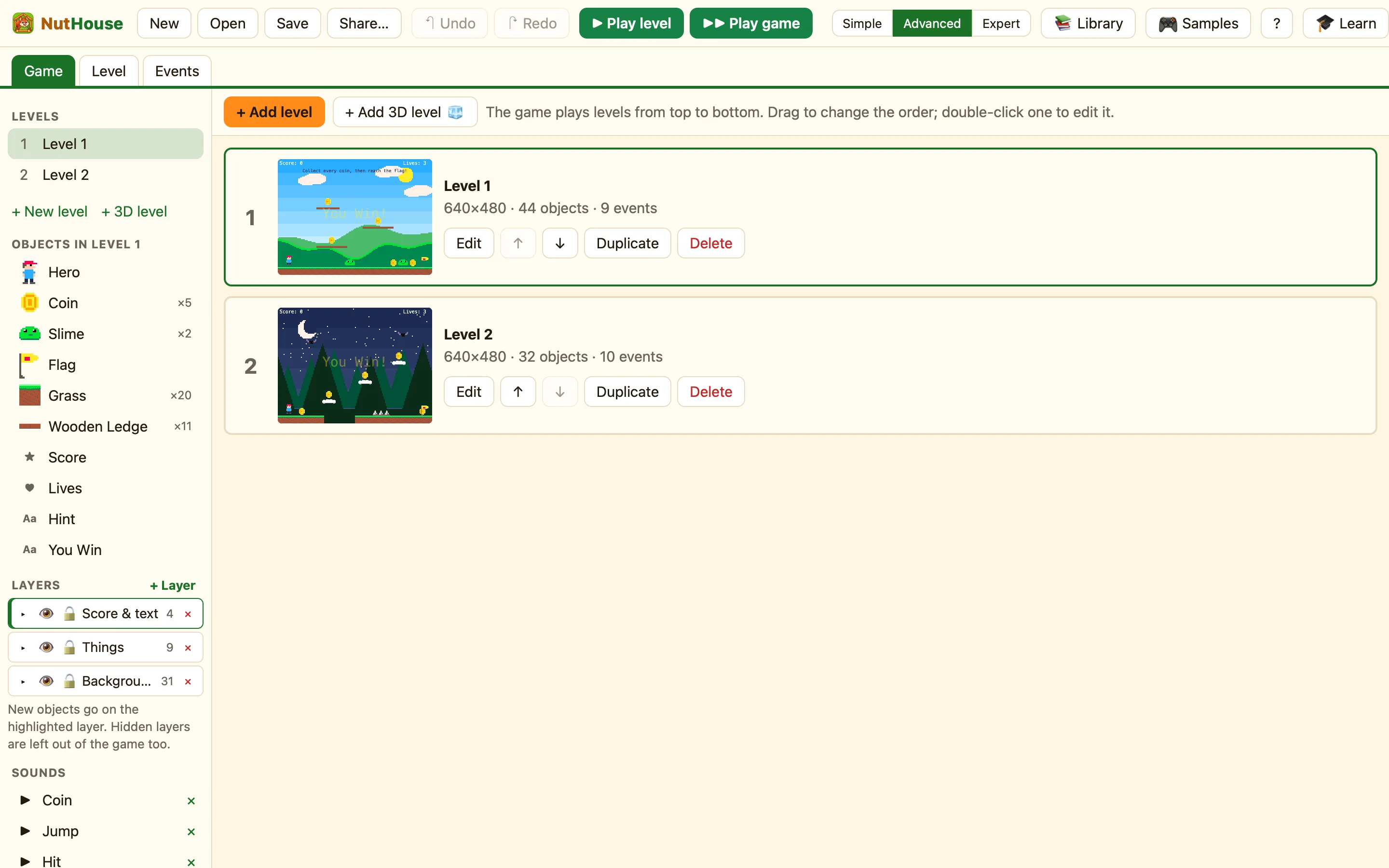
What you see
Press ⌘1 or click Game at the top. Every level is a card with a number, a small picture, its name and a line like 640×480 · 12 objects · 8 events.
The hint at the top says it all: the game plays levels from top to bottom. Drag to change the order. Double-click one to edit it.
How to add a level
- Click + Add level. A new empty level appears at the bottom of the list.
- Double-click its card, or click Edit, to open it in the Level tab.
- Give it a name in the Name box on the right.
In Advanced or Expert mode there is also + Add 3D level 🧊. That makes a first-person level you walk around inside.
What the buttons mean
| Edit | Opens the level in the Level tab. Double-clicking the card does the same. |
|---|---|
| ↑ and ↓ | Moves the level one place up or down the list. The order is the order the game plays them in. |
| Duplicate | Makes a copy of the level, with all its objects and rules. Good for a level 2 that looks like level 1. |
| Delete | Asks Delete the level “Level 2”? first. If you say yes, press ⌘Z to bring it back. |
Dragging cards
Drag a card up or down to move it. Hold Option while you drag and you make a copy instead. The hint under the pointer says Drag to change the order (hold Option to copy).
