
Using NutHouse in a classroom
Install it on each Mac, start everyone on the tutorial, and swap games as files. No accounts to set up and nothing to manage online.
Setting up
- Install NutHouse on each Mac from the .dmg. It is one app in Applications; your usual deployment tool can copy it.
- Open it once on each machine so macOS has checked it.
- Decide where games are saved: a folder in each pupil’s home, or a shared drive. NutHouse uses the standard save panel.
- Pick a mode for the class. Simple is right for a first term at any age. See Which mode for which age.
There is nothing else. No licences, logins, class codes or admin console. NutHouse works with the network off.
A first lesson
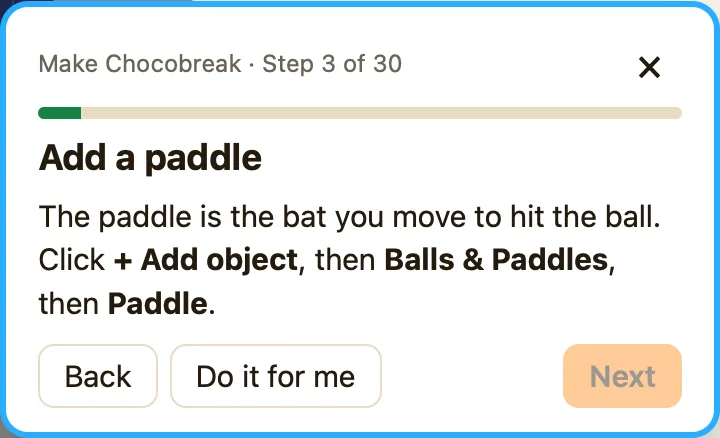
The built-in tutorial builds Chocobreak in 30 steps and takes about 20 minutes. It highlights the thing to click, has a hint on every step, and Do it for me for anyone stuck. Pupils finish with a complete, playable game, and the next lesson can start with “change one thing”. See About the tutorial.
A rough sequence
| Lesson 1 | The tutorial. Everyone ends with Chocobreak. |
|---|---|
| Lesson 2 | Change Chocobreak: points, speed, a sound, a second row of bricks. Introduce List view so rules read as sentences. |
| Lesson 3 | Open Coin Quest. Read its rules together. Add a third level with Duplicate in the Game tab. |
| Lesson 4 onwards | A game of their own from a plan on paper: start, goal, three rules. Each sample page in this help centre ends with changes to try. |
Sharing and handing in
A game is one .nuthouse file. Pupils can hand it in like any document. To let others play without NutHouse, Share… makes one .html file that runs in any browser, including Chromebooks and iPads. Opening a .nuthouse file on another Mac gives full editing. See Sharing games safely.
