
Backgrounds
Ten scenes painted in code, ready to go behind any level. Pick one and the whole mood of your game changes.
What a background is
A background is a big picture behind everything else in a level. Sprites and tiles sit in front of it. It is not solid: nothing can stand on it or bump into it. For the ground you still need tiles or a Block.
The ten scenes are drawn by NutHouse itself, so they add almost nothing to your game’s file size.
How to
- In the Level tab, click empty space so the level’s settings show on the right.
- Under Background picture, click one of the ten small pictures.
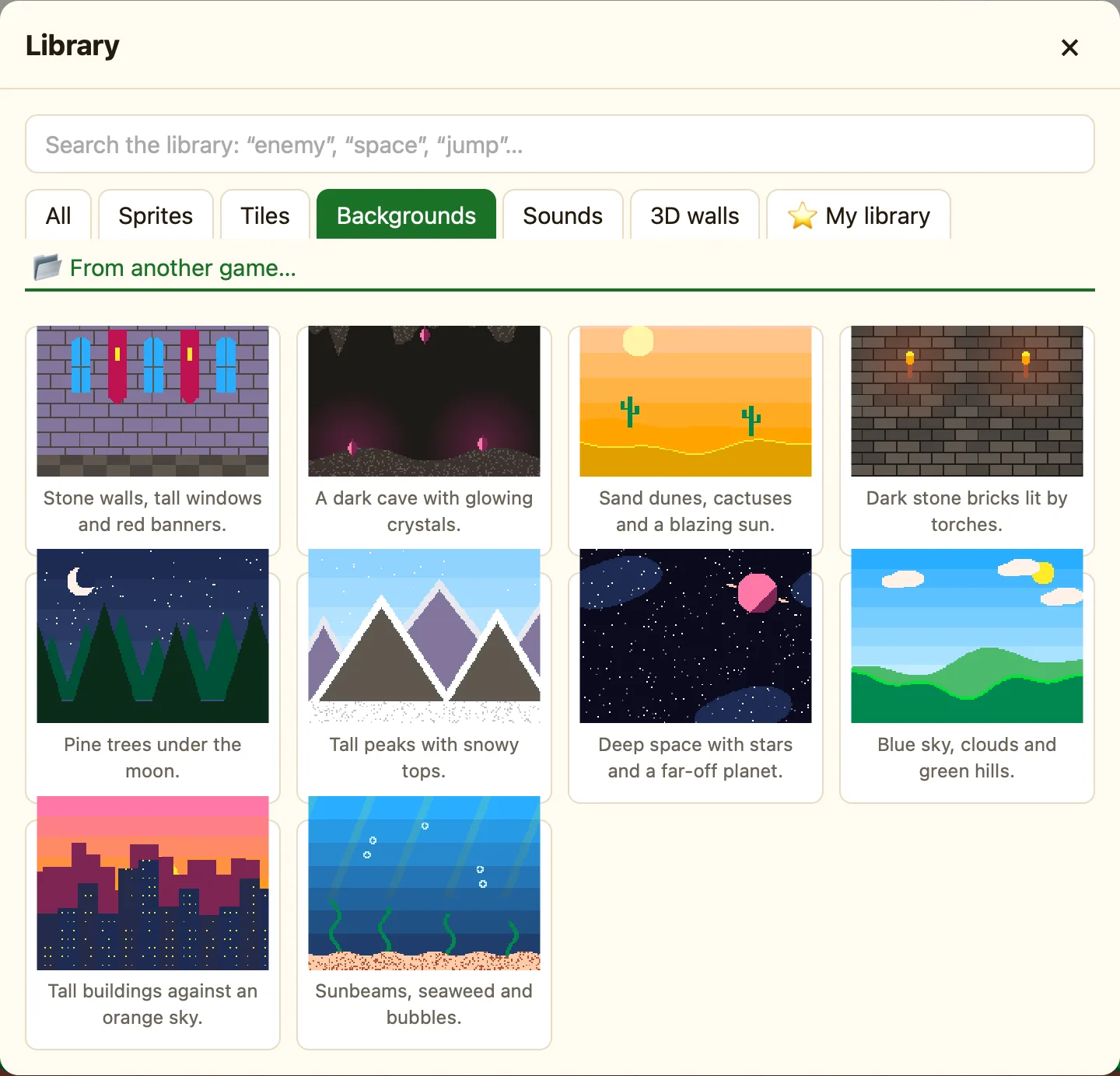
- Or click More… to see them big in the Library, with descriptions. Click one. The toast says Sunny hills is now behind this level.
- Choose how The picture fits: Stretches to fill the level, Repeats along (good for scrolling) or Repeats like tiles.
The ten scenes
| Sunny hills | Blue sky, clouds and green hills. Coin Quest and Treetop Trek use it. |
|---|---|
| Starry space | Deep space with stars and a far-off planet. Star Defender uses it. |
| Underwater | Sunbeams, seaweed and bubbles. |
| Dungeon | Dark stone bricks lit by torches. |
| Sunset city | Tall buildings against an orange sky. |
| Night forest | Pine trees under the moon. Level 2 of Coin Quest. |
| Desert | Sand dunes, cactuses and a blazing sun. |
| Snowy mountains | Tall peaks with snowy tops. |
| Castle hall | Stone walls, tall windows and red banners. |
| Cave | A dark cave with glowing crystals. |
Your own picture
Click My own picture… to use a photo or drawing from your Mac. Big pictures are shrunk to fit. NutHouse warns you if a picture is over about 3 MB, because it makes your game file large. For more, see Background pictures.
