
Sounds and tunes
Seventeen built-in sounds: fifteen quick effects and two tunes that loop. Listen to any of them before you add it.
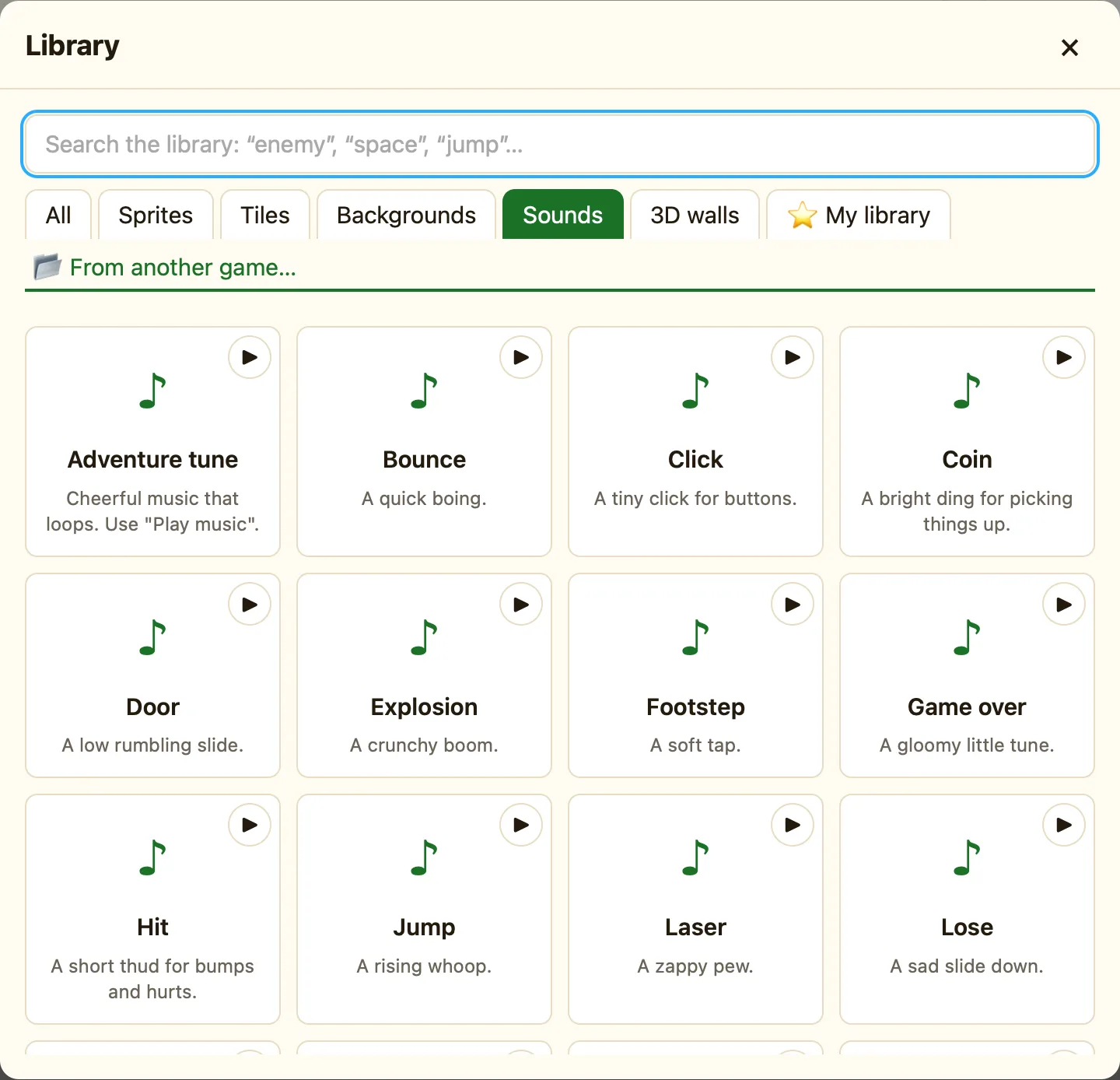
What a sound is in NutHouse
A sound has to be in your game before a rule can play it. Added sounds show in the SOUNDS part of the sidebar. From there, the ♪ Sound column in the Events tab can Play a sound or Play music.
The built-in sounds are made by NutHouse, not recorded, so they are tiny.
How to
- In the sidebar, click + Built-in sound. The Library opens on the Sounds tab.
- Hover a card and click ▶ Listen to … to hear it.
- Click the card. The toast says Added the sound “Coin” and it appears in the sidebar.
- In the Events tab, click the ♪ Sound cell of a rule and choose Play a sound. Pick it from the list.
The seventeen sounds
| Bounce | A quick boing. |
|---|---|
| Coin | A bright ding for picking things up. |
| Jump | A rising whoop. |
| Hit | A short thud for bumps and hurts. |
| Explosion | A crunchy boom. |
| Power up | Four notes going up. |
| Lose | A sad slide down. |
| Laser | A zappy pew. |
| Power down | Four notes going down. |
| Door | A low rumbling slide. |
| Footstep | A soft tap. |
| Splash | A watery splosh. |
| Win | A happy little tune. |
| Game over | A gloomy little tune. |
| Click | A tiny click for buttons. |
| Adventure tune | Cheerful music that loops. Use Play music. |
| Spooky tune | Creepy music that loops, for caves and castles. |
Your own sounds
+ Import… in the sidebar brings in a .wav, .ogg or .mp3 file under 2 MB. Imported sounds are saved inside your game, so a few big ones make the file grow fast. See Import your own sounds.
