
3D walls
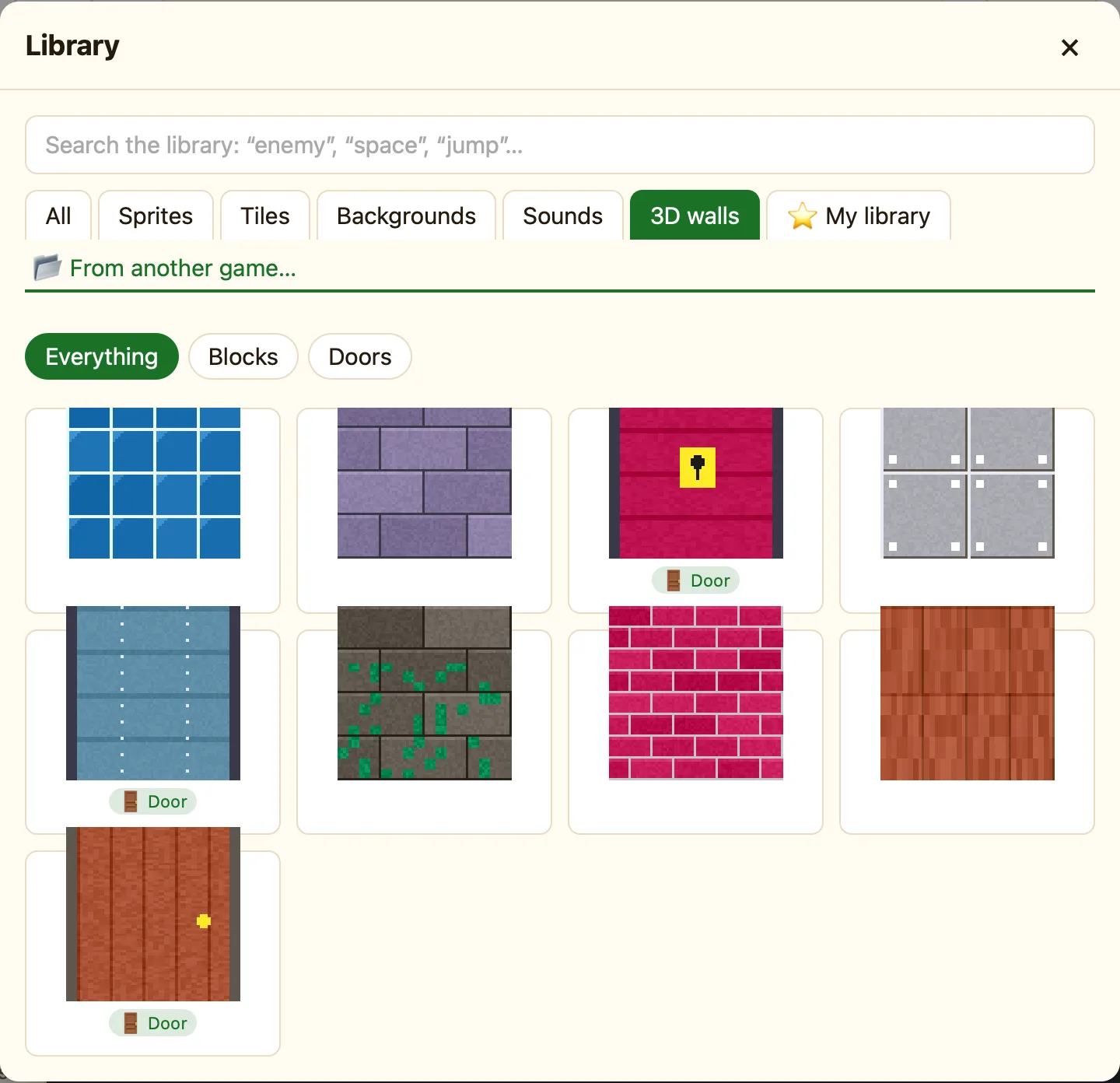
Six wall styles and three doors to paint onto the map of a 3D level. Two doors open with Space; one stays locked until a rule opens it.
What a 3D wall is
A 3D level is a grid of squares. Each square is either empty floor or a block. A 3D wall is the picture on the sides of that block. You paint walls onto the map in the Level tab, square by square, rather than placing them like sprites.
3D walls only show in Advanced and Expert mode, because 3D levels are hidden in Simple.
How to
- In the sidebar click + 3D level, or click a 3D level you already have.
- In the Level tab click + Add a block…. The Library opens on the 3D walls tab.
- Click a wall. The toast says Grey Stone is ready to paint on 3D maps.
- Pick it in the map’s palette and click or drag on squares to paint. Pick the empty square to rub out.
The nine walls
| Grey Stone | Big grey stone blocks. |
|---|---|
| Red Brick | Small red bricks. |
| Mossy Stone | Old stone with green moss. |
| Wood Panels | Warm wooden panels. |
| Blue Tiles | Shiny blue wall tiles. |
| Metal | Riveted steel plates. |
| Wooden Door | A door that slides open. Press Space in front of it. |
| Metal Door | A heavy sliding door. Press Space in front of it. |
| Locked Door | Only opens when a rule says Open the door in front, for example once you have a key. |
Doors and locked doors
A Wooden Door or Metal Door needs no rules. The player walks up to it and presses Space. It slides open and they walk through.
A Locked Door ignores Space. To open it, make a rule with the action Open the door in front on the player. Add a condition for what unlocks it, like Keys > 0. Crystal Maze 3D does exactly this. See Crystal Maze 3D.
Any door opening is a moment you can test with A door starts to open (3D), which is handy for a sound.
For all the block and door settings, see Blocks, doors and locked doors.
