
Blocks, doors and locked doors
Nine wall styles come with NutHouse, you can add your own, doors slide open with Space, and a locked door needs a rule.
The nine wall blocks
Every block is a 64×64 picture painted onto the walls. Six are plain walls and three are doors.
| Grey Stone | Big grey stone blocks. New 3D levels start with these. |
|---|---|
| Red Brick | Small red bricks. |
| Mossy Stone | Old stone with green moss. |
| Wood Panels | Warm wooden panels. |
| Blue Tiles | Shiny blue wall tiles. |
| Metal | Riveted steel plates. |
| Wooden Door 🚪 | A door that slides open. Press Space in front of it. |
| Metal Door 🚪 | A heavy sliding door. Press Space in front of it. |
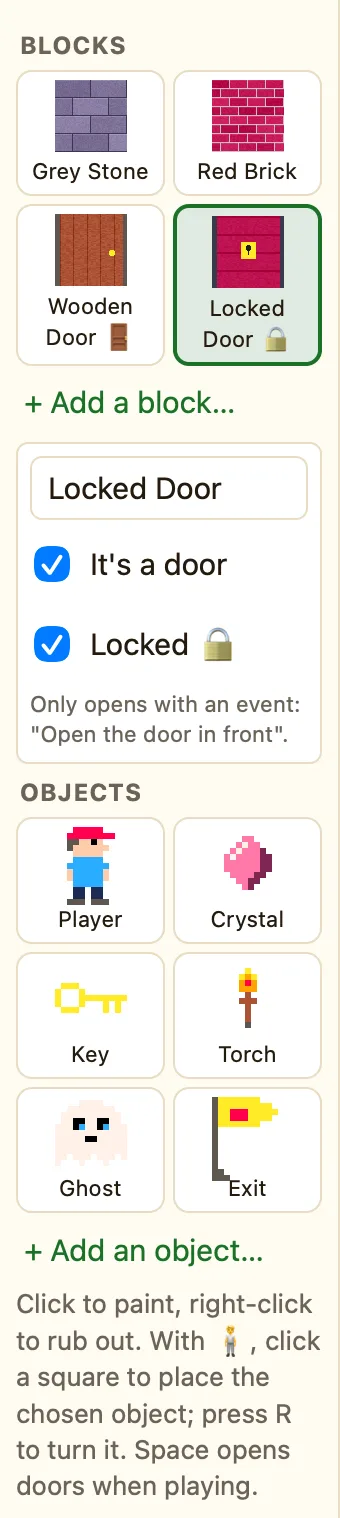
| Locked Door 🔒 | Only opens when a rule says Open the door in front, for example once you have a key. |
How to add a block to a level
- On the Level tab of a 3D level, click + Add a block… under Blocks.
- The Library opens on its 3D walls tab. Click a block. NutHouse says “X is ready to paint on 3D maps”.
- The block appears in the palette. Click it, then paint.
Block settings
Click a block in the palette to see its settings: its name, It's a door and Locked 🔒. Tick It's a door to turn any wall style into a sliding door. Tick Locked 🔒 as well and Space will not open it.
How doors open
When a player walks up to a door and presses Space, the door slides sideways and they can walk through. You do not need a rule for that.
A locked door ignores Space. It opens only when a rule runs Open the door in front while the player faces it. The usual trick is a key and a counter:
WhenUpon pressing Space barKeys is more than 0
DoOpen the door in front of Player
