
Chases another object
An enemy that heads for the nearest hero, all the time or only when the hero comes close.
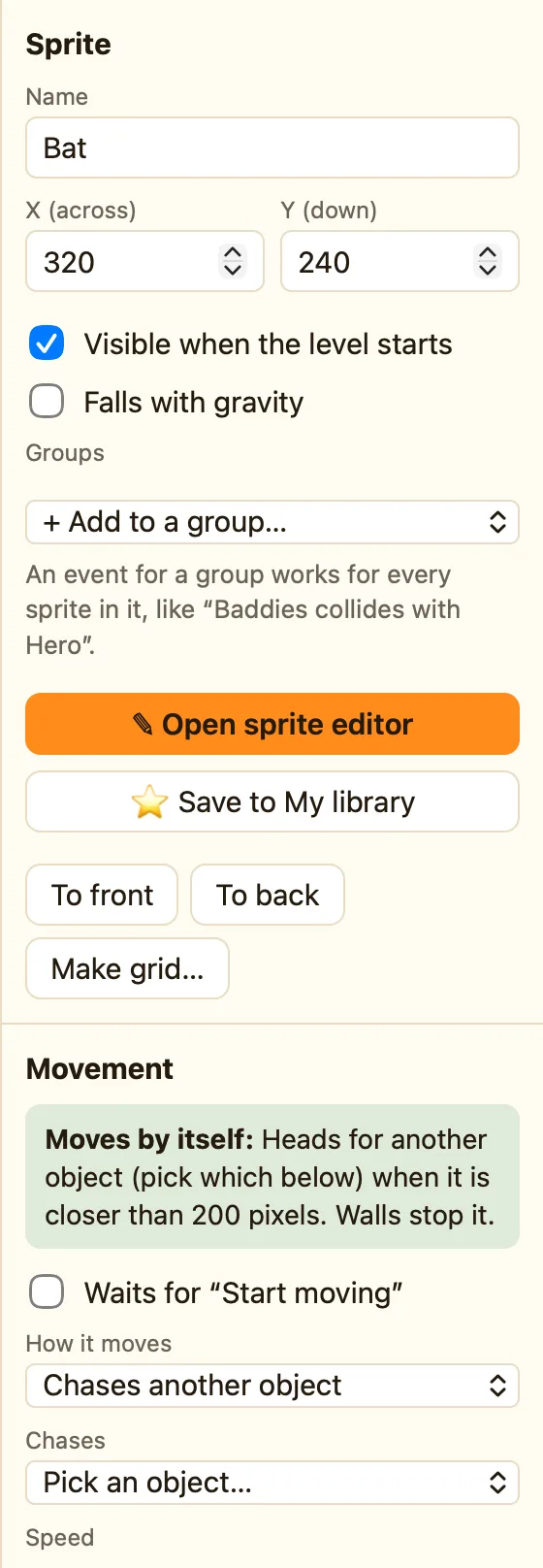
What it does
Heads towards the nearest copy of another object. If there are three heroes, it picks the closest. Walls stop it, so a maze slows it down. When it gets there it stops moving and waits, nose to nose.
With a range, it sits still until the target comes within reach. Then it pounces. That makes a much better ghost than one that follows you from the far end of the level.
What the settings mean
| Chases | Which object to chase. It starts as Pick an object… and nothing happens until you choose one. |
|---|---|
| Speed | How fast it moves, 0 to 100. Keep it slower than the hero or nobody escapes. |
| Only when closer than (pixels, 0 = always) | The distance at which it wakes up. 0 means it always chases. |
Library sprites that come with it
Bat (wakes at 200 pixels), Ghost (160), Bee (150), Spider (140) and Drone (always). They show the 👀 Chases chip. You still have to pick who they chase.
Rules that go with it
- Collides with another object for when it catches the hero.
- Is near another object lets a rule notice the same thing the movement does, for a warning sound.
- Stop and Start moving freeze it, for a power-up that scares ghosts.
- Step towards another object does a one-step chase from a rule, for sprites that stay still.
WhenGhost collides with Hero
DoSubtract 1 from the livesSet position Hero to (32, 32)
How to set it up
- Add a Ghost from the library and click it.
- Under Movement, open Chases and pick Hero.
- Set Only when closer than to 160, or 0 to chase for ever.
- Press ▶ Play level and walk near it.
