
Racing car (seen from above)
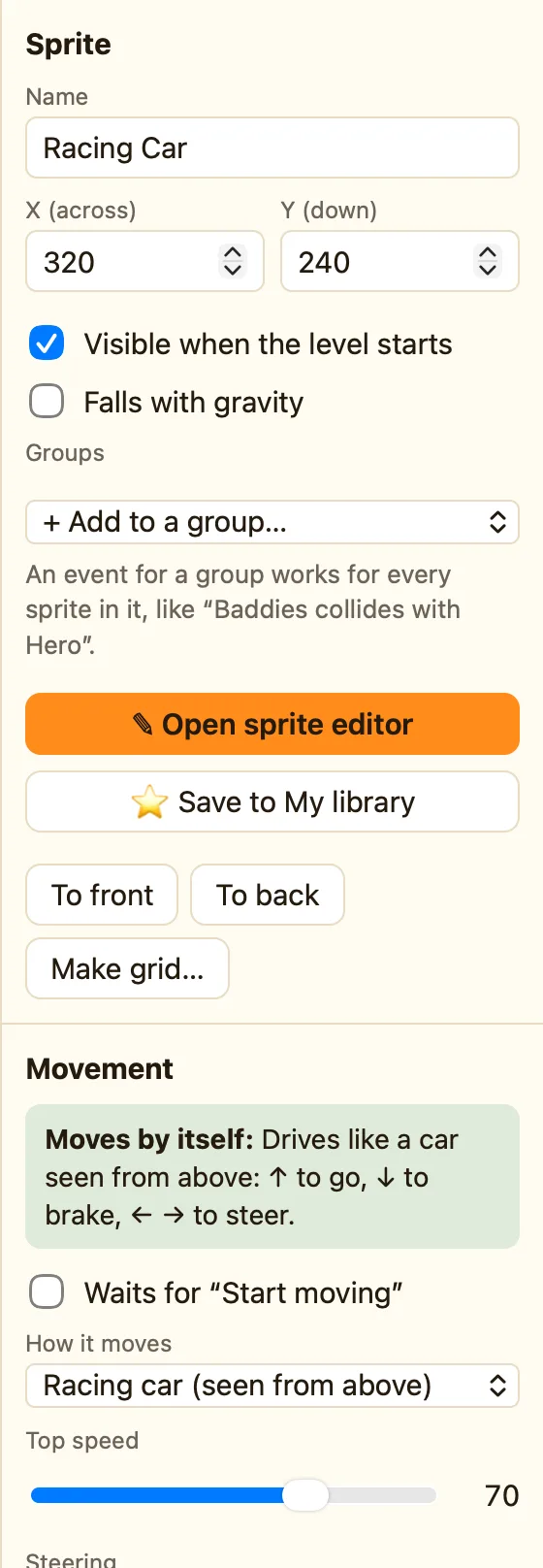
Steer a car from above: left and right turn the wheel, up goes faster, down brakes or reverses.
What it does
Left and right steer, up goes, down brakes. Unlike the arrow-keys movement, the car does not move the way you press. It faces a direction and drives that way. ← and → turn it round, a bit at a time.
It is an Advanced movement. Switch to Advanced or Expert mode to see it in How it moves. Walls stop it. Switch the level's gravity Off, because cars do not fall.
What the settings mean
| Top speed | The fastest it can go, 0 to 100. The library car starts at 70. |
|---|---|
| Steering | How quickly it turns. High numbers spin on the spot. Low numbers feel like a lorry. |
| ↓ can reverse | Ticked, ↓ backs up after it stops. Unticked, ↓ only brakes. |
| Speeding up | How quickly it reaches top speed. Advanced and Expert only. |
Library sprites that come with it
Racing Car, with the 🏎 Drives chip. Its picture is drawn facing right.
Pictures for every direction
A car turns through 32 directions, so it needs pictures that face them all. Draw it once facing right, then use ✨ Make: 8 directions or, in Expert mode, 32 directions in the sprite editor. NutHouse turns the picture for you. See The makers.
Rules that go with it
- Compare speed for a speedometer, or a skid sound when it goes fast.
- Collides with a background to slow it down when it hits the barrier.
- Set speed for oil slicks and speed boosts.
- Is facing a direction to check it crosses the finish line the right way.
How to set up a car
- Switch the mode to Advanced in the toolbar.
- Click + Add object and pick Racing Car from the library.
- With nothing selected, set the level's Gravity pulls to Off (everything floats).
- Press ▶ Play level. Hold ↑ and steer with ← and →.
