
Lives
Shows how many lives are left, as a number, a row of hearts, or a row of pictures you choose.
What the lives object is
Lives are a number the game keeps for the whole game, like the score. A Lives object shows that number on the screen. Losing a life does not end anything by itself. You write a rule for Lives = 0.
Lives appear in every mode.
How to add one
- Click + Add object, then New, then Lives.
- Drag it to a corner.
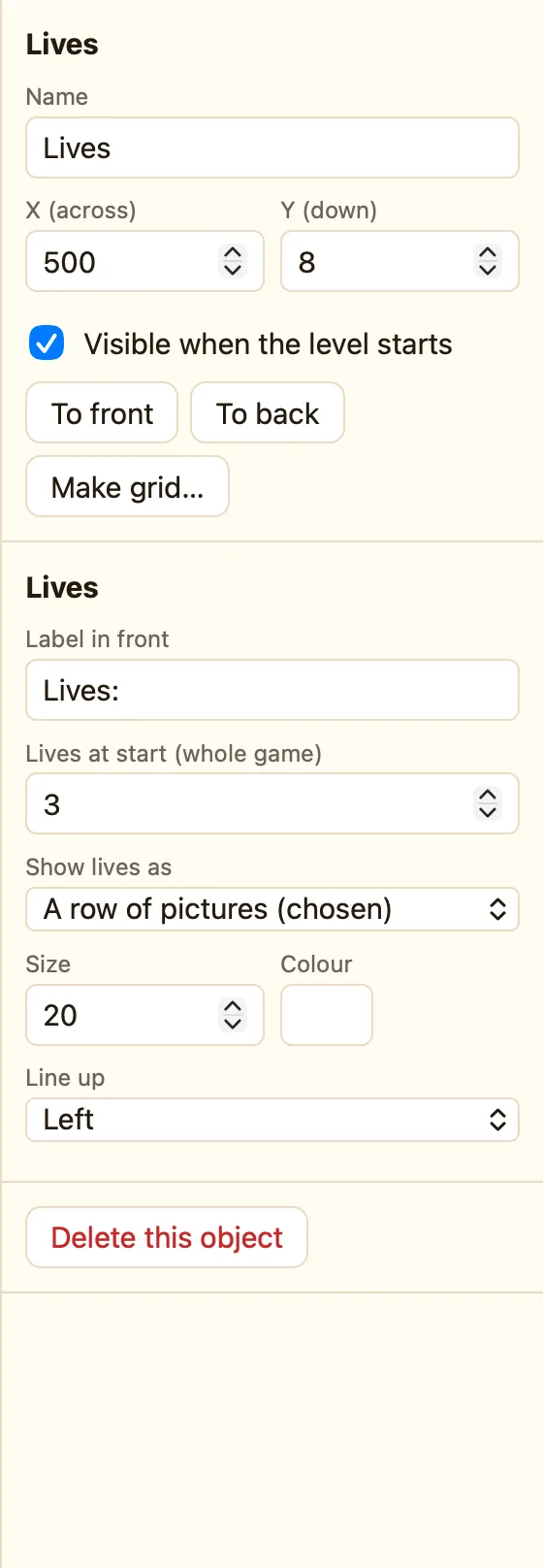
- Choose Show lives as: a number or hearts.
- Click empty space and set Lives at start under Whole game. Three is normal.
What the settings mean
| Label in front | Words before the number or hearts, like Lives:. |
|---|---|
| Shows | Player 1 or Player 2. Only in a two-player game. |
| Show lives as | A number · A row of hearts ♥♥♥ · A row of Hero pictures (the sprite you pick) · A row of pictures (chosen). |
| Size and Colour | For the number and label. |
| Lives at start | Under Whole game in the level settings, because it belongs to the game, not one level. |
Rules for lives
These live in the ☺ Player 1 column:
Subtract lives Add lives Set number of lives Compare the number of lives
WhenBall leaves play area at the bottom
DoSubtract 1 from livesRestart this level
WhenNumber of lives is = 0
DoEnd the game
The second rule is not red, so add Only the first time if it does more than end the game. For player 2 use the ☻ Player 2 column. See Player 1.
