
Score
Shows the player's score. There is one score per player, and it carries on from level to level.
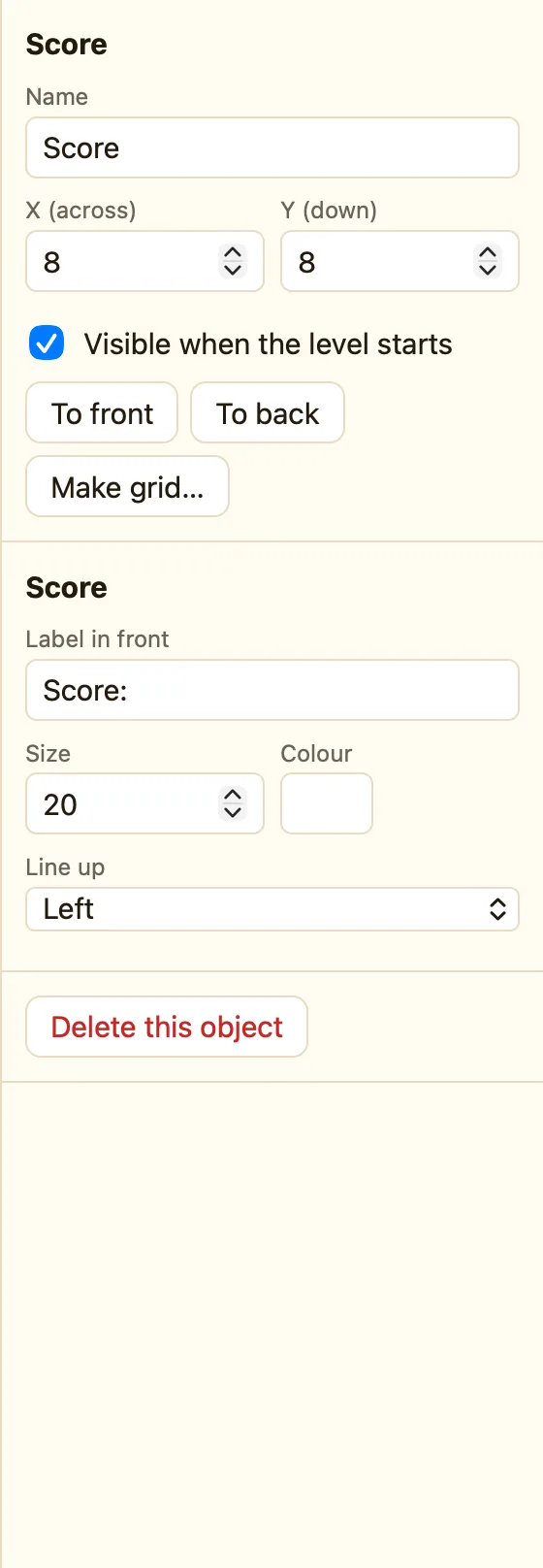
What the score object is
The score is a number the game keeps for the whole game. A Score object shows that number on the screen. If you never add one, the score still counts up. The player cannot see it.
Score appears in every mode. In a two-player game you can add two and point one at each player.
How to add one
- Click + Add object, then New, then Score.
- Drag it to the top-left corner.
- Type Score: in Label in front if you want a label.
- Add a rule that uses Add to score. Nothing happens to the number until a rule changes it.
What the settings mean
| Label in front | Words before the number, like Score: or Points. |
|---|---|
| Shows | Player 1 or Player 2. Only in a two-player game. |
| Size and Colour | How big the writing is, and what colour. |
| Line up | Left, Centre or Right. |
The score object itself has no Starts at. The game always starts at 0. Use Set score at the start of a level if you want something else.
Rules for the score
These live in the ☺ Player 1 column, not under the Score object:
Add to score Subtract from score Set score Compare the score
WhenBall collides with Brick
DoDestroy BrickAdd 10 to score
For player 2 use the ☻ Player 2 column. In a formula the score is Score, and player 2's is Score2. See Player 1.
