
Accounts: made by a grown-up
A free account keeps games online, lets you share them with a link and play with a friend. A grown-up makes it; the child picks a nickname.
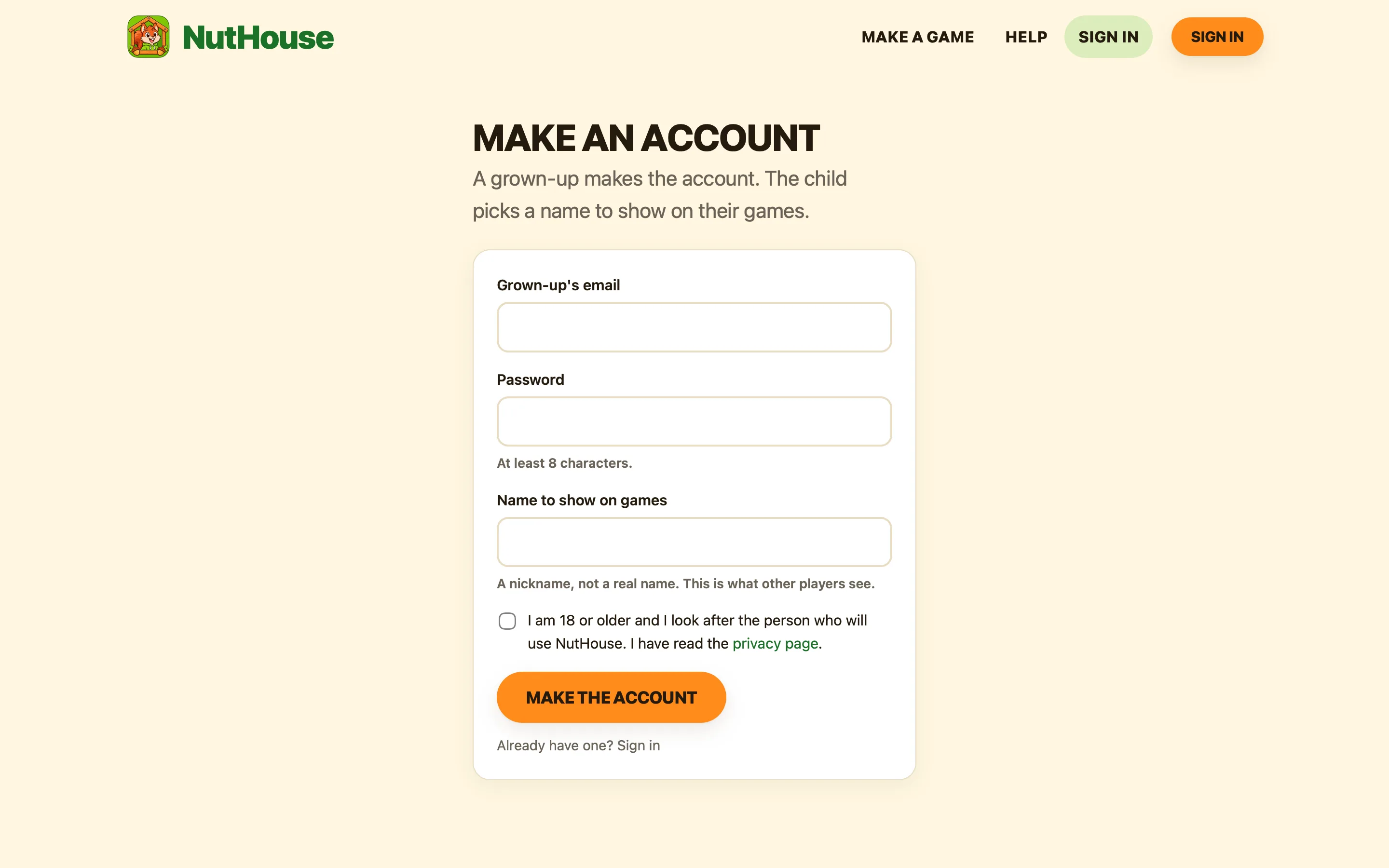
What we ask for
| Email and password | The grown-up’s. The email is only used to sign in and to send a password reset. |
|---|---|
| A name to show on games | A nickname the child chooses. It appears on shared games and in high-score tables. Not a real name. |
| A tick | That you are 18 or older and look after the person who will use NutHouse. |
That is all. No birthday, no child’s name, no photo, no phone number.
Making one
- Go to app.playnuthouse.com and press Sign in, then Make an account.
- Fill in the three boxes and tick the box.
- You are signed in straight away. The editor shows the nickname in the top corner.
Your account page
Press the nickname in the top corner to see My games: every game saved online, who can play it, and a link to open or play it. The same page changes the nickname or password, signs out, and can delete the account.
Deleting
Delete this account removes the account, every game saved online, their pictures and high scores. It happens at once and cannot be undone. Games saved as files on your computer are not touched.
