
Saving games online
Signed in, Save keeps your game in My games instead of a file, so you can open it on any computer.
How to
- Sign in (the top corner of the editor).
- Press Save or ⌘S. The first time, NutHouse asks for a name for the game.
- From then on, Save just saves. The window title loses its dot when the game is safe.
Opening a game
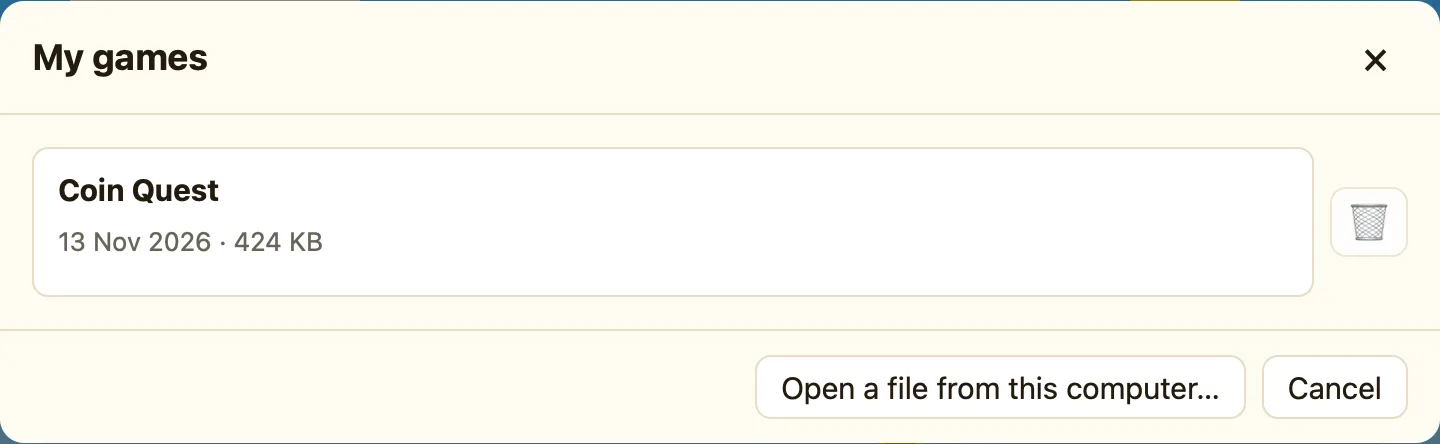
Open shows My games: the newest first, with when it was saved and how big it is. Pick one to open it. Open a file from this computer… at the bottom opens a .nuthouse file instead.
Both at once
A game can live online and as a file. Save keeps it where it came from; to make a file copy of an online game, use Share… → Save as a web page for players, or open it in the Mac app and save it there.
Two computers
If the same game was saved from somewhere else since you opened it, NutHouse asks before saving over it. Pick the version you want to keep.
Limits
| Size | A game can be up to 10 MB. Games built from the library are well under 1 MB; big imported photos and sounds are what push it up. |
|---|---|
| How many | Up to 50 games online per account. Delete old ones from My games or the account page. |
| Older saves | The last five saves of each game are kept. In My games, press ⟲ Older saves next to a game to get one back; the save you are replacing is kept too. |
