
The Game, Level and Events tabs
Three tabs, three jobs. Game is the list of levels, Level is where you build one, and Events is where the rules live.
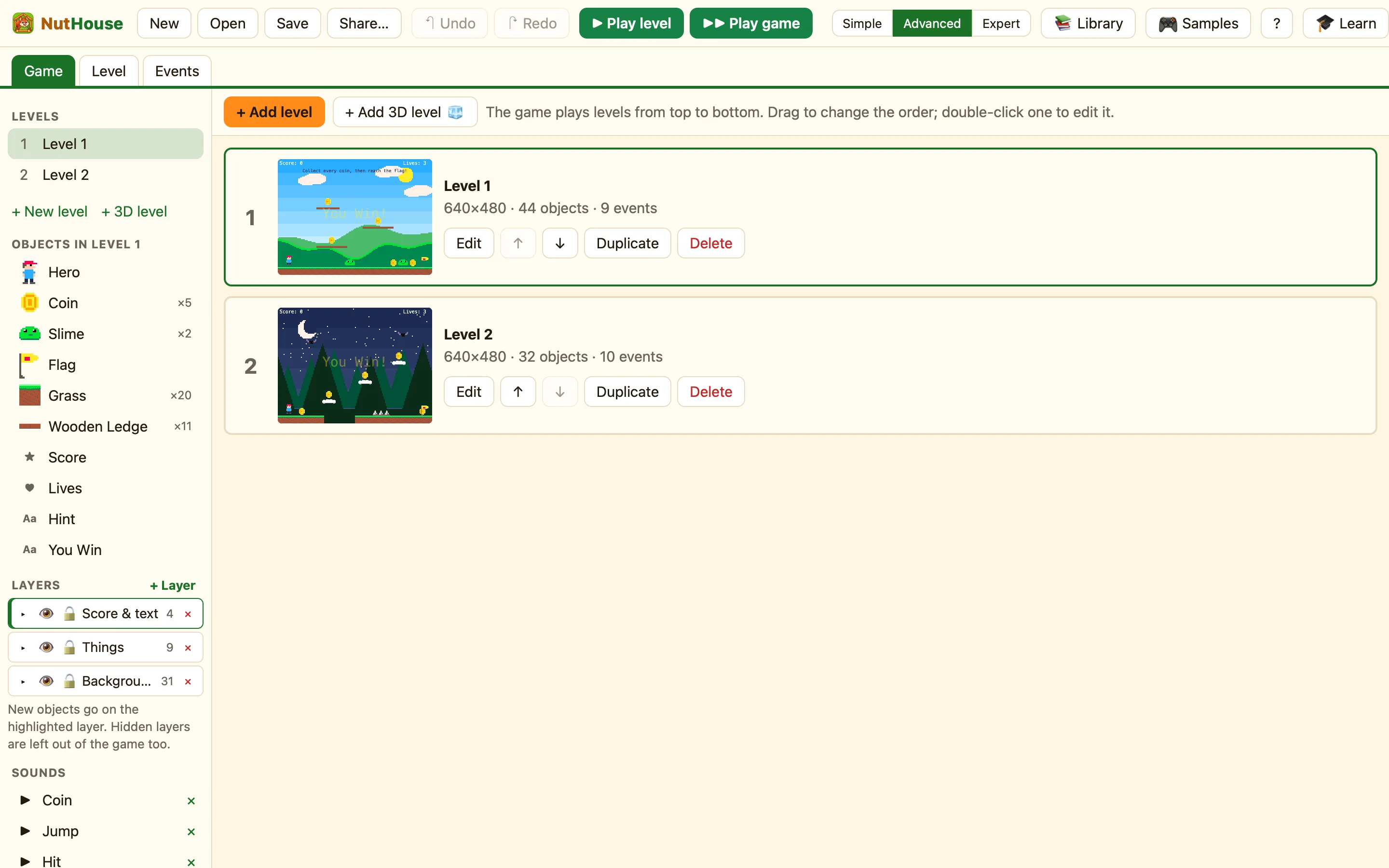
Game tab (⌘1)
A card for every level, top to bottom in the order the game plays them. Each card shows the number, a picture, the name, its size, and how many objects and events it has.
| + Add level | A new empty level at the end. In Advanced mode there is also + Add 3D level 🧊. |
|---|---|
| Edit | Opens that level in the Level tab. Double-clicking the card does the same. |
| ↑ ↓ | Move the level earlier or later. You can also drag the cards. Hold Option while dragging to make a copy. |
| Duplicate | A copy of the level, right after it. |
| Delete | Asks “Delete the level?” first. If you change your mind afterwards, ⌘Z brings it back. |
Level tab (⌘2)
The level you are building, big in the middle. The sidebar on the left lists levels, objects, layers and sounds. The properties panel on the right shows the settings of whatever you click. Above the level: + Add object, the level's name and size, Snap to grid, Animate, and zoom.
Click an object to select it, drag to move it, double-click to draw it. Nothing selected? The right side shows the level's own settings.
Events tab (⌘3)
Every rule for this level, one row each. The chips on the left say when. The columns say which thing does something, and a ✓ in a cell says it does. The last row is always “+ New condition: click here to add a rule”.
At the top: + New event, + Group, + Comment, a search box, an object filter, and Grid / List to see the same rules as sentences.
Sprite editor tab
This tab only appears once you have opened a sprite or background. Its name says what you are drawing: Sprite editor: Hero.
How to get to a level's rules
- In the Game tab, press Edit on the level.
- Press Events, or ⌘3. The heading says “Events for” that level.
