
The Events tab
Rows are rules and columns are things, so you can see at a glance who does what.
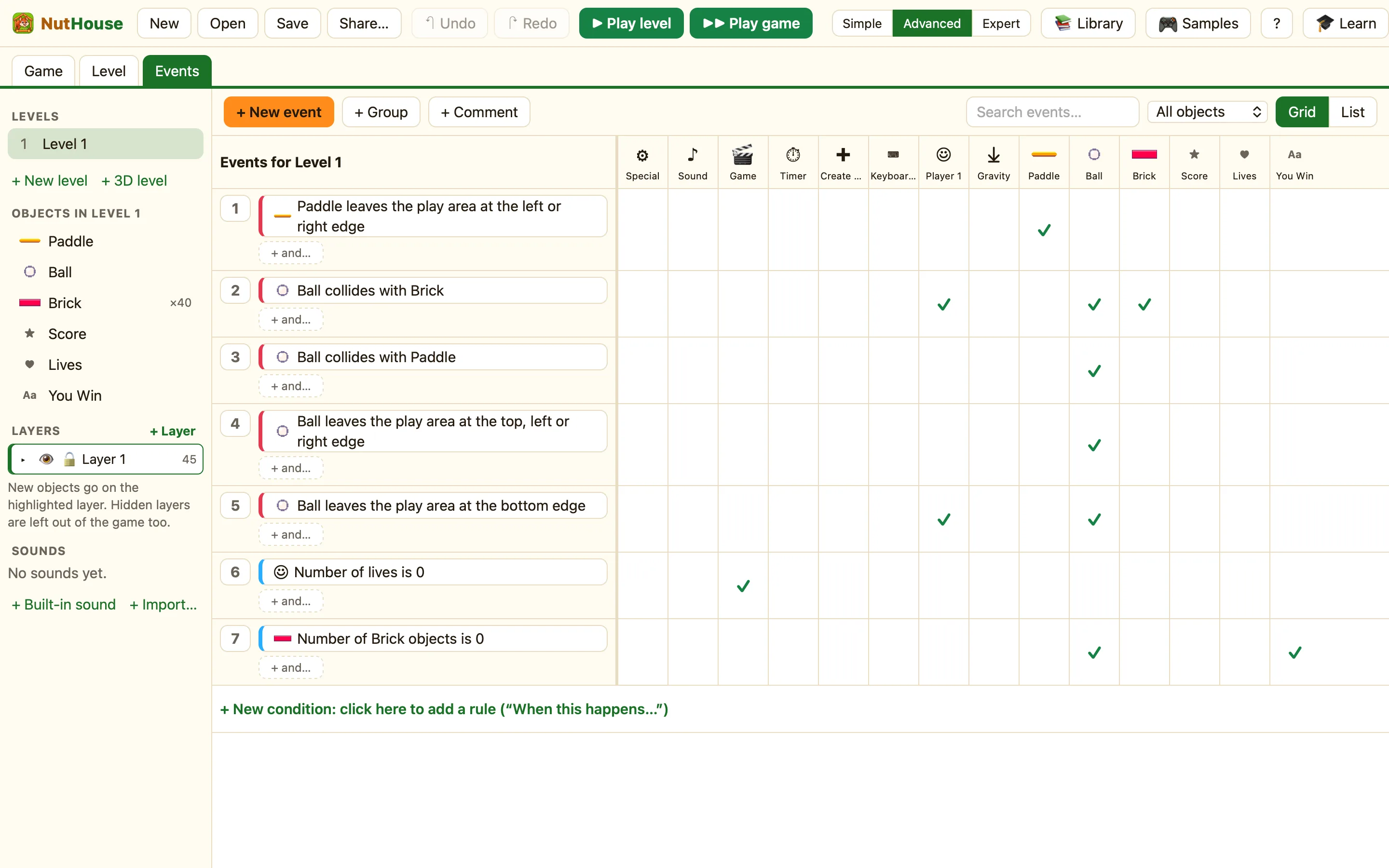
The toolbar
| + New event | Starts a new rule. The condition picker opens and asks “New event: when what happens?”. |
|---|---|
| + Group | A folder for events. Drag events into it to keep things tidy. See Groups and comments. |
| + Comment | A note to explain your events. It does nothing in the game. |
| Search events… | Type a word to show only the rules that mention it. |
| All objects / Only … | Shows every rule, or only the rules about one object. See Search, and Only one object. |
| Grid / List | The same rules two ways. See Grid or list. |
The columns, in order
The heading above the grid says “Events for {level}”. Under it, the columns always come in this order:
| ⚙ Special | Rules about the whole game: Always, Start of level, random chance, pausing, shaking, groups and the gates. |
|---|---|
| ♪ Sound | Play a sound, play music, stop, volume. |
| 🎬 Game | Next level, restart, end the game, scrolling, saving. |
| ⏱ Timer | Every so often, or when the level’s clock reaches a time. |
| ✚ Create objects | Make a new copy of something, somewhere. |
| ⌨ Keyboard & mouse | Keys pressed or held, clicks, the pointer. |
| ☺ Player 1 | Score, lives, Fire 1 and Fire 2, controls on and off. |
| ☻ Player 2 | Only in two-player games. The second player’s score, lives and fire keys. |
| ⤓ Gravity | Test or change the level’s gravity. |
| One per object | Every object in the level gets a column, and so does every group of sprites. |
Reading a row
The number at the left is the row’s handle: click to select, drag to move, right-click for more. Next come the condition chips. Red chips happen once; a chip starting “NOT: ” is the opposite. + and… adds another condition to the same rule.
Across the row, each cell belongs to one column. A ✓ means that thing has one action here; ✓2 means two. An empty cell says “Click to make {col} do something” when you point at it.
The last row always reads “+ New condition: click here to add a rule (“When this happens…”)”. It is the same as + New event.
