
What NutHouse teaches
Conditions and actions, state, loops over copies of things, debugging by playing, and planning a level. The ideas of programming, without the typing.
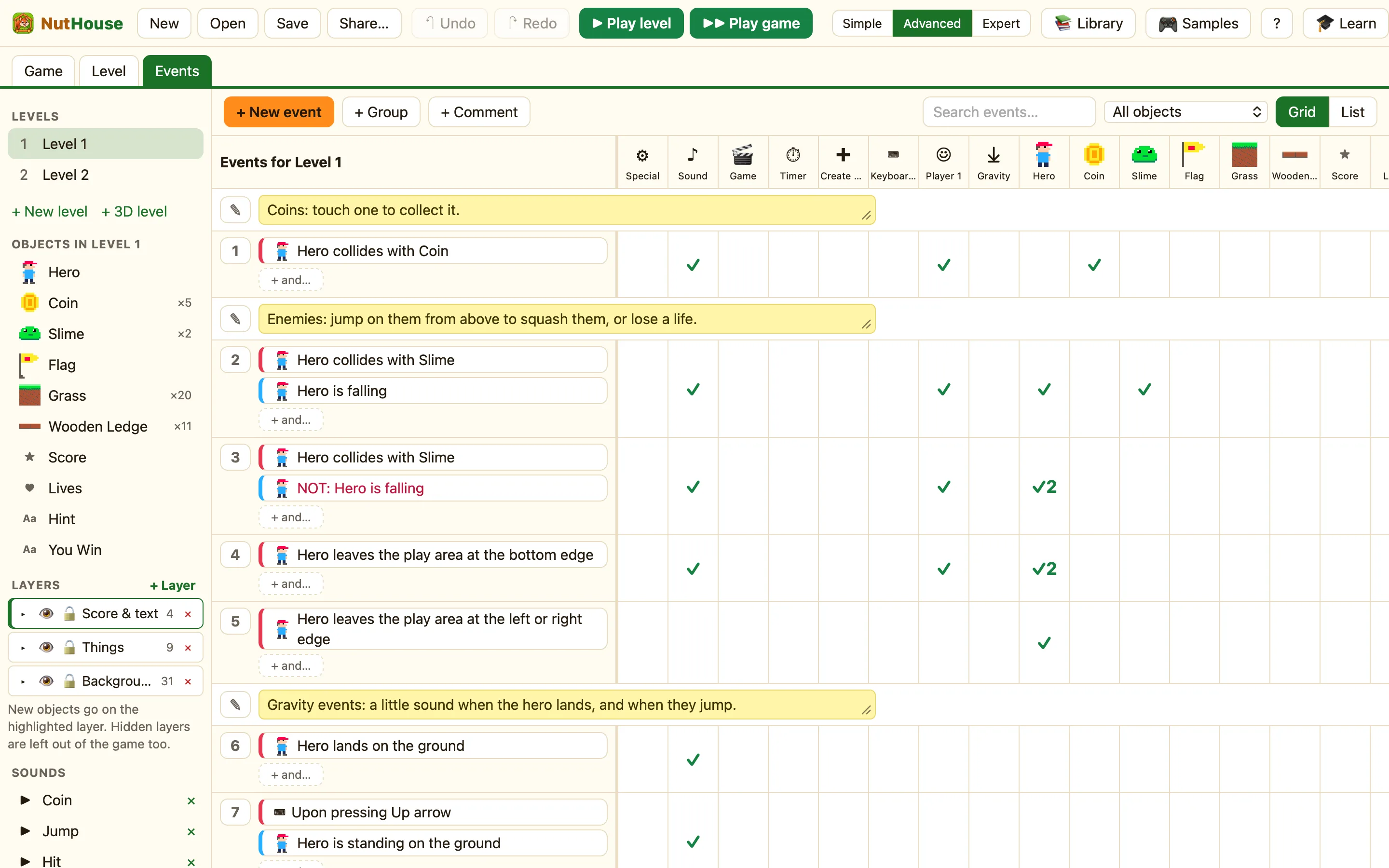
Conditions and actions
Every rule in NutHouse has two halves: When and Do. “When the ball collides with a brick, destroy the brick, bounce the ball, add 10 to the score.” That is an if-statement, and a child who has written thirty of them understands if-statements. NutHouse also separates triggers (red conditions, which happen once at a moment) from tests that are checked all the time. Children learn to ask “is this a moment, or a state?”, which is the heart of event-driven programming.
State
Scores, lives and counters are variables with friendly names. Each copy of a sprite can carry its own values (A to J) and switches (0 to 7) in Expert mode, and there are 26 global values that survive from level to level. Wing It uses a switch to mean “crashed”; Dungeon Key uses a counter to mean “has the key”. The child decides what a number means and keeps it up to date.
Loops, without writing loops
A rule about “Coin” runs for every coin, but a condition such as “collides with” narrows it to only the coin that was touched. This is iteration and filtering: the same thing as a loop with an if inside it. Children feel it the first time a rule destroys every coin instead of one, and they fix it by adding a condition. See Only the coin you touched.
Debugging by playing
Play is one key away (⌘R) and never changes the saved game. The loop is: play, notice something wrong, find the rule, change one thing, play again. NutHouse’s Teach me button turns a missing rule into a question: “Hero touched Slime. What should happen?”
Planning
A level is a space to design. Where is the start, where are the rewards, what blocks the way? The Game tab shows levels as a sequence, and “next level” is an action. Children plan difficulty curves without being told that is what they are doing.
For which mode suits which age, see Which mode for which age.
