
Make a grid
Make rows and columns of one object in a single go. A wall of forty bricks takes three clicks.
How to
- Put one object where you want the top-left corner of the grid.
- Select it and click Make grid… in the panel on the right.
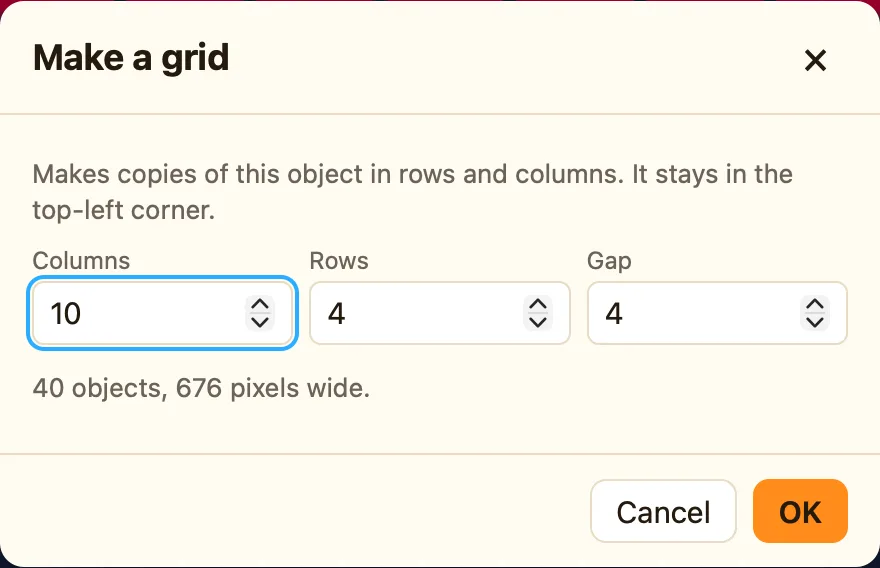
- Type the Columns, Rows and Gap you want.
- Read the line at the bottom, like 40 objects, 636 pixels wide. Make sure it fits your level.
- Click OK.
The dialog says it clearly: it makes copies of this object in rows and columns, and the original stays in the top-left corner.
What the settings mean
| Columns | How many across. It starts at 10. |
|---|---|
| Rows | How many down. It starts at 4. |
| Gap | The space between copies, in pixels. It starts at 4. Type 0 for copies that touch. |
What you get
Every copy is the same object. It has the same name, the same pictures and the same settings. In the sidebar it shows once, as Brick ×40. Click that row and all forty are selected.
A rule like Ball collides with Brick works for every brick. Only the brick that got hit is destroyed, because NutHouse picks the copies that touched. Read Only the coin you touched.
Any object can be gridded, not only bricks. Try a row of coins, a floor of tiles, or a field of stars.
