
Choosing a condition
Pick a thing, then pick what to test about it, or type a word like “collides” to find it fast.
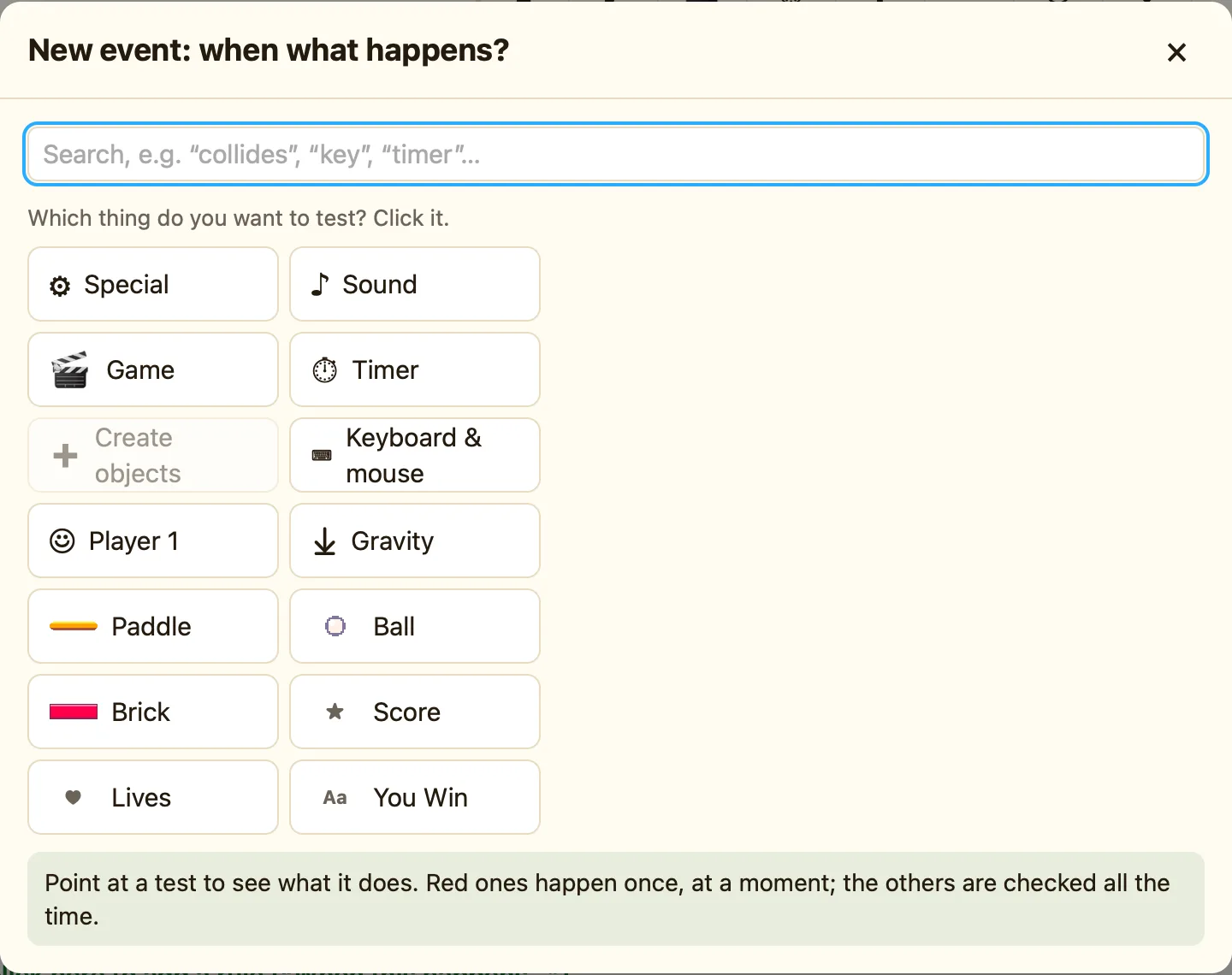
The two steps
A condition is the When half of a rule. The picker opens when you click + New event (its title says “New event: when what happens?”) or + and… (“Add a condition”).
It always works in two steps:
- “Which thing do you want to test? Click it.” The things are the columns of the grid: ⚙ Special, ♪ Sound, 🎬 Game, ⏱ Timer, ⌨ Keyboard & mouse, ☺ Player 1, ⤓ Gravity, then every object in the level.
- “Now choose what to test:” shows the tests for that thing. Sprites have a lot, so they are grouped: Collisions, Position, Movement, Animation, Values, Visibility, Pick or count, Gravity.
- Click a test. If it needs settings, the settings dialog opens. Press Add.
Searching instead
The search box at the top says “Search, e.g. “collides”, “key”, “timer”…”. Type a word and the picker shows every matching test for every thing. This is faster when you know roughly what you want but not where it lives. If nothing matches, it says “Nothing found. Try another word.”
Red or not red
The footer of the picker reminds you: “Point at a test to see what it does. Red ones happen once, at a moment; the others are checked all the time.” Point at any test and the footer shows its help sentence, for example “Collides with another object (red: happens once): True the moment two objects first touch…”.
| Red tests | Collides with another object, Upon pressing a key, Every, Start of level. Moments. |
|---|---|
| Normal tests | Is overlapping another object, Repeat while a key is pressed, Compare the score, Compare the number of these objects. States, checked every tick. |
More than one condition
A rule can have several conditions. All of them must be true for the actions to run. Click + and… at the end of the row to add another. Put a red condition first if the rule has one. See Red rules happen once.
