
Open and play a sample game
NutHouse comes with seven finished games. Open one, play it, and then poke about inside to see how it is made.
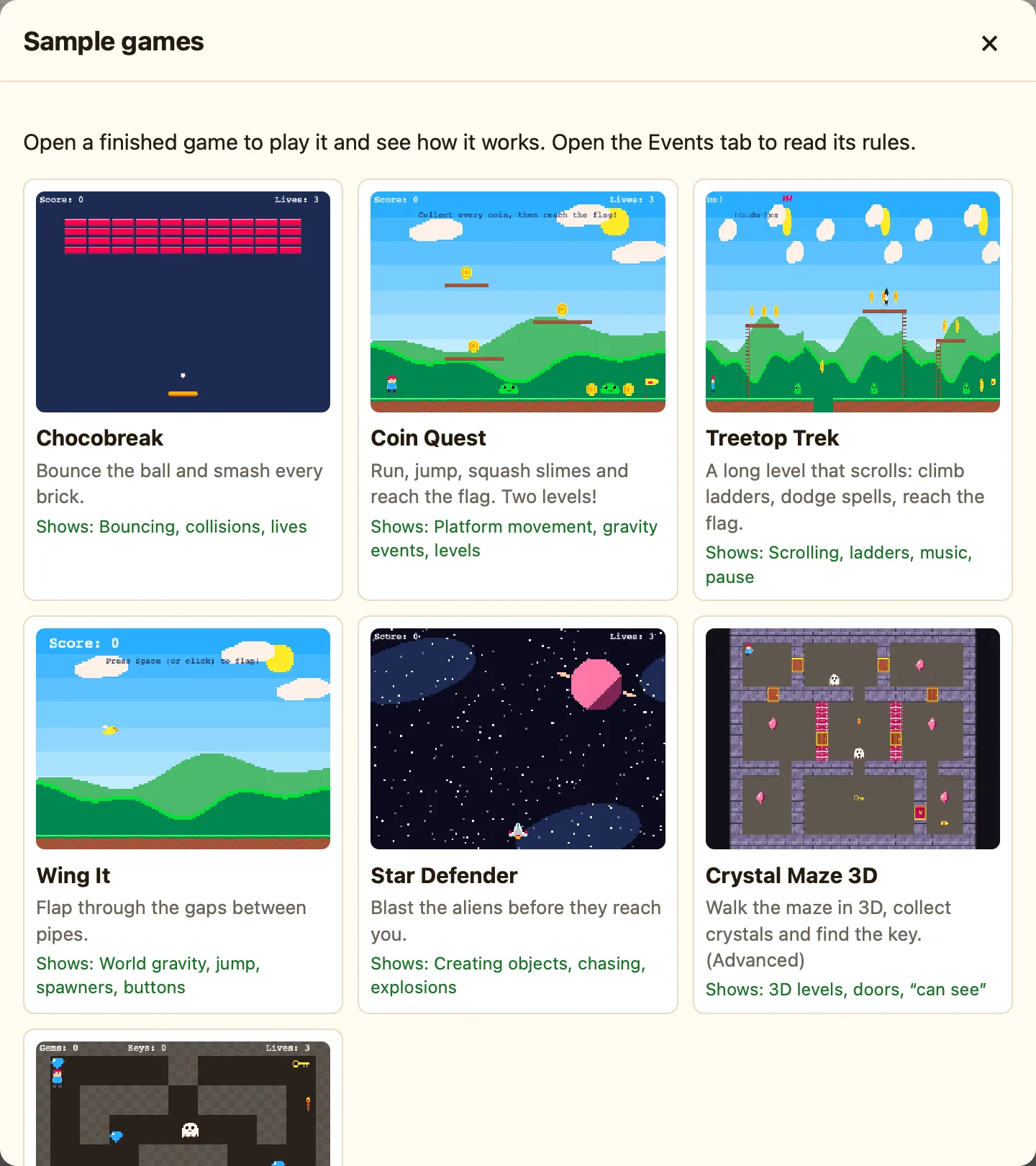
The seven samples
| Chocobreak | Bounce the ball and smash every brick. Shows bouncing, collisions and lives. |
|---|---|
| Coin Quest | Run, jump, squash slimes and reach the flag. Two levels! Shows platform movement, gravity events and levels. |
| Treetop Trek | A long level that scrolls: climb ladders, dodge spells, reach the flag. Shows scrolling, ladders, music and pause. |
| Wing It | Flap through the gaps between pipes. Shows world gravity, jump, spawners and buttons. |
| Star Defender | Blast the aliens before they reach you. Shows creating objects, chasing and explosions. |
| Crystal Maze 3D | Walk the maze in 3D, collect crystals and find the key. Shows 3D levels, doors and “can see”. Needs Advanced mode. |
| Dungeon Key | Find the key, dodge the ghosts and escape the dungeon. Shows top-down movement, counters and doors. |
How to
- Press 🎮 Samples in the toolbar. (Or click a card on the Welcome screen.)
- Click a game. It opens in the Level tab.
- Press ▶▶ Play game to play it from level 1. Most samples use the arrow keys to move. Each sample page in this help centre tells you the rest.
- Press Esc to come back to the editor.
Looking inside
A sample is a normal game. Click any object in the level to see its settings on the right. Click the Events tab to read its rules. Hover over a chip and press ? to get a sentence saying what it does.
Change anything you like. Make the hero faster, add another slime, give the ball a new colour in the Sprite editor. Then press ⌘R and see what happened.
Each sample has its own page with a walk through of every rule: start with Chocobreak.
